


WP Table Builder is a versatile WordPress table plugin that allows you to create different types of tables.
However, it may feel limited when you need dynamic data integration, advanced filtering, or deeper customization.
In that case, exploring better alternatives becomes important.
To help you choose the best WP Table Builder alternatives, we have listed the top options and explained their key features, limitations, and how they compare to WP Table Builder based on our hands-on experience.
Further Reading: Not sure what WP Table Builder offers? Read our detailed WP Table Builder review to understand its features and where these alternatives stand out.
Quick Comparison of Top WP Table Builder Alternatives
| Plugin Name | Best For | FreeVersion | Starting Price |
| RioVizual | Creating any type of table using 19+ elements, 70+ pre-designed templates, within a drag-and-drop editor. | ✅ | $49/year |
| TablePress | Creating data tables with sorting, searching, formulas, and broader import/export support. | ✅ | $89/year |
| Ninja Tables | Creating dynamic tables and charts with WooCommerce and broader external integrations. | ✅ | $79/year |
| wpDataTables | Connecting to multiple dynamic data sources with built-in chart integrations. | ✅ | $59/year |
List of Best WP Table Builder Alternatives
Here is the list of top WP Table Builder alternatives that offer better design flexibility and advanced customization features.
1. RioVizual – All-in-One Table Builder for WordPress

RioVizual is one of the most relevant alternatives to WP Table Builder. It includes all the core features offered by WP Table Builder while supporting additional table layouts like product table and post table.
Compared to WP Table Builder, RioVizual offers more visual elements and deeper customization controls for presenting data more effectively.
It also provides a centralized dashboard for creating and managing tables, along with dedicated Gutenberg blocks for building tables directly inside the editor.
You can create tables from scratch or import professionally designed templates from its large template library. This helps speed up table creation while maintaining a consistent design across your website.
RioVizual also includes advanced styling controls for rows, columns, cells, and elements. Its Global Style feature lets you manage the overall table design from a single interface.
Pros of RioVizual
- Supports Comparison, Data, Product, Pricing, Pros and Cons, and Post tables
- Compatible with different WordPress setups and page builders
- Drag-and-drop interface with live preview
- Dedicated Gutenberg blocks for creating tables inside the block editor
- Centralized dashboard for creating and managing tables
- 19+ visual elements for flexible data presentation
- 70+ pre-built templates for faster table creation
- WooCommerce product table support using live store data
- CSV and spreadsheet import support for handling large datasets
- Advanced sorting and searching for quick data retrieval
- Sticky first row and column support for better readability
- Built-in schema support for Pros and Cons tables
- Global styling controls from a single settings panel
- Right-click actions for faster editing
Cons of RioVizual
- No built-in chart creation from table data
Pricing of RioVizual
RioVizual offers a free version with essential features.
The Pro version starts at $49 per year for a single site, $99 per year for up to 10 sites, and $149 per year for unlimited sites.
The lifetime plan starts at $149 for one website, $199 for 10 websites, and $299 for unlimited websites.
What Makes RioVizual Better Than WP Table Builder?
RioVizual includes functional Gutenberg blocks, so you can build tables directly inside the editor without switching dashboards. It also offers broader design flexibility, more table formats, additional elements, and a larger template library than WP Table Builder.
In addition, features like right-click editing and global styling help speed up your workflow and improve consistency.
If you want a deeper breakdown, you can read our guide on WP Table Builder vs RioVizual for a side-by-side comparison.
2. TablePress – Spreadsheet-like Interface for Advanced Data Tables

While TablePress does not include drag-and-drop functionality, it is still a solid alternative to WP Table Builder. Its simple interface and spreadsheet-like editor make it easy to create text and image-based tables.
It allows you to add HTML or JavaScript inside table cells, which helps you include buttons and other custom elements. TablePress also supports standard table structures such as header rows, footer rows, and merged cells.
In addition, it offers strong import and export features that can handle large datasets. The plugin also provides a wide range of extensions to expand its functionality.
Pros of TablePress
- Wide import/export support (CSV, Excel, JSON, HTML)
- Supports formulas and calculations inside tables
- Search field for quick data retrieval
- Column-based sorting to reorder table data
- Centralized dashboard for creating and managing tables
Cons of TablePress
- Can’t create advanced table layouts like pricing tables
- No responsive control in the free version
- Limited design flexibility without custom CSS
- No drag-and-drop editing interface
- The premium version may feel expensive for the feature set
Pricing of TablePress
TablePress offers core features for free.
Premium plans start at $89 per year and go up to $189 per year. Lifetime licenses range from $389 to $789 for single sites. For larger usage, lifetime pricing can go up to $3,199 for 100 sites.
What Makes TablePress Better Than WP Table Builder?
If you are looking for a data-focused table plugin with support for formulas, conditional formatting, extended import/export options, and column-based sorting, TablePress can be a better alternative to WP Table Builder.
It offers stronger functionality for data table creation, while focusing more on data handling than visual customization.
3. Ninja Tables – Flexible Table Plugin with WooCommerce Support
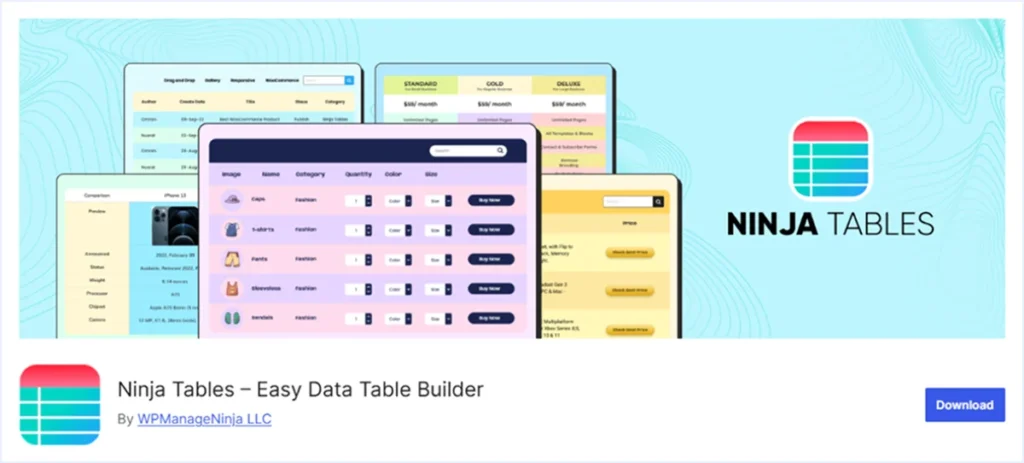
Ninja Tables can be used as an alternative to WP Table Builder, as both offer intuitive drag-and-drop interfaces. However, Ninja Tables goes further with features such as WooCommerce product tables, post tables, and Google Sheets sync.
It includes 12+ elements and a library of 50+ pre-designed templates to help you create different types of tables. The plugin allows you to display various types of data in a structured format.
Tables created with Ninja Tables are highly customizable and support importing and exporting data in multiple formats. It also includes conditional formatting, advanced sorting, searching, and filtering options to help visitors find relevant information easily.
Pros of Ninja Tables
- Multiple Table Layouts: Comparison, Pricing, Data, Post, Product tables
- Compatible with the latest version of WordPress and major page builders
- An advanced and Drag-and-drop interface for easy table creation
- Conditional formatting options based on the user’s action
- Display dynamic data from Google Spreasheets with auto-sync support
- Extensive import and export features with support for Google Sheets sync
- Centralized dashboard for creating and managing tables
- Includes a wide range of elements and pre-designed templates
- Ability to create charts through integration with Ninja Charts
Cons of Ninja Tables
- Limited elements are available in the free version.
- The free version lacks some basic media elements like image.
- Only 3 out of 50+ pre-designed templates are available in the free version.
Pricing of Ninja Tables
NiNinja Tables offers a free version with basic features.
Premium plans start at $79 per year for a single site, $129 per year for 20 sites, and $299 per year for unlimited sites. Lifetime plans start at $309 for one site and go up to $749 for unlimited sites.
What Makes Ninja Tables Better Than WP Table Builder?
Ninja Tables includes more advanced features and broader integrations, such as WooCommerce and Google Sheets sync. These features make it suitable for creating dynamic and data-focused tables compared to WP Table Builder.
4. wpDataTables – Advanced Data Table Plugin for Dynamic Datasets

If you need to create tables with dynamic data sources and large datasets, wpDataTables can be a strong alternative to WP Table Builder.
It can connect to external data sources such as MySQL databases, Google Sheets, Excel files, and CSV files to generate tables. These data sources can also be set to sync automatically.
wpDataTables includes advanced features such as front-end editing, conditional formatting, and custom filtering. It also provides a built-in chart builder to help you visualize table data.
Pros of wpDataTables
- Supports multiple table layouts for versatile table building
- Offers several table creation options for different use cases
- Connects to data sources such as spreadsheets, Excel, CSV, and MySQL
- Centralized dashboard for creating and managing tables
- Advanced sorting, filtering, and searching for quick data retrieval
- Mathematical formula support and conditional formatting
- 29+ pre-built templates for faster table creation
- Auto-sync support for creating dynamic data tables
- WooCommerce integration for creating product display tables
- Create charts from table data using Google Charts, Chart.js, and more
- Expandable using official add-ons
Cons of wpDataTables
- The interface and feature set may feel complex for beginners
- The free version includes limited features
- Steeper learning curve for beginners
Pricing of wpDataTables
wpDataTables offers feature-based pricing for both annual and lifetime plans.
The annual plan starts at $59 per year for a single website and goes up to $398 per year for unlimited websites.
The lifetime plan starts at $273 for a single website and goes up to $998 for unlimited websites, depending on the selected features.
What Makes wpDataTables Better Than WP Table Builder?
The ability to fetch data from multiple external sources makes wpDataTables a stronger choice for dynamic tables.
This is especially useful for users who need to create data-driven tables with charts and advanced filtering.
Which WP Table Builder Alternative Should You Choose?
Choosing the right WP Table Builder alternative depends on how you prefer to create and manage tables on your WordPress website.
The plugins listed above follow different approaches to table creation. Some focus on drag-and-drop visual layouts, while others specialize in dynamic data tables.
If you want a similar drag-and-drop workflow with more visual elements, deeper customization, more pre-built templates, and cross-builder compatibility, RioVizual is worth considering. It also includes dedicated Gutenberg support, allowing you to build tables directly inside the editor.
It is a good fit for content-heavy websites and large publishers that need flexibility to create more complex table layouts without changing their workflow.
If you want to explore more options, you can also check our detailed guide on the Best WordPress Table Plugins to find the one that best fits your website.

Leave a comment