


If you are looking for a table plugin that can create dynamic data tables, charts, and product displays with broader external integrations, Ninja Tables can be a suitable option.
However, it may not fit every website’s needs. That is why this guide helps you find better alternatives.
To make it easier, we have handpicked 5 of the best Ninja Tables alternatives and shared our firsthand experience using them. We also explain what makes each one a better alternative to Ninja Tables.
By the end of this article, you will have a clear idea of which plugin is the best replacement for Ninja Tables based on your specific use case.
Further Reading: If you are not sure what Ninja Tables offers, you can read our detailed Ninja Tables review for a complete overview. It will help you understand where these alternatives stand out.
Quick Overview: Ninja Tables Alternatives
| Plugin Name | Best for | Starting Pricing |
| RioVizual | Visual table creation with 19+ elements, 70+ templates, and drag-and-drop editing | $49/year |
| wpDataTables | Dynamic data tables and charts with border external integrations | $59/year |
| WP Table Builder | Rating-focused visual tables with a drag-and-drop interface | $99/year |
| TablePress | Advanced data tables with a spreadsheet-style editor and import/export support | $89/year |
| Visualizer | Data tables and charts from CSV, Google Sheets, and JSON sources | $199/year |
List of Best Ninja Tables Alternatives
Let’s dive deep into the Ninja Tables alternatives list. You will find detailed overviews of each plugin, their key features, use cases, limitations, and why they are considered good Ninja Tables alternatives, and the pricing.
1. RioVizual – All-in-One Table Builder for WordPress
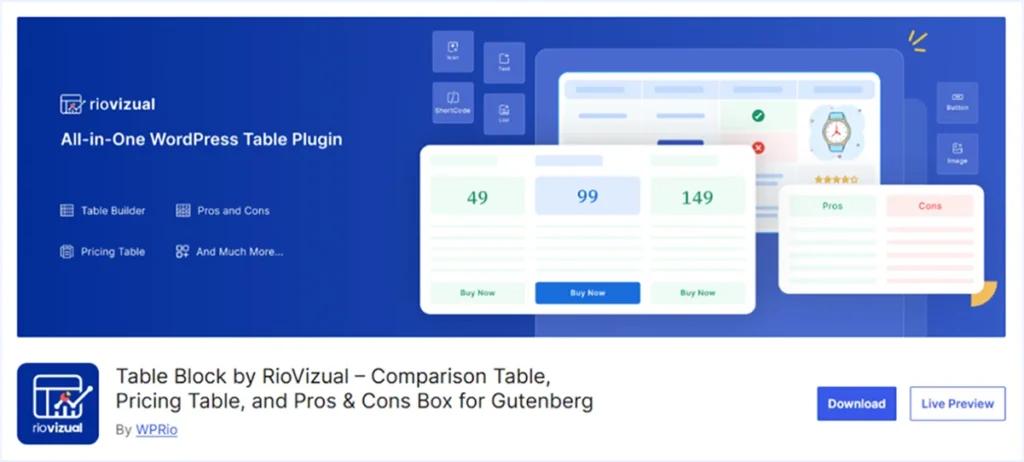
RioVizual is one of the most relevant alternatives to Ninja Tables in terms of supported table layouts, range of elements, and pre-designed templates.
It includes a drag-and-drop table builder with live preview, making table creation easier for beginners and advanced users alike.
You can create tables from scratch or start with pre-designed templates to save time and maintain a consistent design across your website.
RioVizual works across different WordPress setups and provides advanced styling control for rows, columns, and cells. It also includes Global Style options to manage the overall table design from a single interface.
Pros of RioVizual
- Supports Comparison, Data, Product, Pricing, Post, and Pros & Cons tables
- Drag-and-drop editing interface with live preview
- Right-click actions for faster table editing workflow
- 19+ built-in elements for flexible data presentation
- 70+ pre-designed templates for quicker table creation
- Cross-builder compatibility across different WordPress setups
- WooCommerce integration for creating product tables from store data
- Supports CSV and Spreadsheet import for handling large datasets
- Sorting and searching support for large tables
- Dedicated Gutenberg blocks for creating tables directly inside block editor
- Central dashboard for managing all tables from one place
- Built-in schema support for Pros & Cons tables to improve search visibility
- Sticky row and column support for better readability in large tables
Cons of RioVizual
- No chart creation features (compared to Ninja Tables)
Pricing of RioVizual
RioVizual offers a free version for creating functional tables.
To unlock its full capabilities, the premium plan starts at $49 per year for a single site and goes up to $299 for unlimited websites in the lifetime plan.
What Makes RioVizual Better Than Ninja Tables?
RioVizual includes all the common functionality and features that Ninja Tables offers. Moreover, it includes a wide range of visual elements and a large collection of pre-designed templates in both its free and premium plans.
Additionally, includes a dedicated Gutenberg block for creating tables directly inside the editor. Specially useful if you run your blogs in WordPress.
2. wpDataTables – Advanced Data Table Plugin for Dynamic Datasets

wpDataTables is widely used for building advanced data tables that rely on external data sources. It supports importing data from Excel, CSV, Google Sheets, MySQL, XML, JSON, and other sources to generate dynamic tables.
With wpDataTables, you can build tables that automatically sync data from external data sources. This makes it useful for WooCommerce product tables, WordPress post tables, and other data‑driven tables.
Besides data tables, wpDataTables also allows you to create layouts such as pricing tables. It also includes built‑in tools for generating charts and graphs from your table data.
Pros of wpDataTables
- Spreadsheet-style editor with front-end editing and live preview
- Broad external integrations with auto-sync support for dynamic data tables
- Conditional formatting and formula support
- Multiple built-in elements for presenting structured data
- 30+ pre-designed templates for faster table creation
- Ability to create WooCommerce product tables
- Display WordPress posts, custom post types, and meta fields in tables
- Official add-ons available to extend functionality
Cons of wpDataTables
- The free version includes limited features and basic use cases
- Some advanced tools, such as powerful filters and the report builder, require additional add-ons
- Steeper learning curve compared to simpler table plugins
- No dedicated Gutenberg block for creating tables directly inside the editor
Pricing of wpDataTables
wpDataTables offers a free version with limited functionality.
The premium version is available with both annual and lifetime plans. Annual plans start at $59 per year for a single site and go up to $398 per year for unlimited sites.
Lifetime licenses start at $273 for a single site and reach up to $998 for unlimited sites, depending on the selected features.
What Makes wpDataTables Better Than Ninja Tables?
wpDataTables supports a wider range of external data sources compared to Ninja Tables. This makes it more suitable for websites that rely on dynamic data and complex datasets. For data-intensive projects, wpDataTables can be a stronger alternative to Ninja Tables.
3. WP Table Builder – Drag-and-Drop Table Plugin for Visual Layouts
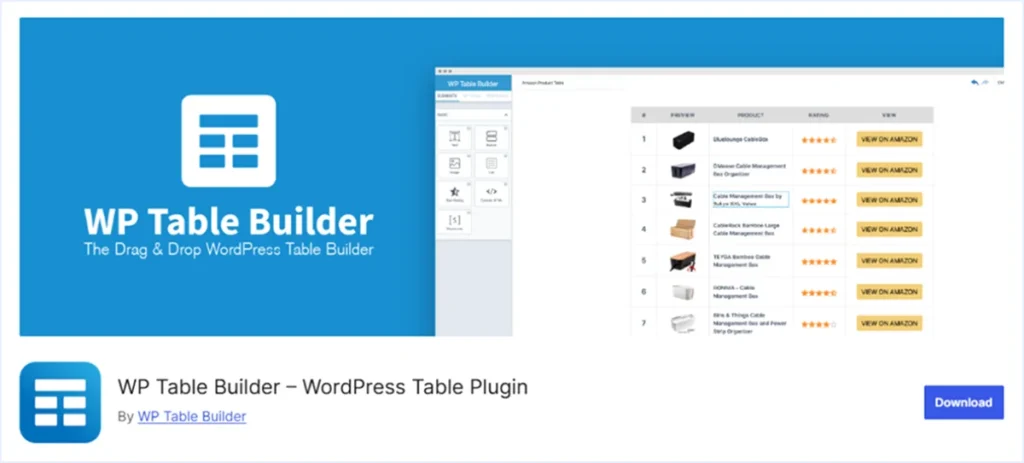
WP Table Builder is a table plugin designed for users who prefer a visual drag-and-drop workflow for creating tables. It allows you to build comparison tables, pricing tables, and more using a simple interface for adding and arranging elements.
Using its visual builder, you can easily define rows and columns, move cells, merge or duplicate rows and columns, and customize different parts of the table. This makes the table-building process straightforward, especially for beginners.
WP Table Builder also includes pre-designed templates to help you get started quickly. You can select a template, adjust the content, and embed the table anywhere on your website using a shortcode.
Pros of WP Table Builder
- Visual drag-and-drop interface with live preview
- 14 built-in elements for displaying table data
- 29+ pre-designed templates for faster table creation
- Save as Template feature for reusable table designs
- Import and export support using CSV and XML files
- Central dashboard for managing tables in one place
- Cross-builder compatibility across WordPress setups
- Sorting and searching features for data-heavy tables
- Sticky rows and columns for better readability
Cons of WP Table Builder
- Only one template is available in the free version
- No conditional logic or formula support
- Absence of chart creation features compared to Ninja Tables
- No integration with Google Sheets or external databases
- Dosen’t support WooCommerce integration for product display
Pricing of WP Table Builder
WP Table Builder offers a free version with basic functionality.
The premium version starts at $99 per year for unlimited websites. A lifetime license is also available, with pricing up to $279 for unlimited websites.
What Makes WP Table Builder Better Than Ninja Tables?
WP Table Builder focuses on a fully visual drag-and-drop workflow for creating tables. This makes the interface easier for beginners who prefer arranging table elements directly inside the builder.
If your priority is a plugin that is quicker to learn and allows fast visual table creation, WP Table Builder can be a better alternative to Ninja Tables.
4. TablePress – Spreadsheet-like Interface for Advanced Data Tables

TablePress is one of the most widely used WordPress table plugins, with over 700k+ active installations. It includes a spreadsheet-like editor that is straightforward for creating and managing tables.
It supports text, numbers, images, links, and HTML inside table cells to display data. However, it mainly focuses on traditional data tables and is not designed for advanced table layouts such as pricing tables or comparison tables.
TablePress also does not provide direct WooCommerce integration for generating product tables from store data.
Although it works well for creating functional data tables, customization options are limited without using custom CSS.
Pros of TablePress
- Spreadsheet-style editor for creating and managing tables
- Supports text, images, links, HTML, and JavaScript inside cells
- Import and export support for Excel, CSV, HTML, JSON, and Google Sheets
- Built-in pagination, sorting, and filtering for data tables
- Central dashboard for managing tables from one place
- Cross-builder compatibility across different WordPress setups
- Official add-ons available to extend functionality
Cons of TablePress
- Primarily supports data tables only
- No pre-designed templates for faster table creation
- Missing built-in elements such as buttons, icons, or star ratings
- Responsive table controls are not available in the free version
- No WooCommerce integration for creating dynamic product tables
- No dedicated blocks for creating tables inside the Gutenberg editor
- Basic customization often requires HTML and CSS knowledge
Pricing of TablePress
TablePress offers a free version on WordPress.org for creating unlimited basic tables.
The premium version includes both annual and lifetime plans based on site usage. Paid plans start at $89 per year for a single site. Lifetime licenses can go up to $3,199 for 100 sites.
What makes TablePress Better Than Ninja Tables?
TablePress can be a good option if your goal is to create simple data tables using a spreadsheet-style interface. It is easy to use and provides flexible import and export options.
If you only need a free plugin for creating basic data tables, TablePress can be a good alternative to Ninja Tables.
5. Visualizer – Advanced Data & Chart Creation Plugin

Visualizer is a WordPress plugin for creating data tables and charts from large datasets. It lets you convert row data into tables or visual charts using a spreadsheet-style editor.
The plugin supports importing data from CSV, Google Sheets, and JSON. This makes it suitable for managing large datasets that require frequent updates.
For data tables, Visualizer includes features such as sorting, searching, and pagination to help users navigate large datasets and retrieve information quickly.
However, Visualizer mainly focuses on data tables and chart visualization. It does not support advanced table layouts such as comparison tables, pricing tables, or pros and cons tables compared to Ninja Tables.
Pros of Visualizer
- Spreadsheet-style editor for creating data tables and charts
- Supports importing data from CSV, Google Sheets, and JSON
- 15 chart types powered by Google Charts and Chart.js
- Sorting, searching, and pagination for data tables
- Cross-builder compatibility through shortcode support
- Central dashboard for managing tables and charts
Cons of Visualizer
- Interface is not beginner-friendly and may require a longer learning curve
- No on-page data editor in the free and starter plans
- Limited to data tables, charts, and graphs only
- Data import is not available in the free version
- Only basic chart layouts available in the free version
- Limited design customization options
- No Gutenberg Blocks for creating tables and charts inside the editor
- No lifetime plan available
- Higher pricing compared to similar plugins
Pricing of Visualizer
The premium plan starts at $199 per year for a single site and goes up to $799 per year for unlimited sites.
What makes Visualizer Better Than Ninja Tables?
If your goal is to create data tables and charts, Visualizer can be a strong alternative as compare to Ninja Tables.
It includes built-in chart creation features, so you do not need an additional plugin to visualize your data, unlike Ninja Tables.
Things to Consider While Choosing Ninja Tables Alternatives
When switching from Ninja Tables, it is important to evaluate a few key factors before selecting another table plugin. Each plugin offers different strengths depending on how you plan to create and manage tables on your website.
- Table Layout Support: Some plugins focus only on data tables, while others support multiple layouts such as comparison tables, pricing tables, pros and cons tables, or product tables. Choose a plugin that supports the layouts you need, or select one that offers broader layout support for long‑term flexibility.
- Compatibility: Make sure the plugin works with your preferred editor or page builder. Some plugins rely on shortcodes, while others provide dedicated blocks or visual builders for creating tables directly inside the Gutenberg editor.
- Integration for Dynamic Data: Certain plugins support integrations with tools such as WooCommerce, Google Sheets, or databases. These integrations help you create tables that automatically update when the source data changes.
- Ease of Use: Consider how easy the plugin is to learn and use. A clear interface and simple workflow can save time when creating or managing multiple tables.
- Regular Updates: Choose a plugin that receives regular updates. Frequent updates usually mean better feature improvements, compatibility with new WordPress versions, and stronger security.
Final Verdict: Which Ninja Tables Alternative is Best for You?
After reading this guide, you should have a clearer idea of which plugin fits your needs. We covered five Ninja Tables alternatives with their key features, pros, cons, and pricing.
Each plugin serves a different purpose. Some are better for handling large datasets, while others focus on simpler, visual table creation workflows.
If you are still exploring, RioVizual can be a reliable starting point. It supports multiple table layouts, works across different page builders, and includes a wide range of built-in elements and pre-designed templates.
If you want to explore more options, you can visit our detailed guide on the Best WordPress Table Plugins to compare more solutions.

Leave a comment