

Many users prefer creating tables directly inside the Gutenberg editor because it offers a smooth, native workflow without relying on shortcodes or external builders.
Tableberg and RioVizual are two popular table plugins that support this approach. Both provide dedicated blocks that let you build tables visually inside Gutenberg.
However, the differences go beyond basic table creation. They become clear when you compare flexibility, cross-builder compatibility, customization depth, templates, supported layouts, and overall workflow.
In this Tableberg vs RioVizual comparison, we break down each key difference side by side so you can understand which plugin fits your workflow, content needs, and long-term plans.
Quick Takeaway: Tableberg vs RioVizual
Before diving into the detailed comparison, here is a quick overview of the key differences between Tableberg and RioVizual.
| Feature | Tableberg | RioVizual |
| Number of Elements | 9+ elements | 19+ elements |
| Cross-BuilderCompatibility | Works inside the Gutenberg editor only | Works with Gutenberg and other page builders |
| SupportedTable Layouts | Pricing, Comparison, Pros & Cons, Product, AI Table | Pricing, Comparison, Pros & Cons, Booking, Data Table |
| Central Table Management | N/A | Available |
| CustomizationLevel | Basic block-based customization | Extensive customization through a structured settings panel |
| Gutenberg Blocks | 1 Block | 6 Blocks |
| Pre-Designed Templates | 29+ total (6 free) | 70+ total (52 free) |
| Schema Markup for SEO | N/A | Available (Pros & Cons tables) |
| Right-Click Management | N/A | Available |
| Drag-and-drop Building | N/A | Available |
| Sticky Row / Column | Available | Available |
| Searching and Sorting | Available | Available |
| Pagination | N/A | Available |
| Free Version | Available | Available |
| Resource Usage (WP Hive Test) | +599.94 KB | +120.3 KB |
| Pricing | $99 per year (unlimited site) | $49 per year (1 site) |
Detailed Overview: Tableberg vs RioVizual
1. Number of Elements
Elements determine how easily you can present different types of data inside a table. A plugin that provides more built-in elements allows you to structure information in different ways without relying on additional tools.
| Elements Name | Tableberg | RioVizual |
| Text / Paragraph | ✅ | ✅ |
| List | ✅ (Gutenberg default) | ✅ |
| Advanced / Styled List | ✅ | ✅ |
| Image | ✅ | ✅ |
| Media & Text | ❌ | ✅ |
| Button | ✅ | ✅ |
| Advanced Button | ❌ | ✅ |
| Dual Button | ❌ | ✅ |
| Icon | ✅ | ✅ |
| Shortcode | ❌ | ✅ |
| Custom HTML | ✅ | ❌ |
| Star Rating | ✅ | ✅ |
| Divider | ❌ | ✅ |
| Price | ❌ | ✅ |
| Title | ❌ | ✅ |
| Ribbon | ✅ | ✅ |
| Tooltip | ❌ | ✅ |
Winner: RioVizual
Our Takeaway
Both plugins cover the basic elements needed to create tables. However, RioVizual provides more built-in elements to display a wider range of data.
Choose Tableberg if you prefer using Gutenberg blocks and custom HTML to extend your tables.
Choose RioVizual if you need a broader set of built-in elements, such as Advanced Buttons, Shortcodes, Dividers, and Pricing components. This helps you present more data visually without relying on external blocks or custom HTML.
2. Cross-Builder Compatibility
A table plugin that works with multiple page builders gives you more flexibility across projects. It also helps you keep the same workflow if your setup changes later. A Gutenberg-only plugin can limit how you use it over time.
| Criteria | Tableberg | RioVizual |
| Compatible with the latest WordPress | ✅ | ✅ |
| Compatible with Gutenberg | ✅ | ✅ |
| Compatible with Elementor | ❌ | ✅ |
| Compatible with Divi | ❌ | ✅ |
| Compatible with Bricks | ❌ | ✅ |
| Compatible with Oxygen Builder | ❌ | ✅ |
| Compatible with Beaver Builder | ❌ | ✅ |
| Compatible with Other Page Builders | ❌ | ✅ |
Winner: RioVizual
Our Takeaway
Both plugins work well inside the Gutenberg editor.
Choose Tableberg if your workflow is fully based on Gutenberg, and you do not plan to switch builders.
Consider RioVizual if you manage multiple websites or want flexibility across different builders. It helps you keep the same workflow across projects and reduces the need to rebuild tables when your setup changes.
3. Supported Table Layouts
A table plugin that supports multiple table layouts allows you to create different types of tables without installing additional plugins. This helps you stay flexible as your site grows and requires different table formats over time.
| Table Layouts | Tableberg | RioVizual |
| Data Tables | ❌ | ✅ |
| Pricing Table | ✅ | ✅ |
| Pros and Cons | ✅ | ✅ |
| Featured Box | ✅ | ✅ |
| Comparison Table | ✅ | ✅ |
| Product Table | ✅ | ✅ |
| Post Table | ❌ | ✅ |
| AI Table | ✅ | ❌ |
Winner: RioVizual
Our Takeaway
Both plugins support the most commonly used table layouts, including pricing, comparison, product, and pros and cons tables.
Choose Tableberg if your workflow mainly focuses on AI-generated tables inside Gutenberg.
Choose RioVizual if you want more flexibility across different table layouts. If you plan to handle large datasets or create tables from posts and custom post types, RioVizual provides broader table layout support than Tableberg.
4. Central Table Management
Central table management allows you to create, control, and update tables from a single dashboard instead of editing them separately on multiple pages. This becomes important as your site grows and you need to manage a large number of tables with global updates across different pages.
| Criteria | Tableberg | RioVizual |
| Global Table Control | N/A | Available |
| Create Once, Reuse Anywhere | N/A | Available |
| Central Dashboard | N/A | Available |
| Apply Updates Globally | N/A | Available |
Winner: RioVizual
Our Takeaway
RioVizual provides centralized table management through its plugin dashboard. You can create a table once, reuse it across multiple pages, and apply updates globally.
Choose Tableberg if you manage a small number of tables and do not need centralized control.
Consider RioVizual if you manage multiple tables across your website. It helps you maintain consistency, save time, and scale your workflow without updating tables manually on each page.
5. Customization
A table plugin should provide enough flexibility to design different layouts and control how each element appears. This becomes important when you need to adjust styling, structure, and responsiveness for different table types.
| Criteria | Tableberg | RioVizual |
| Customization Level | Basic | Extensive |
Settings Panel | Basic block-based controls | Structured panel (General, Style, Advanced, Device-specific) |
| Scrollbar and Responsiveness | Available | Available |
| Stacked Table layout | Available | Available |
| Table Caption | Available | Available |
| Additional CSS | Available | Available |
Winner: RioVizual
Our Takeaway
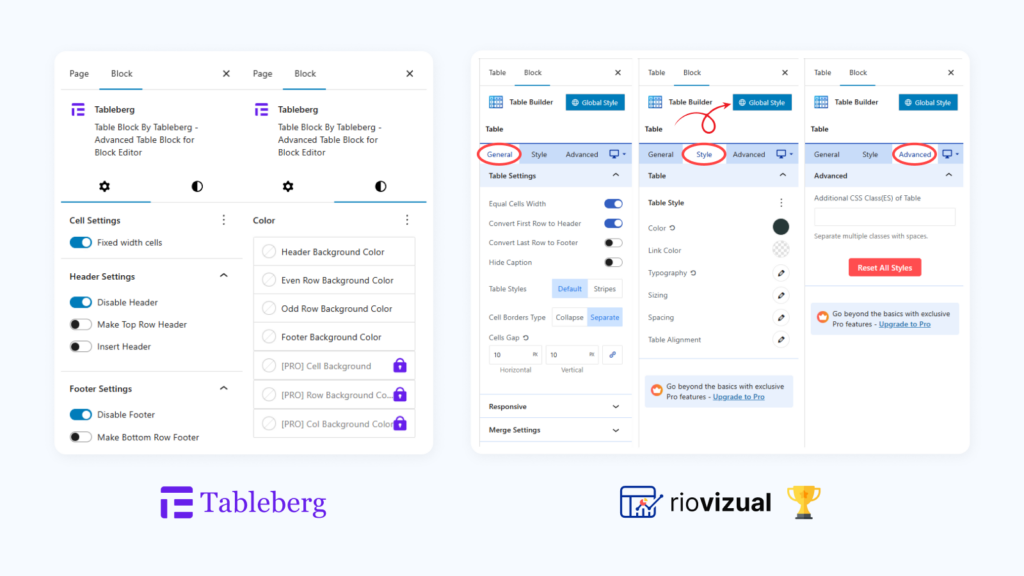
Both plugins cover essential customization features such as responsiveness, stacked layouts, captions, and custom CSS.
Choose Tableberg if you prefer a simple setup with minimal styling options inside Gutenberg.
Consider RioVizual if you need more control over design and layout. Its structured settings panel makes it easier to customize tables at both element and layout levels without relying heavily on custom CSS.
6. Gutenberg Blocks
Gutenberg blocks define how easily you can create and manage tables inside the editor. A dedicated block-based workflow helps you build tables directly within your content without switching between different dashboards.
| Criteria | Tableberg | RioVizual |
| Gutenberg Blocks Available | Available | Available |
| Number of Blocks | 1 | 4 |
| Block Names | Tableberg | Table Builder, Pricing Table, Data Table, Pros and Cons |
Winner: RioVizual
Our Takeaway

Both plugins allow you to create tables directly inside the Gutenberg editor.
Choose Tableberg if you prefer using a single block to manage all table types with a simple workflow.
Consider RioVizual if you want layout-specific blocks for different table types. This makes it easier to start with the right structure and reduces extra setup time when creating different table formats.
7. Pre-Designed Templates
Pre-designed templates help you create tables faster without starting from scratch. They also help maintain a consistent design across your pages. Templates with easy import options reduce additional setup time and help you build tables more efficiently.
| Criteria | Tableberg | RioVizual |
| Total Templates Available | 29+ | 71+ |
| Copy-Paste templates | N/A | Available |
| Easy Template Import | Available | Available |
Winner: RioVizual
Our Takeaway
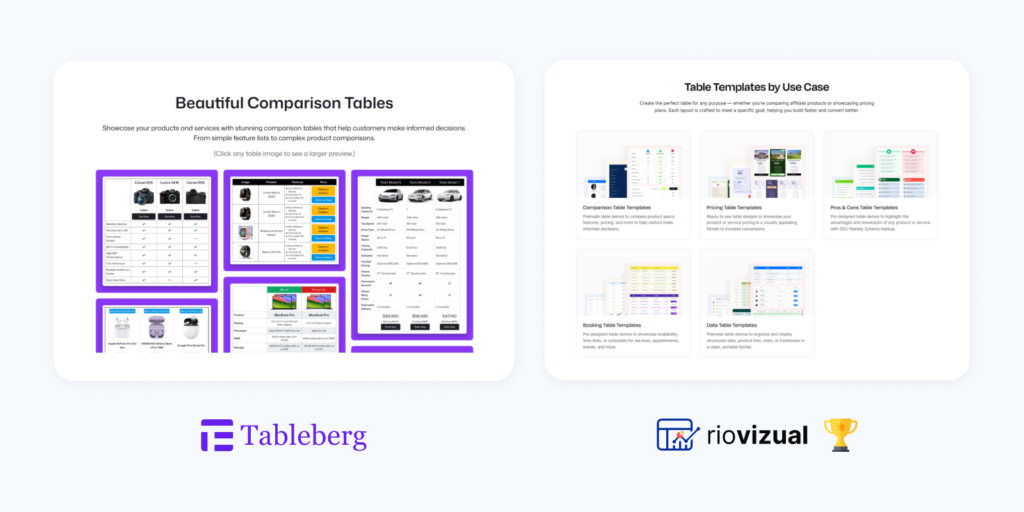
Both plugins provide ready-made templates to speed up table creation.
Choose Tableberg if you only need a few templates and prefer building the rest manually.
Choose RioVizual if your workflow relies on templates for speed and consistency. It offers a larger library of pre-designed templates for different table types, helping you build tables faster while keeping designs consistent.
8. SEO Schema Markup Support
Structured data, such as schema markup, helps search engines understand your table content more clearly. It can also improve how your content appears in search results. A table plugin with built-in schema support makes it easier to apply structured data without relying on additional tools.
| Criteria | Tableberg | RioVizual |
| Built-in Schema Markup Support | N/A | Available in (Pros and Cons tables) |
Winner: RioVizual
Our Takeaway
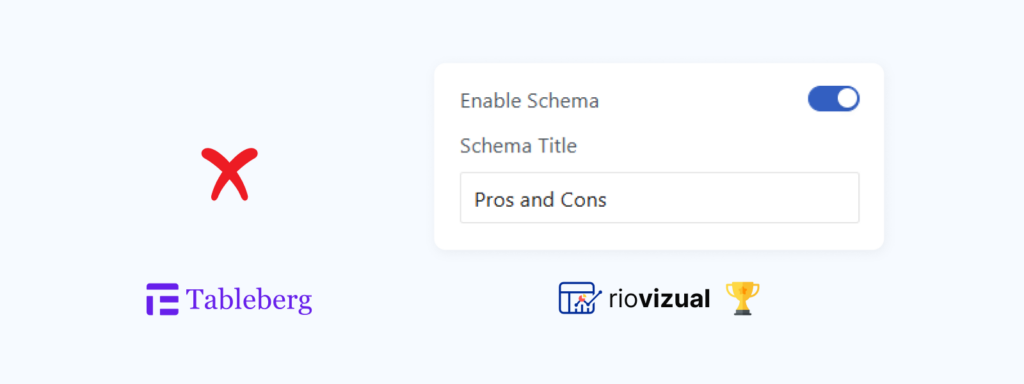
RioVizual includes built-in schema markup for Pros and Cons tables that you can apply directly from the table settings.
Choose Tableberg if you do not rely on schema markup or prefer handling structured data using external tools.
Choose RioVizual if you create comparison or affiliate content using Pros and Cons tables. Its built-in schema support helps search engines understand your content better without extra setup.
9. Right-Click Management
Right-click management allows you to access common actions directly from a contextual menu inside the table editor. This helps reduce extra steps and improves editing speed, especially when working with larger tables.
| Criteria | Tableberg | RioVizual |
| Right-Click management | N/A | Available |
Winner: RioVizual
Our Takeaway
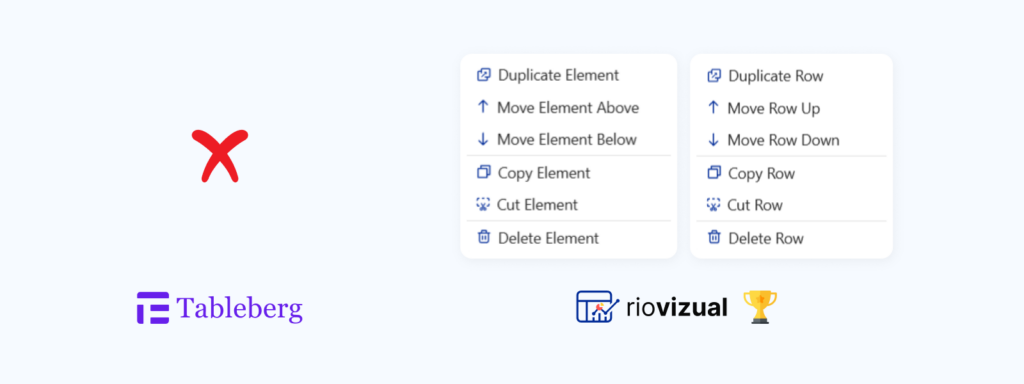
RioVizual includes right-click functionality that lets you access common actions directly from the table interface.
Choose Tableberg if you are comfortable using standard toolbar controls for editing.
Choose RioVizual if you want a faster editing workflow. It reduces extra clicks and helps you manage tables more efficiently.
10. Drag-and-drop Building
Drag-and-drop functionality allows you to rearrange elements, rows, and columns directly inside the table.
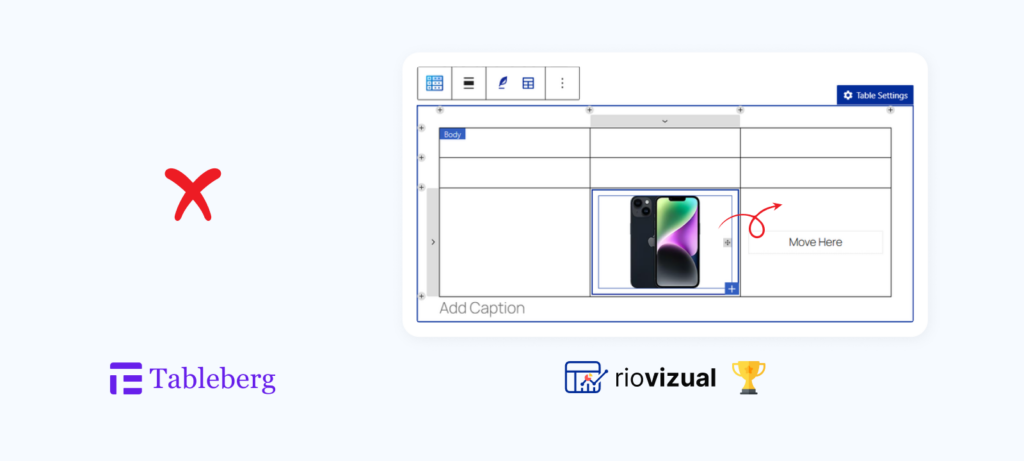
This makes it easier to organize content and adjust layouts without manual repositioning.
| Criteria | Tableberg | RioVizual |
| Drag-and-drop editor | N/A | Available |
Winner: RioVizual
Our Takeaway
RioVizual includes a drag-and-drop editing experience for repositioning elements inside the cells using a drag handle. It also supports drag-and-drop for List and Advanced List elements.
Choose Tableberg if you are comfortable adjusting layouts using standard block controls.
Choose RioVizual if you want more flexibility when organizing table content. It helps you adjust layouts faster and makes table editing more efficient.
11. Sticky Column / Row
Sticky rows and columns keep important headers visible while users scroll through a table. This helps users follow data more easily, especially in large tables.
| Criteria | Tableberg | RioVizual |
| Sticky column or row support | Available | Available |
Winner: Tie
Our Takeaway
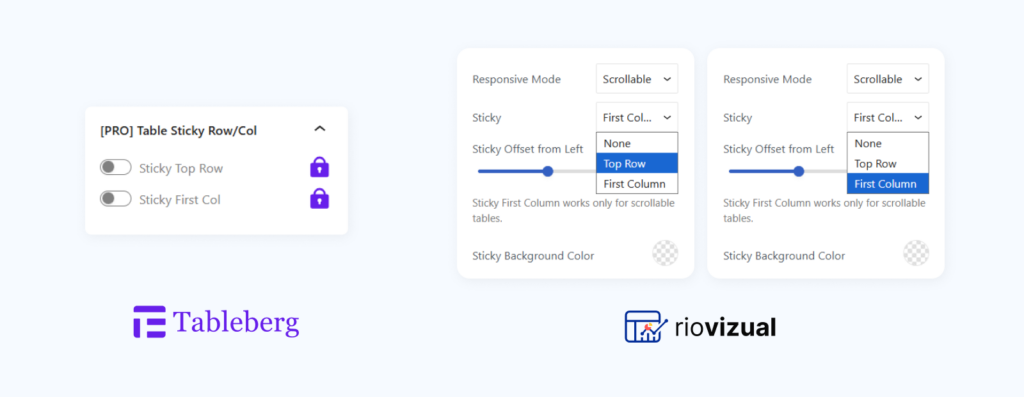
Both Tableberg and RioVizual support sticky rows and columns.
This improves readability and user experience by keeping important headers or key columns visible while scrolling through larger tables.
12. Searching, Sorting, and Pagination
Searching, sorting, and pagination help users interact with table data more efficiently. These features allow users to find specific data, reorder rows, and navigate large datasets without scrolling through long tables.
| Criteria | Tableberg | RioVizual |
| Search Table Data | Available | Available |
| Sort / Filter Table Data | Available | Available |
| Pagination | N/A | Available |
Winner: RioVizual
Our Takeaway
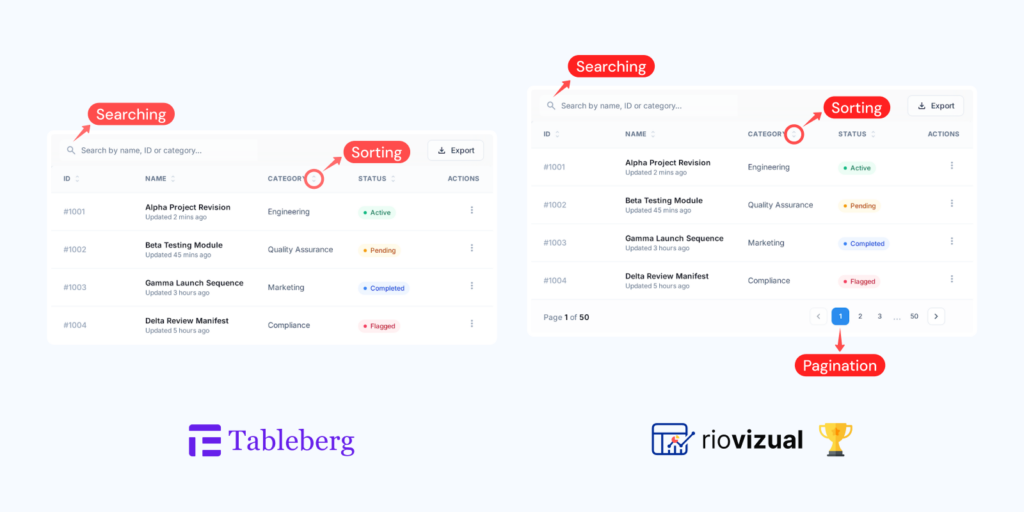
Both plugins support search and sorting, which helps users find and organize data quickly.
Consider Tableberg if search and sorting are enough for your use case.
Choose RioVizual if you work with large datasets. It includes search, sorting, and pagination to help users find and navigate data more easily, especially on mobile devices.
13. Free Version Value
A feature-rich free version allows users to explore the plugin and start creating functional tables without an immediate upgrade. The value of the free version depends on how many elements, pre-designed templates, and customization options are available without additional investment.
| Criteria | Tableberg | RioVizual |
| Free Version Available | ✅ | ✅ |
| Free Elements | 4+ | 10+ |
| Free Pre-Designed Templates | 6+ | 52+ |
| Unlimited Table Creation | ✅ | ✅ |
Winner: RioVizual
Our Takeaway
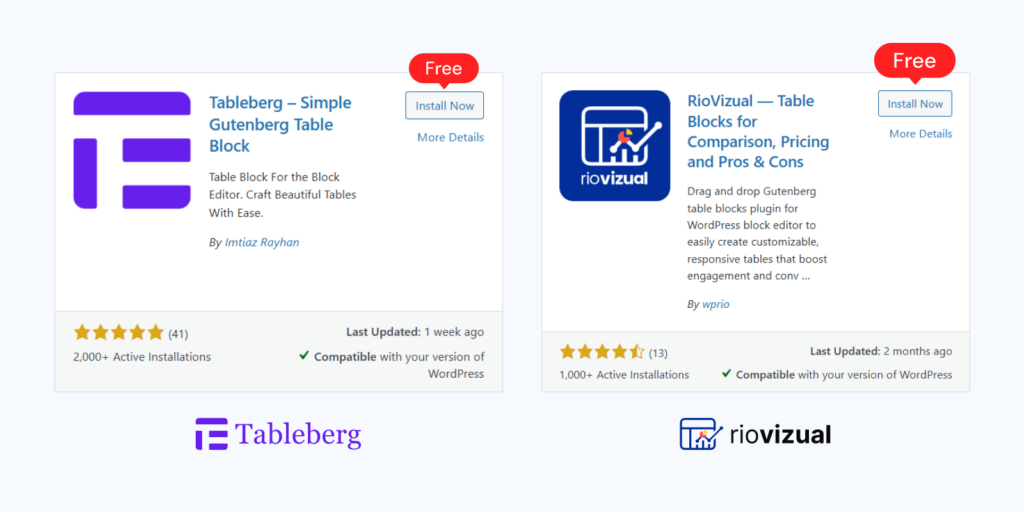
Both plugins allow unlimited table creation in the free version.
Choose Tableberg if you only need basic table features and plan to upgrade later.
Choose RioVizual if you want more flexibility without upgrading. It includes more elements and a larger template library, allowing you to create advanced layouts and present data more effectively within the free version.
14. Plugin Resource Usage
Plugin resource usage shows how much server memory a plugin consumes across different WordPress pages. Lower memory usage generally results in less load on the server and a smoother dashboard experience.
To evaluate this, we used data from the WP Hive benchmark test, which measures memory usage across common pages such as the front page, admin area, post editor, and media pages.
| Criteria | Tableberg | RioVizual |
| Average Memory Usage | +599.94 KB | +120.3 KB |
Winner: RioVizual
Our Takeaway
According to the WP Hive benchmark, RioVizual adds +120.3 KB of average memory usage, while Tableberg adds +599.94 KB.
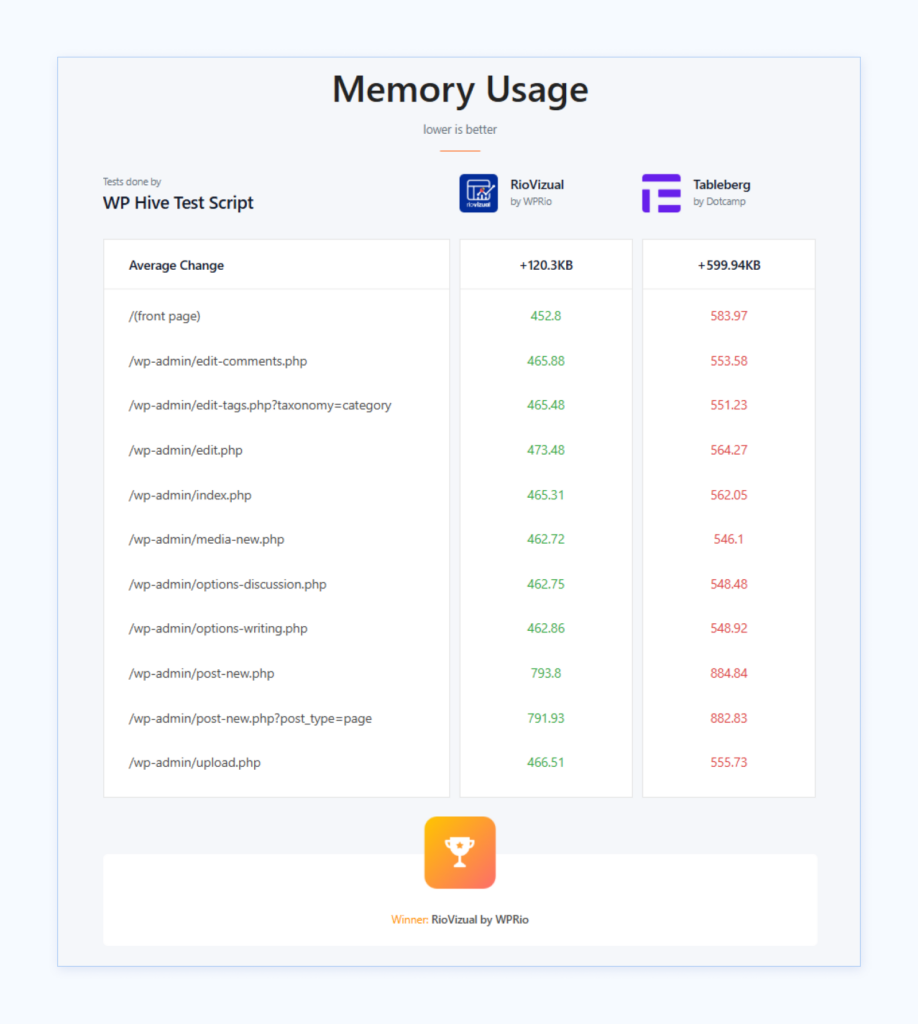
Choose Tableberg if resource usage is not a major concern for your setup.
Consider RioVizual if you want a lighter plugin that puts less load on your server and helps maintain a smoother backend experience.
15. Pricing
Pricing plays an important role when choosing a table plugin, especially if you plan to use it across multiple websites or long-term projects. Comparing available plans helps you understand the cost differences and choose a plan that fits your usage.
| Pricing Plan | Number of sites | Tableberg | RioVizual |
Yearly Plans | 1 site | N/A | $49 / year |
| 10 sites | N/A | $99 / year | |
| Unlimited Sites | $99 / year | $149 / year | |
Lifetime Plans | 1 site | N/A | $149 / once |
| 10 sites | N/A | $199 / once | |
| Unlimited Sites | N/A | $299 / once |
Winner: Depends on your usage
Our Takeaway
Both Tableberg and RioVizual offer yearly and lifetime pricing options.
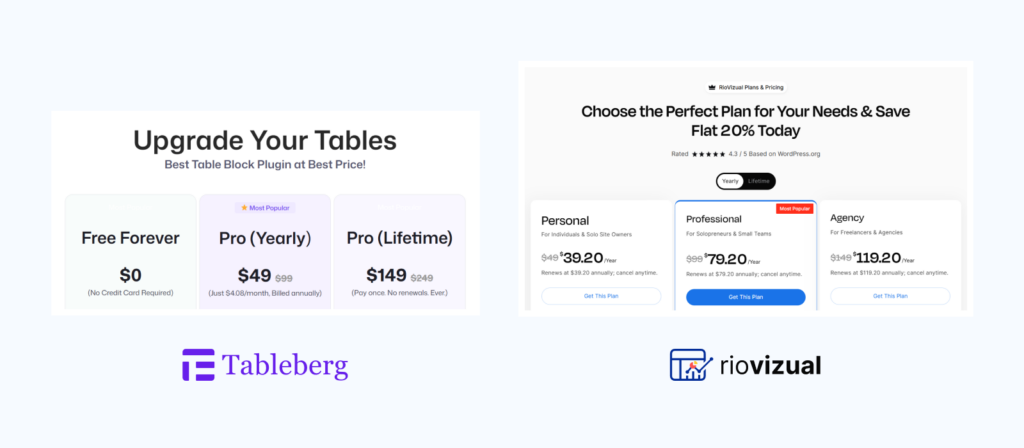
Choose Tableberg if you need a lower-cost unlimited site plan on a yearly basis.
Choose RioVizual if you want more flexible pricing tiers based on the number of websites. It offers both yearly and lifetime plans, making it suitable for long-term use and scalable projects.
Final Verdict: Tableberg vs RioVizual
After comparing all key features, here is a quick score-based summary:
| Category | Winner |
| Elements | RioVizual |
| Cross-Builder Compatibility | RioVizual |
| Supported Layouts | RioVizual |
| Central Table Management | RioVizual |
| Customization | RioVizual |
| Gutenberg Workflow | RioVizual |
| Templates | RioVizual |
| SEO (Schema Markup) | RioVizual |
| Right-Click Management | RioVizual |
| Drag & Drop | RioVizual |
| Sticky Rows/Columns | Tie |
| Searching & Sorting | Tie |
| Pagination | RioVizual |
| Free Version Value | RioVizual |
| Resource Usage | RioVizual |
| Pricing | Depends |
Overall Score: RioVizual Wins 13 | Tableberg Wins 0 | Tie 0 | Depends 1
Note: Tableberg does not win individual feature categories, but it remains a practical choice for specific use cases, such as WooCommerce product tables, AI-generated tables, unlimited site licensing, and Gutenberg-focused workflows.
FAQs
The Bottom Line
Tableberg is a solid option if you work fully inside Gutenberg and prefer a simple block-based workflow. It covers the core table formats and works well for basic use cases.
Choose Tableberg if your focus is simplicity within Gutenberg.
However, if you need more flexibility, advanced customization, better performance, and the ability to scale across different builders and projects, RioVizual offers a more complete solution.
Choose RioVizual if you want a scalable, feature-rich table solution that supports multiple workflows and long-term growth.If you want to explore more options beyond these two plugins, you can check our detailed guide on the Best WordPress Table Plugins.

Leave a comment