


You may have already tried creating a table in Divi and felt frustrated after not finding any dedicated table module.
Although Divi includes a built-in Pricing Table module, it often falls short when creating Comparison Tables, Data Tables, Product Tables, Post Tables, Pros and Cons tables, and other advanced layouts.
However, you can overcome this limitation by using a dedicated WordPress table plugin or Divi-specific table modules.
In this guide, we have included 10 of the best Divi table plugins. We break down their key features, limitations, pricing, and use cases so you can choose the one that best fits your needs.
Let’s start with a quick overview of our best Divi table plugins list.
Further Reading: How to Create a Table in Divi : Step-by-Step Guide
Quick Overview : Best Divi Table Plugins
| Plugin Name | Key Aspects | Starting Price |
| RioVizual | All-in-one table builder with 19 table elements, 70+ templates, and Divi Module support. | $49/year |
| Table Modules by DiviFlash | Three table modules to create different types of tables directly inside the Divi Visual Builder | $49/year |
| Table Modules by DiviGear | Create comparison and data tables with support for multiple external data sources | $39/lifetime |
| Table Maker | Build tables with multiple headers and footers, along with essential content elements | $45/lifetime |
| Table for Divi | Create text-focused tables inside Divi at no cost | Free |
| Table Maker by Divi Pixel | Present your data with text, images, icons, buttons, ratings, etc. | $49/year |
| wpDataTables | Create data tables, charts, and graphs using CSV, MySQL, spreadsheets, and other sources | $59/year |
| WP Table Builder | Build different types of tables using 14 elements and a drag-and-drop interface | $99/year |
| TablePress | Spreadsheet-style editor with sorting and filtering for data tables | $89/year |
| Ninja Tables | Create comparison, pricing, and data tables with 12 table elements, including chart support | $79/year |
1. RioVizual – Best All in One Table Plugin

RioVizual is an all-in-one table plugin for WordPress websites, including Divi. It includes a dedicated table module for Divi, allowing you to insert tables directly inside the Divi Visual Builder whenever needed.
RioVizual supports different table layouts, including Comparison Tables, Data Tables, Pros and Cons tables, Product Tables, Post Tables, Pricing Tables, and more. This means you do not need to install multiple plugins to create different types of tables.
It includes versatile table elements such as text, image, button, star rating, icon, price, list, and more to help you present different types of data effectively.
Moreover, it offers a large library of pre-designed templates that help you create professional-looking tables in just a few clicks.
Beyond table creation, RioVizual provides a centralized dashboard for creating, managing, and updating all your tables from one place. This makes it a scalable solution for large publishers and content-heavy websites.
Key Features
- Supports Comparison, Data, Product, Pricing, Pros and Cons, and Post tables
- 19+ elements for presenting different types of data
- Dedicated Divi module for inserting tables inside Divi
- Drag-and-drop interface for table creation
- Right-click functionality for faster editing
- Functional Gutenberg blocks for creating tables in the Block Editor
What We Like Most
- Ensure cross-builder compatibility with all page builders
- 70+ pre-designed templates to speed up table creation
- Built-in schema markup support for Pros and Cons tables
- WooCommerce integration for creating tables from store data
- Central Table Management support scalability
What Could be Better
- Chart creation support from table data would be helpful.
Pricing
The free version of RioVizual is suitable for creating basic functional tables.
To access advanced features, the premium plan starts at $49 per year for a single website and goes up to $299 for the lifetime plan covering unlimited sites.
2. Divi Table Module by DiviFlash – Best for Creating Different Types of Tables in Divi

If you have been using Divi for some time, you have likely heard about DiviFlash. It is an all-in-one Divi plugin that offers 70+ modules, including 3 table-specific modules:
- Table
- Data Table
- Advanced Pricing Table
These modules allow you to create and style different types of tables directly inside the Divi Visual Builder.
With the Table module, you can create basic to complex tables using text and other interactive elements. However, to add advanced elements such as images, icons, or buttons, you need to use HTML tags.
The Data Table module helps you display large datasets in a structured format. You can import data from external sources such as CSV files, spreadsheets, or databases.
The Advanced Pricing Table module allows you to create pricing tables with elements like ribbons, badges, and tooltips to highlight important information.
Key Features
- Pre-made templates available for all table modules
- Modular architecture to enable or disable modules as needed
- Extensive customization options for headers, footers, rows, and columns
- Support for content types such as text, images, icons, buttons, and ratings
- Sorting, searching, and pagination in the Data Table module
- Decorative elements such as tooltips, badges, and ribbons
What We Like Most
- Allows table creation directly inside the Divi Visual Builder
- Includes many additional modules to support the overall Divi site building
What Could be Better
- Adding basic elements like buttons requires the use of HTML tags
Pricing
DiviFlash offers both annual and lifetime plans for single and unlimited websites. The yearly plan starts at $49, and the lifetime plan costs $149 for a single site.
3. Divi Table Modules by DiviGear – Best for Creating Comparison & Data Tables
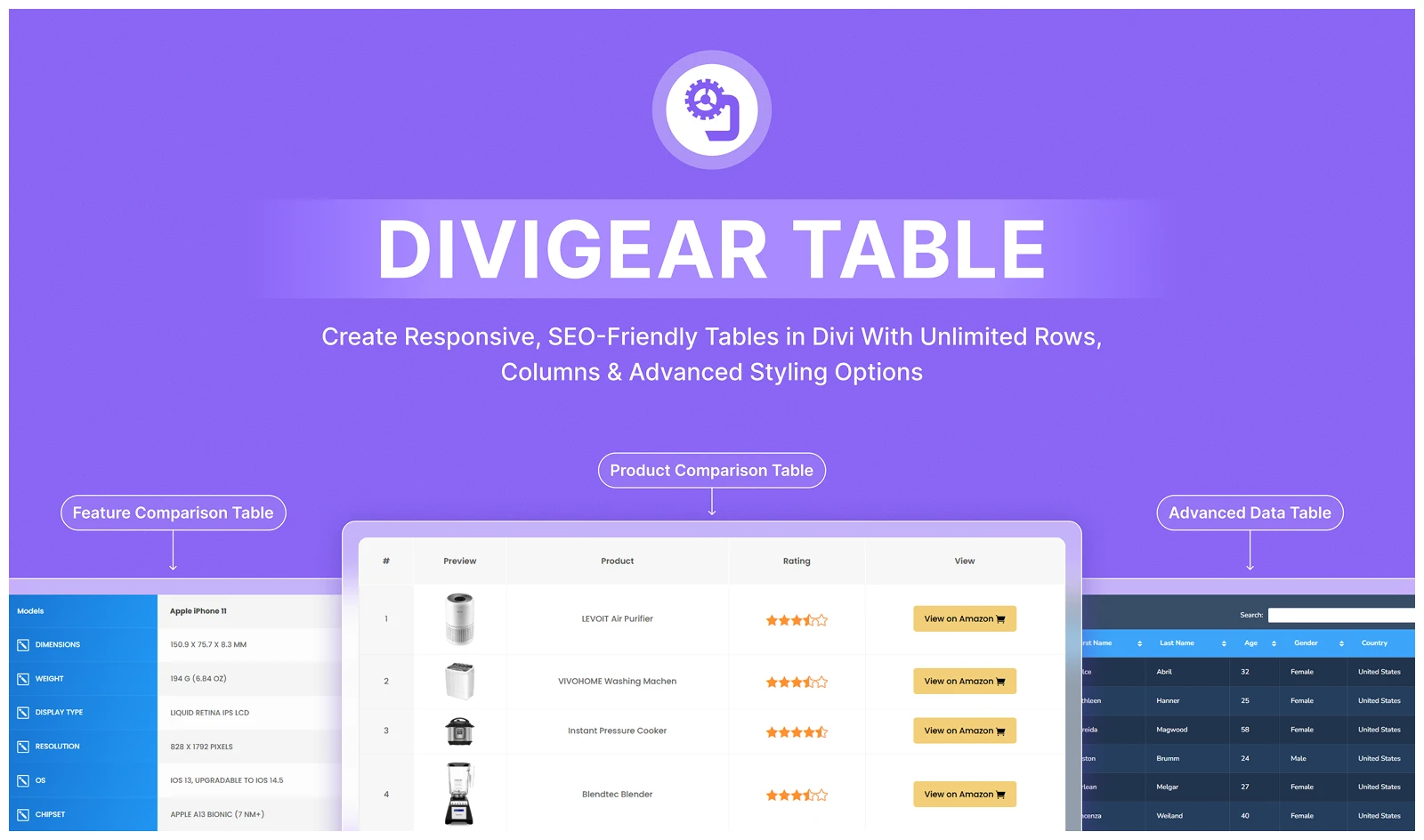
The DiviGear Table module is a standalone plugin that allows you to create different types of tables directly inside the Divi Visual Builder.
It includes two modules, Table and Data Table, which let you create comparison tables as well as data tables by importing data from various external sources.
For data tables, it provides advanced features such as sorting, searching, and pagination to help users find relevant information quickly.
In addition, it offers several pre-designed templates that are easy to import. This helps speed up the table creation process and maintain a consistent design across multiple pages.
Key Features
- Import data from CSV files, Google Sheets, the WordPress database, or the TablePress plugin
- AJAX-powered live search, sorting, and pagination for large data tables
- Merge multiple rows and columns into single cells for complex layouts
What We Like Most
- Includes free premade templates for quick and professional table setups
- Multilingual support to serve global audiences
What Could be Better
- The Data Table module interface may take time to get used to.
- It does not include a dedicated pricing table module
Pricing
The premium plan of the DiviGear Table module is available with lifetime pricing. It starts at $39 for 3 websites and goes up to $69 for unlimited websites.
4. Table Maker – Table Plugin with a Lot of Configuration Options
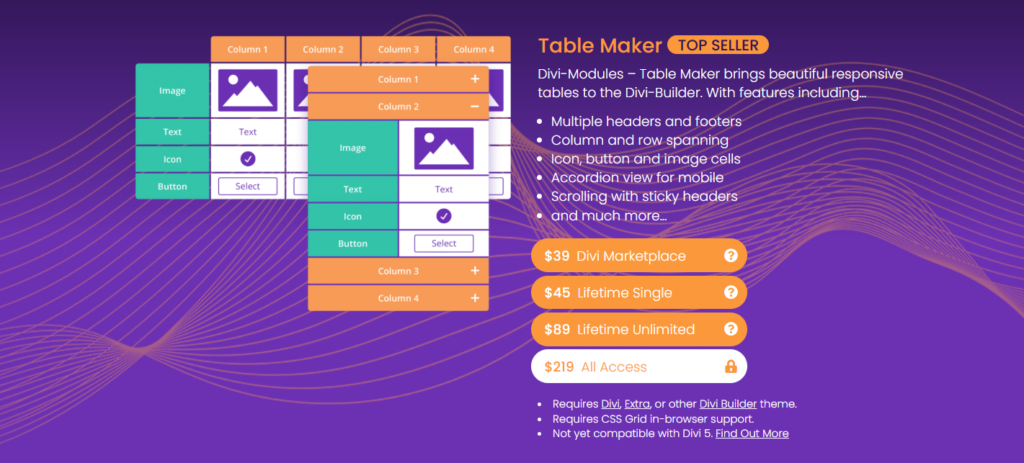
Table Maker is another standalone Divi table plugin that allows you to create different types of tables directly inside the Divi Builder.
For table creation, it includes several built-in elements such as text, images, icons, and buttons. These elements are sufficient for building pricing tables, comparison tables, product feature lists, and more.
Beyond these elements, Table Maker provides advanced configuration options. It supports multiple headers and footers for more complex table structures, along with column and row spanning to merge cells for custom layouts while keeping the tables responsive.
Other features include an accordion view for mobile devices, sticky headers during scrolling, and extensive styling controls to match your website’s design.
Key Features
- Add table titles and descriptions with flexible positioning
- Customizable table corners, styled as headers or footers for unique layouts
- Flexible control over column widths and row heights using fixed or flexible units
- Table frames with gaps or borders around cells for better visual clarity
What We Like Most
- Horizontal or vertical stripes to improve readability and design
- Hover effects on rows or columns for a more interactive experience
What Could be Better
- Advanced features may have a slight learning curve for beginners
Pricing
The Table Maker plugin offers lifetime pricing plans starting at $45 for a single website and going up to $89 for unlimited websites.
5. Table for Divi – Best Free Divi Table Plugin

Table for Divi is a free plugin that allows you to create different types of tables directly inside the Divi Builder.
For basic table creation, you can use its text element. To add more advanced content, such as images or links, you need to use HTML tags inside the table cells.
You can create tables with unlimited rows and up to 20 columns. While the 20-column limit may feel restrictive for very large datasets, it is usually sufficient for pricing tables and comparison tables.
The plugin also gives you control over individual columns. You can adjust tags such as td and th, set text alignment, apply rowspan or colspan, define column width, and add custom CSS classes.
Key Features
- Create tables with unlimited rows and up to 20 columns
- Basic table creation using text elements
- Support for advanced content using HTML tags
- Individual column customization options
What We Like Most
- Completely free to use
- Simple interface for creating text-focused tables
- Control over column structure and styling
What Could be Better
- Changes may not always appear in the backend editor and require checking on the frontend.
- Basic CSS knowledge may be required for precise styling
Pricing
Table for Divi is completely free and does not offer a pro version.
6. Table Maker by Divi Pixel – Best for Creating Pricing Tables in Divi
Divi Pixel is a multipurpose Divi plugin that includes 50+ modules. Among them, you will find two table-specific modules:
- Table Maker
- Advanced Pricing Table
The Table Maker module allows you to create structured tables using content elements such as text, icons, images, and buttons. You can customize rows and columns, adjust spacing, and control colors and styling directly inside the Divi Builder.
The Advanced Pricing Table module is focused on building pricing tables. It includes features such as customizable price prefixes and suffixes, ribbons for highlighting plans, and the option to display images with lightbox support.
All these options help you present pricing information in a clear and organized way to help you boost conversion.
Key Features
- Two dedicated table modules: Table Maker and Advanced Pricing Table
- Support for multiple content types, including text, icons, images, and buttons
- Flexible customization for rows, columns, spacing, and colors
- Pre-built demo sections to help you get started quickly
What We Like Most
- Create tables directly inside the Divi Visual Builder
- Includes additional modules that support broader Divi website design needs
- Modular approach to enable or disable modules for optimal performance.
What Could Be Better
- Does not include a dedicated data table module
Pricing
Divi Pixel offers several pricing plans. The plans start at $49 for one site, $99 for five sites, and $149 for 100 sites. A custom-priced agency plan is also available.
7. wpDataTables – Best WordPress Data Table Plugin
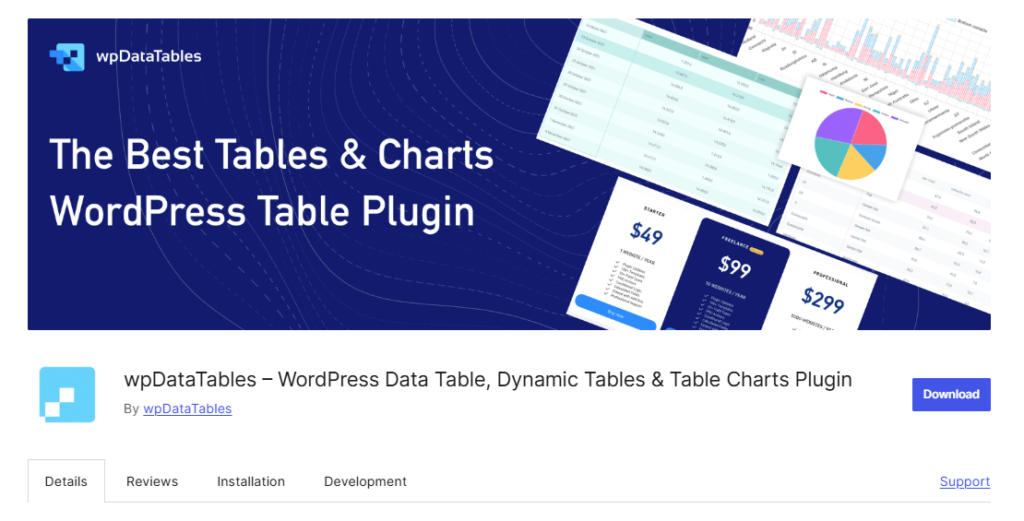
wpDataTables is a data-focused table plugin designed to handle dynamic data and large datasets. It includes a Divi module upon installation, allowing you to insert tables directly inside the Divi Visual Builder.
You can create tables manually using its spreadsheet-style editor or import data from external sources such as Excel, CSV files, Google Sheets, MySQL databases, and more.
It also supports custom queries from your WordPress database, enabling you to create post tables by fetching data from posts and custom post types.
wpDataTables includes advanced features such as conditional formatting, custom filtering, front-end editing, and chart creation. With its built-in chart builder, you can convert table data into visual charts and graphs.
Key Features
- Spreadsheet-style editor with support for formulas and conditional formatting
- Integration with multiple data sources such as CSV, Excel, Google Sheets, MySQL, and WooCommerce
- Advanced filtering, sorting, searching, and pagination
- Built-in chart builder to create visual charts and graphs
- Centralized dashboard for managing and updating tables
- Dedicated Divi module for inserting tables inside the Divi Builder
What We Like Most
- Handles large datasets efficiently
- Strong data source integration and syncing options
- Ability to create both tables and charts from the same data
What Could Be Better
- The free version includes limited features
- Fewer pre-designed templates are available compared to other table plugins.
- It may have a steeper learning curve for beginners due to its advanced features
Pricing
wpDataTables offers both annual and lifetime pricing plans.
The annual plan starts at $59 per year for a single website and increases based on the number of sites and selected features.
The lifetime plan starts at $273 for a single site and can increase up to $998 for unlimited sites with extended features.
8. WP Table Builder – Best For Drag-and-Drop Table Creation
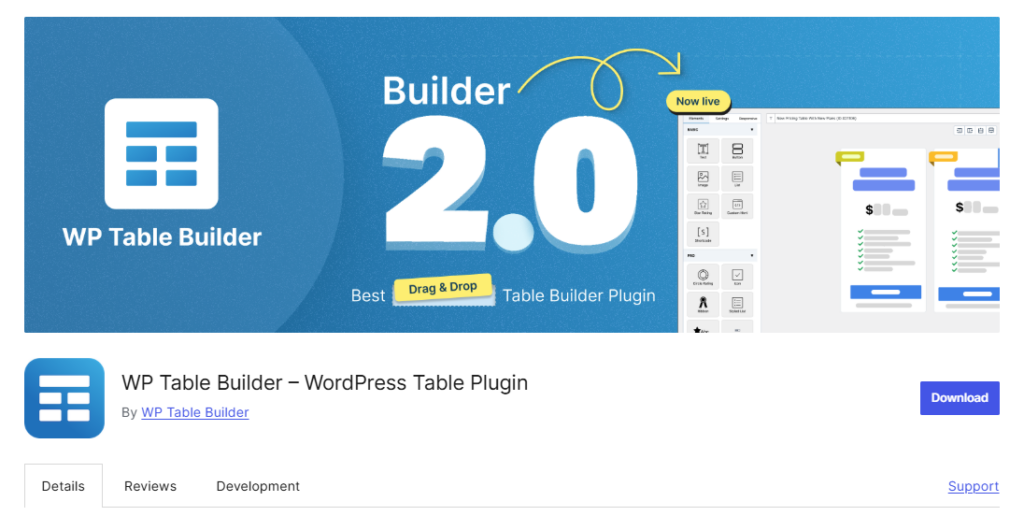
WP Table Builder is a versatile table builder plugin that allows you to create different types of tables within its drag-and-drop editing interface.
While you don’t get a dedicated Divi module when installing WP Table Builder, you can still insert tables using shortcodes anywhere inside the Divi Visual Builder.
It includes 14+ built-in elements such as text, image, button, list, star rating, icon, ribbon, progress bar, and more to visualize any data effectively within the table.
WP Table Builder also offers 29+ pre-designed templates that you can import and customize. It includes responsive controls to ensure tables display properly across desktop, tablet, and mobile devices.
In addition, the plugin provides centralized table management from its dashboard, making it easier to create, edit, and reuse tables across your site.
Key Features
- Drag-and-drop interface for building and editing tables visually
- 14+ built-in elements for creating different types of tables
- 29+ pre-designed templates for faster table creation
- Responsive controls for desktop, tablet, and mobile views
- Import and export support for CSV and XML files
- Centralized dashboard for table management
- Shortcode support for inserting tables in any WordPress builder
What We Like Most
- Easy-to-use visual builder suitable for beginners
- Supports multiple table types, including pricing, comparison, and data tables
- Compatible with most WordPress setups
What Could Be Better
- No built-in conditional logic or calculation support
- No direct integration with external data sources such as Google Sheets or databases
- Advanced cell management features are limited in the free version
- No dedicated Divi module and relies on shortcodes
Pricing
WP Table Builder offers a free version for basic table creation. The premium plan starts at $99 per year and goes up to $279 for a lifetime plan covering unlimited websites.
9. TablePress – Best For Creating Tables Like a Spreadsheet
TablePress is one of the most widely used WordPress table plugins, with over 700,000 active installations. It focuses mainly on data tables and provides a spreadsheet-like editor for creating and managing tables.
Unlike visual drag-and-drop builders, TablePress uses a structured interface where you enter text, numbers, images, links, or even HTML directly into table cells. It also supports mathematical formulas and calculations within cells.
In addition, it offers import and export functionality across multiple file formats such as CSV, Excel, JSON, and HTML. This makes it suitable for handling large datasets efficiently.
Although it does not provide a dedicated Divi module, TablePress supports shortcodes, allowing you to insert tables inside the Divi Builder.
Key Features
- Spreadsheet-like editor for structured table creation
- Support for text, images, links, HTML, and JavaScript inside cells
- Import and export options including CSV, Excel, JSON, and HTML
- Sorting, filtering, searching, and pagination features
- Mathematical formula support inside table cells
- Centralized dashboard for managing and updating tables
What We Like Most
- Strong data handling capability for large datasets
- Powerful free version for creating functional data tables
- Highly extendable with official extensions
- Compatible with most WordPress themes and builders
What Could Be Better
- No live frontend preview during table creation
- Limited design flexibility without custom CSS knowledge
- No pre-designed table templates available
- Responsive controls are limited in the free version
- Not suitable for creating advanced pricing or comparison tables
Pricing
TablePress offers a free version with core features. Premium plans start at $89 per year and go up to $189 per year for single-site licenses.
Lifetime licenses range from $389 to $789 for single sites. For larger usage, lifetime pricing can go up to $3,199 for 100 sites.
10. Ninja Tables – Multiple Table Creation Modes with WooCommerce Support
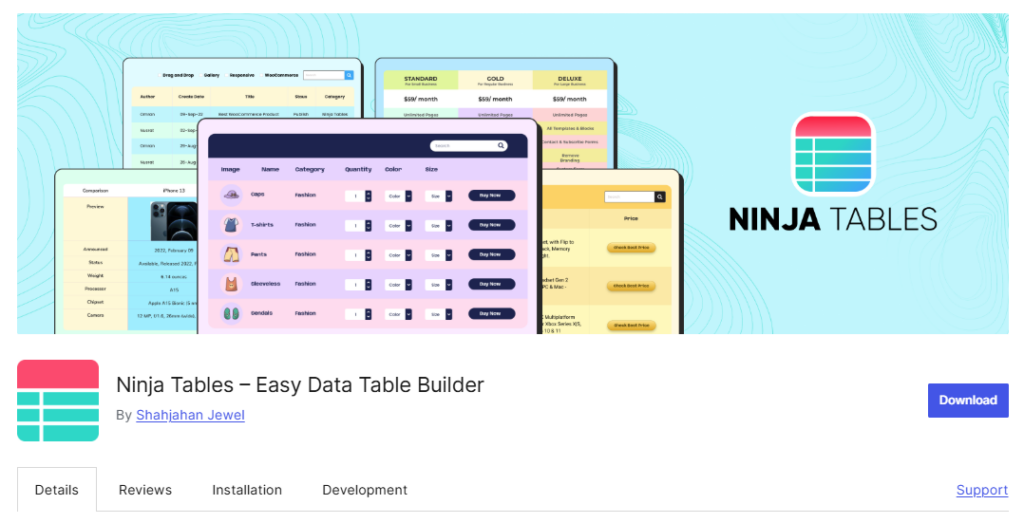
Ninja Tables is a flexible WordPress table plugin that allows you to create different types of tables, including comparison, pricing, data, post, and WooCommerce product tables. It also supports chart creation through integration with the free Ninja Charts plugin.
You can build tables using either a spreadsheet-style interface or a drag-and-drop builder, depending on your preferred workflow.
Ninja Tables includes 12+ elements such as text, button, image, rating, list, HTML, and shortcodes to present data clearly. It also offers 50+ pre-designed templates to help you create tables more quickly.
Although Ninja Tables does not provide a dedicated Divi module, it supports shortcodes, allowing you to insert tables anywhere inside the Divi Visual Builder.
The plugin supports importing data from multiple sources and exporting tables in various formats. It also includes advanced features such as conditional formatting, sorting, searching, filtering, and front-end editing.
Key Features
- 2 table creation modes: spreadsheet-style and drag-and-drop builder
- 12+ built-in elements for flexible table design
- 50+ pre-designed templates for faster table creation
- WooCommerce product table and post table support
- Import and export functionality with Google Sheets sync
- Advanced sorting, filtering, searching, and conditional formatting
- Centralized dashboard for managing tables
What We Like Most
- Flexible creation modes suitable for different workflows
- Strong WooCommerce and post table integration
- Wide range of templates and elements
- Handles large datasets with import and export support
What Could Be Better
- Limited elements are available in the free version
- Only a few templates are accessible in the free plan
- No built-in schema markup support for Pros and Cons tables
Pricing
Ninja Tables offers a free version with basic features.
Premium plans start at $79 per year for a single site, $129 per year for 20 sites, and $299 per year for unlimited sites. Lifetime plans start at $309 for one site and go up to $749 for unlimited sites.
How to Choose the Right Table Plugin for Divi?
Choosing the right table plugin depends on your specific needs. Every website has different goals, content structure, and workflow. Before selecting a plugin, it is important to evaluate what you actually need from it.
Below are some key factors to consider when choosing the right Divi table plugin:
- Divi Module or Shortcode Support: Decide whether you prefer a plugin with a dedicated Divi module or one that works using shortcodes. Built-in Divi module or shortcode support allows you to insert tables inside the Divi Visual Builder.
- Supported Table Types: Identify the types of tables you want to create. Do you need pricing tables, comparison tables, data tables, pros and cons tables, product tables, or charts? Some plugins focus mainly on data tables, while others offer versatile layouts for different use cases.
- Pre-designed Templates: If you want to save time, check whether the plugin offers pre-built templates. A wide range of ready-made templates can speed up your workflow, especially for pricing and comparison tables.
- Available Elements: Look at the number and variety of built-in elements. Elements like text, image, button, rating, ribbon, progress bar, list, and custom HTML give you more flexibility in presenting data effectively.
- WooCommerce and Dynamic Data Support: If you run an online store, WooCommerce product table support can be important. Some plugins allow you to generate product tables dynamically or sync data from Google Sheets and databases.
- Customization and Responsive Controls: Not all plugins offer the same level of customization. Check whether you can control spacing, colors, borders, typography, and layout structure. Also, ensure the plugin provides proper responsive settings for mobile and tablet views.
- Advanced Features: For data-heavy tables, features like sorting, searching, filtering, pagination, sticky rows or columns, conditional formatting, and formula support can improve usability. These features are especially useful for large datasets.
- Import and Export Options: If you work with external data, choose a plugin that supports CSV, Excel, or database import and export. This makes updating and managing large datasets much easier.
- Centralized Table Management: A plugin with a centralized dashboard allows you to create, edit, reuse, and update all tables from one place. This is particularly useful for content-heavy websites that need scalability.
- Support and Regular Updates: Make sure the plugin is actively maintained and offers reliable support. Regular updates ensure compatibility with the latest version of WordPress and Divi.
By reviewing these factors carefully, you can choose a Divi table plugin that aligns with your content strategy, technical requirements, and long-term growth plans.
FAQs
Final Thoughts
We have listed the best Divi table plugins that combine useful features with ease of use for creating different types of tables. Each plugin has been described clearly so you can understand its strengths and decide which one fits your needs.
If you want to explore more options beyond Divi and compare plugins for broader WordPress use cases, you can check out our detailed guide on the Best WordPress Table Plugins.
Now, the final decision is yours. If you are looking for a versatile table builder with strong table management features, RioVizual is a solid choice. For Divi-specific table modules, DiviFlash or DiviGear can be suitable options depending on your workflow.

Leave a comment