


wpDataTables is a powerful WordPress plugin for creating dynamic tables, charts, product listings, and database-driven content.
It supports data sources like Google Sheets, Excel, CSV, JSON, and MySQL, along with features such as multiple table creation options, workflows for different data sources, front-end editing, WooCommerce data display, and more.
However, its complexity and pricing structure may not suit every use case, especially if you only need simple pricing, comparison, or data tables.
Many users look for wpDataTables alternatives that offer a simpler workflow, better free features, lower cost, or more focused functionality.
In this guide, we compare five wpDataTables alternatives based on workflow, table types, integrations, customization, pricing, and usability.
By the end, you will understand which wpDataTables alternative best fits your table requirements, preferred editor, and budget.
Further Reading: If you want a deeper breakdown of what wpDataTables offers, read our wpDataTables Review: Features, Pricing, Pros & Cons. It will help you understand where these alternatives stand out.
Quick Overview: wpDataTables Alternatives
| Plugin Name | Best for | Starting Pricing |
| RioVizual | Creating both visual and dynamic tables with. | $49/year |
| Ninja Tables | External integrations and mixed table workflows | $79/year |
| TablePress | Traditional data tables with a simple spreadsheet-style workflow | $89/year |
| Visualizer | Interactive charts and data visualization | $99/year |
| Data Tables Generator by Supsystic | Data tables, charts, and reporting | $49/year |
wpDataTables Alternatives
1. RioVizual – Best for Visual and Dynamic Table Creation

RioVizual is an all-in-one WordPress plugin for creating both dynamic data tables and static visual tables.
It includes 6 blocks: Table Builder, Pricing Table, Pros and Cons, Data Table, Product Table, and Post Table.
You can create reusable tables from its centralized dashboard or build them directly inside Gutenberg using its functional Gutenberg blocks.
RioVizual offers rich visual elements for displaying data effectively. It also includes a large library of pre-designed templates to speed up the table creation process.
The RioVizual Data Table supports sources such as CSV, JSON, Excel, Google Sheets, GitHub, and APIs. It also includes a Product Table for displaying WooCommerce data and a Post Table for dynamically displaying posts, pages, and custom post types.
Pros of RioVizual
- Supports comparison, pricing, Pros and Cons, product, data, and post tables
- Includes multiple blocks for different table creation needs
- Provides 70+ pre-designed templates for faster table creation
- Supports sorting, filtering, and searching for quick data retrieval
- Includes sticky rows and columns for large scrollable tables
- Offers pagination for easier navigation
- Displays WordPress posts and custom post types in tables
- Integrates with WooCommerce for creating product tables
- Supports conditional formatting and formulas
- Provides drag-and-drop editing and right-click actions
- Works with different page builders
Cons of RioVizual
- Does not support chart creation from table data like wpDataTables
Pricing of RioVizual
RioVizual offers a free version on WordPress.org with unlimited table creation and basic features.
Premium plans start at $49 per year for one website and go up to a one-time payment of $299 for unlimited websites.
What Makes RioVizual Better Than wpDataTables?
RioVizual offers a simpler workflow for creating both visual and dynamic tables. Its six dedicated blocks let you choose the right workflow for pricing, comparison, product, post, or data tables.
In contrast, wpDataTables focuses more on queries, charts, databases, and reporting, which may feel complex for basic table needs.
RioVizual also includes 70+ templates and rich visual elements for faster table creation. Unlike wpDataTables, all RioVizual Pro features are available across its paid plans without requiring separate premium add-ons.
RioVizual Pro also starts at a lower price than wpDataTables, and its features are not restricted by licence tier. You only need to choose a plan based on the number of websites and whether you prefer annual or lifetime billing.
2. Ninja Tables – Best for External Integrations and Mixed Table Workflows

Ninja Tables is a multipurpose WordPress table plugin for creating visual tables, data tables, product tables, and other dynamic table layouts.
It offers two table creation modes: (Simple, Classic) for different purposes. You can create structured tables manually with advanced controls or use its drag-and-drop builder for a simpler visual workflow with live preview.
Ninja Tables includes several built-in elements, such as text, images, buttons, icons, lists, progress bars, HTML, and shortcodes. It also provides a large library of pre-designed templates to speed up table creation.
Ninja Tables supports dynamic data from Google Sheets, remote CSV files, SQL queries, WordPress posts, custom post types, ACF, Fluent Forms, WooCommerce, and FluentCart.
It also includes sorting, filtering, searching, pagination, conditional formatting, formulas, responsive controls, sticky rows and columns, and front-end editing. Ninja Tables allows you to create charts from the table data by integrating with the Ninja Charts plugin.
Pros of Ninja Tables
- Supported table type: data, pricing, comparison, and product tables
- Includes 12+ visual elements and a library of 50+ templates
- Supports sorting, filtering, searching, and pagination for data tables
- Connects with Google Sheets, CSV files, SQL, and WordPress data
- Integrates with WooCommerce, FluentCart, Fluent Forms, and ACF
- Includes conditional formatting and formula support
- Supports sticky rows and columns for better visibility in the large table
- Supports front-end editing and responsive design
- Works with different page builders through Shortcode support
Cons of Ninja Tables
- Most integrations require the Pro plan
- No multimedia elements support in the free version
- Creating charts requires a separate plugin
Pricing of Ninja Tables
Ninja Tables offers a free version on WordPress.org with unlimited table creation, seven elements, drag-and-drop editing, responsive controls, and basic integrations.
Premium plans start at $79 per year for one website. The 20-site plan costs $129 per year, while the unlimited-site plan costs $299 per year.
Lifetime plans start at $309 for one website and go up to $749 for unlimited websites.
What Makes Ninja Tables Better Than wpDataTables?
Ninja Tables offers a simpler and more balanced workflow for creating tables by providing two different creation modes.
Unlike wpDataTables, Ninja Tables does not restrict Pro features by licence tier. All paid plans include the same Pro features, and you only choose a plan based on the number of websites and annual or lifetime billing.
Ninja Tables also does not require premium add-ons to access its main Pro features. However, wpDataTables remains a better choice for advanced database connections, complex query-based reporting, and a broader selection of built-in chart engines.
Ninja Tables is also part of the wpManage Ninja ecosystem, offering seamless integration with other plugins and allowing you to create tables from FluentCart ecommerce data and Fluent Forms entries.
3. TablePress – Best for Traditional Data Tables
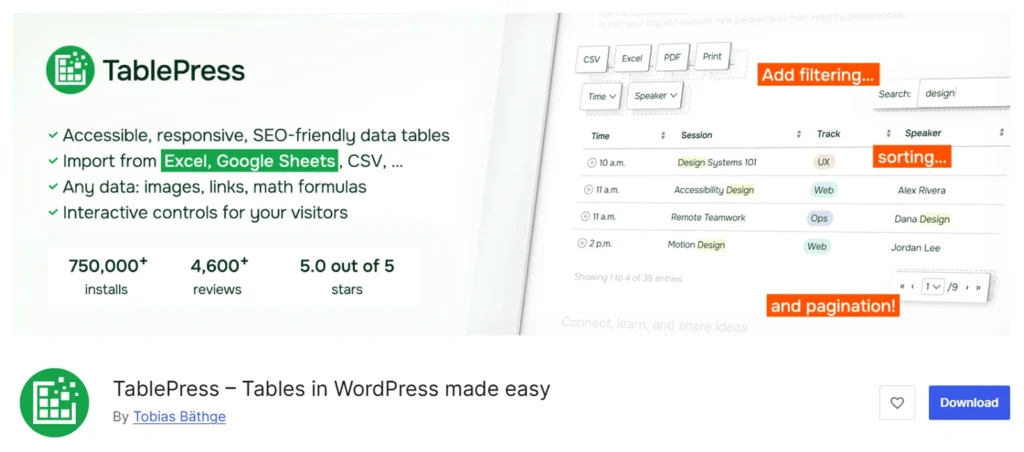
TablePress is a data-focused WordPress plugin for creating and managing traditional tables through a spreadsheet-style interface.
You can create tables from its centralized dashboard and add content such as text, numbers, images, links, HTML, and JavaScript.
TablePress supports importing and exporting data in formats like Excel, CSV, HTML, and JSON. You can also use mathematical formulas for conditional formatting for values.
Its main focus is structured data rather than visual layouts. Premium plans add responsive controls, fixed rows and columns, advanced filtering, user action buttons, automatic periodic imports, and performance features for larger datasets.
Pros of TablePress
- Simple spreadsheet-style editor for table creation
- Imports and exports Excel, CSV, HTML, and JSON
- Supports mathematical formulas and conditional formatting
- Displays text, images, links, HTML, and JavaScript
- Includes sorting, searching, filtering, and pagination
- Provides fixed rows and columns for large tables
- Centralized dashboard for creating and managing tables
- Works with different page builders through Shortcodes
Cons of TablePress
- Mainly supports traditional data tables
- Does not include pre-designed templates
- Lacks visual elements like buttons, icons, and ratings
- Basic design changes may require custom CSS
- Responsive controls require a Pro plan
- Does not create charts from table data
- Doesn’t create WordPress post tables
- No built-in WooCommerce product table integration
Pricing of TablePress
TablePress offers a free version with unlimited tables, centralized management, import/export, formulas, and custom CSS.
The Pro plan starts at $89 per year or $389 lifetime for one site, adding responsive controls, fixed rows/columns, advanced filtering, pagination, user actions, styling, and automatic exports.
The Max plan starts at $189 per year or $789 lifetime for one site, including all Pro features plus automatic imports, advanced access control, server-side processing, optimized loading, email notifications, and REST API support.
What Makes TablePress Better Than wpDataTables?
TablePress can be a better alternative to wpDataTables when your need is simplicity and ease of use. It is ideal for users who want to create and manage standard data tables without dealing with complex configurations.
Its spreadsheet-style interface can make it easier for beginners to build tables quickly, especially for static content and simple data tables. The free version also includes features like unlimited tables, import and export options, mathematical formulas, which can be useful for budget-conscious users.
However, some advanced capabilities may still require extensions or additional setup. In contrast, wpDataTables is more suitable for advanced use cases such as dynamic data integration, charts, database connections, and interactive tables..
5. Data Tables Generator by Supsystic – Best for Data Tables, Charts, and Reporting
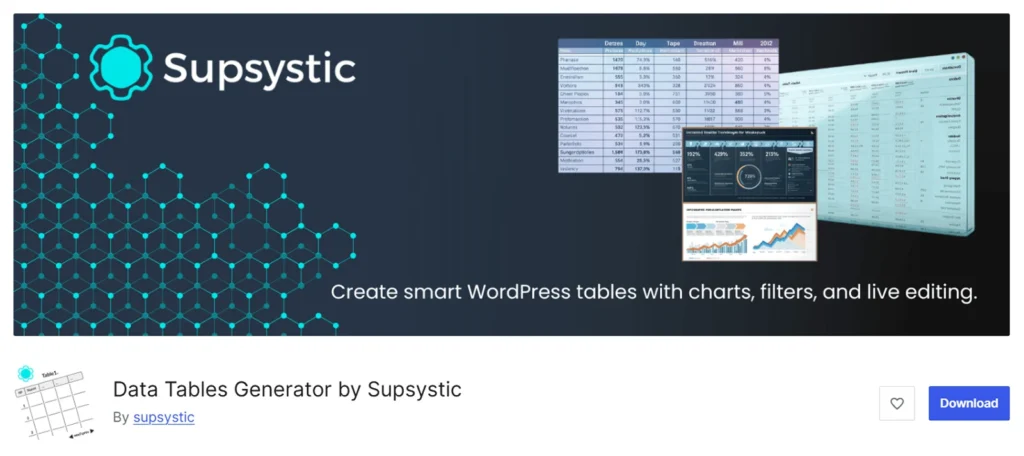
Data Tables Generator by Supsystic is a WordPress plugin that helps you create interactive tables, WooCommerce product tables, and charts using its spreadsheet-style interface.
You can enter data manually or import it from sources such as CSV, Excel, Google Sheets, Google Drive, SQL, and supported databases.
Pro users can also synchronize connected sources and display data from WordPress or external databases.
The plugin can create dynamic post tables and WooCommerce product tables. It also includes front-end editing, responsive controls, fixed headers and columns, role-based permissions, and table history for selected workflows.
Although it can handle simple comparison tables, it is better suited to structured data and reporting than design-focused pricing or comparison layouts.
Pros of Data Tables Generator by Supsystic
- Supports sorting, searching, filtering, and pagination
- Includes conditional formatting and formula support
- Manages reusable tables from a centralized dashboard
- Supports database backups and table version history
- AI-assisted table management via MCP clients like Claude and Cursor
Cons of Data Tables Generator by Supsystic
- Dynamic sources and advanced features require Pro upgrade
- Chart creation functionality is limited in the free version
- Does not include any pre-designed templates
- AI table creation and editing require a separate paid add-on
- Supports fewer advanced database options than wpDataTables
Pricing of Data Tables Generator by Supsystic
Data Tables Generator offers a free version for creating basic manually managed tables.
Annual plans cost $49 for one website, $99 for five websites, and $199 for unlimited websites.
Three-year plans range from $109 to $349. Lifetime licences start at $149 for one website and go up to $499 for unlimited websites.
What Makes Data Tables Generator by Supsystic Better Than wpDataTables?
Data Tables Generator by Supsystic is a better fit if you want a simpler, spreadsheet-style workflow with built-in charts, formulas, and easy exports at a lower starting price.
However, wpDataTables is stronger for advanced use cases, offering deeper database integrations, more powerful query handling, richer dynamic data features, and more robust charting options.
Things to Consider While Choosing wpDataTables Alternatives
The right wpDataTables alternative plugin depends on the type of tables you need, the data source it supports, how your data is managed, and where you prefer to build them.
Consider the following factors before choosing the best wpDataTables alternative:
1. Table Types
Identify the Table layouts you need. Some plugins focus on data tables, while others support pricing, comparison, product, post, and Pros and Cons tables. Choose one that fits your needs without heavy customization.
2. Data Sources and Synchronization
Evaluate the data source features offered by the plugin. Look for support for CSV, Excel, Google Sheets, APIs, SQL databases, WooCommerce data, and WordPress content, and ensure it can sync updates automatically.
3. Table Creation Workflow
All the Plugins in this list here have different editor experience, such as spreadsheet-style, drag-and-drop, or Gutenberg block workflow. Pick one that matches your workflow.
4. Data Interaction Features
Ensure support for search, sorting, filtering, and pagination. Advanced needs may include formulas, conditional formatting, or front-end editing.
5. Visual Customization
Check styling options, templates, and responsiveness. Pay close attention to how well the plugin adapts across different table types and screen sizes.
6. Charts and Reporting
Not all plugins include built-in chart creation features like wpDataTables. Confirm if it can create charts by default or integrate with additional plugins to create charts like Ninja Tables does.
7. Pricing and Feature Restrictions
Compare features across plans, not just price. Check the free vs paid plan features, additional add-ons requirement, site usage limits, and renewal costs.
8. Compatibility and Scalability
Ensure the plugin is compatible with your preferred editor, can handle large datasets through reliable import features, and provides a centralized dashboard for creating and managing reusable tables.
Final Verdict: Which wpDataTables Alternative is Best for You?
The best wpDataTables alternative depends on the type of tables you want to create and the features you actually need.
RioVizual is the best overall choice for users who need multiple table layouts within a simpler workflow. It supports visual and dynamic tables, including comparison, pricing, Pros and Cons, product, post, and data tables.
It supports data from manual entry, CSV imports, and WordPress content such as posts and products.
Ninja Tables is a better option when broader external integrations are your priority. It works well for Google Sheets, SQL data, WooCommerce products, Fluent Forms entries, FluentCart data, and WordPress content.
TablePress can be a practical choice for traditional data tables. Its spreadsheet-style interface and useful free features make it suitable for users who do not need visual layouts, product tables, or built-in charts.
Visualizer is the strongest option when charts and data visualization are more important than broader table-building capabilities.
Data Tables Generator by Supsystic is a suitable choice for spreadsheet-style data management, formulas, charts, exports, and reporting at a lower starting price.
Overall, RioVizual provides the most balanced alternative for general WordPress table creation. However, wpDataTables remains the better option for advanced database connections, complex queries, dynamic reporting, and extensive charting requirements.

Leave a comment