


WordPress includes a basic Table block for presenting information in rows and columns. However, it is not designed for larger or frequently changing datasets.
Once you need to connect Google Sheets, import Excel, CSV, JSON, or API data, sort and organize records with search and filters, calculate values, or manage thousands of rows, you will need a dedicated WordPress data table plugin.
The right plugin depends on where your data is stored and how you want to display it. Some plugins specialize in databases and advanced reporting. Others are built for Google Sheets, WordPress posts, WooCommerce products, or other dynamic data sources.
To help you choose, we compared 15 of the best WordPress data table plugins based on their supported data sources, table-building workflow, search and filtering controls, responsive behavior, large-dataset features, free-version value, and pricing.
Start with the quick comparison below to see where each plugin fits.
How We Tested and Reviewed These Table Plugins
We installed each plugin on staging sites and created real-world tables to evaluate its benefits, limitations, and overall workflow. We also studied their documentation and gathered details from their pricing pages.
The main evaluation factors included:
- Data sources: Support for manual data, CSV, Excel, Google Sheets, APIs, databases, WordPress content, and form entries.
- Table interaction: Search, sorting, filtering, pagination, front-end editing, and visitor export controls.
- Data management: Synchronization, automatic updates, formulas, conditional formatting, and large-dataset features.
- Editing workflow: Spreadsheet editors, Gutenberg blocks, plugin dashboards, and native Elementor or Divi interfaces.
- Responsive design: Scrolling, stacked layouts, column visibility, breakpoints, and mobile styling controls.
- Overall value: Free-version limitations, premium features, site allowances, renewal costs, and lifetime options.
We also considered each plugin’s main strengths and limitations rather than ranking products only by feature count.
Best WordPress Data Table Plugins : Quick Comparison
| Plugin | Main Data Sources | Free Version | Starting Price |
| RioVizual | CSV, JSON, Excel, Google Sheets, GitHub, APIs | Yes | $49/year |
| wpDataTables | Excel, CSV, XML, JSON, Google Sheets, APIs, SQL databases | Yes | $59/year |
| Ninja Tables | CSV, JSON, Google Sheets, WordPress posts, SQL, WooCommerce, FluentCart, Fluent Forms | Yes | $79/year |
| TablePress | CSV, HTML, JSON, ODS, URL imports | Yes | $89/year |
| Data Tables Generator by Supsystic | CSV, Excel, SQL, Google Sheets, Google Drive | Yes | $49/year |
| FlexTable | Google Sheets | Yes | $69/year |
| Posts Table Pro | WordPress Posts, pages, custom post types, custom fields, and taxonomies | Limited | $69/year |
| Visualizer | CSV, XLSX, JSON, Google Sheets, APIs, databases, WordPress, WooCommerce | Yes | $99/year |
| Dynamic Tables Builder by JetEngine | WordPress content, users, terms, comments, WooCommerce, SQL, REST APIs | No | $75/year |
| WP Table Manager | Excel, CSV, Google Sheets, Office 365, WordPress database, form entries | No | $49/year |
| Advanced Data Table by Essential Addons | CSV, Google Sheets, databases, TablePress, Ninja Tables | No (Pro Widget) | $59.88/year |
| DiviFlash Data Table | CSV, Google Sheets, WordPress database, TablePress | No | $49/year |
| DiviGear Data Table | CSV, Google Sheets, WordPress database, TablePress | No | $39/lifetime |
| League Table | Spreadsheet copy and paste, XML imports | Yes | $29/year |
| Tablesome | CSV, XLSX, form submissions, WordPress content, WooCommerce | Yes | $49/year |
1. RioVizual – Best for Visual and Advanced Data Tables

RioVizual is an excellent choice for WordPress users who need advanced Data Tables with a visual, block-based workflow.
Its dedicated Data Table block supports structured data from CSV, JSON, Microsoft Excel, Google Sheets, GitHub, and external APIs. You can also create tables through the RioVizual dashboard for reuse across your site or build tables directly inside Gutenberg.
Once the table is connected to its data source, you can enable advanced features such as global search, sorting, column-level filters, pagination, formulas, exports, row grouping, responsive layouts, conditional highlighting, and data transformations.
RioVizual’s Data Table feature is part of a broader table ecosystem that also includes comparison, pricing, and Pros and Cons tables, reducing the need for multiple plugins as your needs grow.
Key Features
- Column-level sorting and individual column controls
- Visitor filter bar with column-level filtering controls
- Persist Current Page in URL for returning visitors
- Conditional highlighting and formatting
- Row grouping with collapsible group headers
- Row Number column for automatic serial numbering
- Expandable row drawers for displaying additional column details
- Virtualization for large scrollable tables
- Server-side sorting for improved performance
- Multiple responsive modes with custom breakpoint controls
What We Liked Most
- Works across different WordPress page builders
- Supports multiple table formats within the same plugin
- 70+ pre-designed templates for faster table creation
What Could Be Better
- No built-in chart creation support from the table data.
Pricing
RioVizual offers a free base plugin on WordPress.org. If you want to upgrade to Pro, pricing starts at $49/year for a single website and can increase up to $299 as a one-time payment for unlimited websites.
2. wpDataTables – Best for Broader External Integration

wpDataTables is the most data-focused table plugin in this comparison. It is designed for websites that need to create tables and charts from a wide range of external data sources, including Excel, CSV, Google Sheets, MySQL databases, XML, JSON, APIs, and more, with support for automatic data synchronization.
You can create tables using its Excel-like editor or build dynamic tables connected directly to external sources.
It supports searchable and sortable tables, advanced filters, conditional formatting, formula columns, front-end editing, and server-side processing.
The chart integration in wpDataTables is another major advantage. You can easily turn table data into charts.
However, wpDataTables includes a large number of advanced options that may be more than some users need. If your primary goal is publishing content-focused Data Tables from CSV files or spreadsheets with auto-sync support, a simpler plugin may provide a more streamlined workflow.
Key Features
- Displays WordPress posts, custom post types, and meta fields
- Formula and conditional formatting support
- WooCommerce integration for dynamic product tables
- Multiple table creation modes for different use cases
What We Liked Most
- Compatible with different page builders with shortcode support.
- Multiple chart engines provide flexibility when creating visual reports
- 29 pre-designed templates for faster table creation
- Supports data, pricing, comparison, and other table formats
- Official add-ons for extended functionality
What Could Be Better
- The number of configuration options creates a steeper learning curve.
- Several specialized features are divided across plans or add-ons.
Pricing
wpDataTables offers a free base plugin available in WordPress.org. If you want to upgrade to a premium, the price starts at $59/year for a single website and can increase up to $998/ lifetime for unlimited websites.
3. Ninja Tables – Best for WooCommerce and Connected WordPress Data

Ninja Tables is a multipurpose table plugin that supports both visually designed tables and Data Tables through two separate creation modes.
You can use its Drag and Drop mode to create visual tables. Its Advanced Table mode can display data from WordPress posts, Google Sheets, external CSV files, custom SQL queries, and other connected sources.
It also includes common Data Table features such as search, sorting, custom filters, pagination, conditional formatting, and responsive table layouts.
Ninja Tables is especially useful for websites that already use FluentCart or other products from the Fluent ecosystem. You can create tables from Fluent Forms entries and turn table data into charts through its integration with Ninja Charts.
However, many of its external integrations, dynamic data features, and advanced customization controls are only available in the premium version.
Key Features
- Two table creation modes: Advanced Table and Drag and Drop
- Google Sheets auto-sync support
- Display WordPress posts and custom post types in tables
- WooCommerce, Fluent Forms, and FluentCart integrations
- Custom filters, conditional formatting, and front-end editing
- Transform values to HTML
- Chart creation through Ninja Charts
What We Liked Most
- Centralized dashboard for creating reusable tables
- Supports both data-focused and visual table creation workflows
- Direct integrations with different WordPress plugins and data sources
- Create dynamic product tables from WooCommerce and FluentCart
- Supports comparison, pricing, and other visual table layouts
- More than 50 free downloadable templates for faster table creation
- Migration support for TablePress and Ultimate Tables
- Compatible with different WordPress setups.
What Could Be Better
- Many important integrations require premium upgrades.
- Only 5 templates available in the free version
Pricing
Ninja Tables offers a free base plugin available on WordPress.org. If you want to upgrade to premium, the price starts at $79/year for a single website. Lifetime and unlimited-site plans are also available.
4. TablePress – Best Free Traditional Data Table Plugin
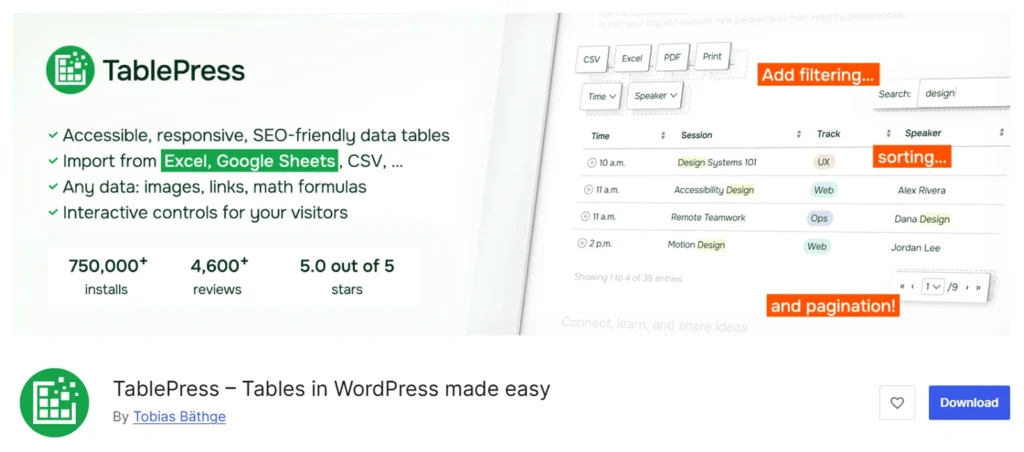
TablePress is one of the earliest WordPress Data Table plugins. It is suitable for users who prefer a familiar spreadsheet-style workflow for creating and managing tables.
You can create tables manually with its spreadsheet-style editor or import data from CSV, HTML, JSON, and ODS files through uploads or supported URLs. Once ready, you can display tables using the Gutenberg block, Elementor widget, or shortcode support for other page builders.
The free version of TablePress includes unlimited table creation, formulas, import and export controls, sorting, search, pagination, and other basic table options.
However, features such as responsive layouts, advanced filters, fixed rows and columns, automatic imports, server-side processing, and visual styling require a premium upgrade.
One thing to keep in mind is that TablePress mainly focuses on traditional Data Tables. Creating visual pricing or comparison layouts may require additional styling or a different table builder.
Key Features
- Automatic scheduled table imports
- Server-side processing for handling large tables
- Centralized table management for reusable tables across the site
- Gutenberg block, widget, and shortcode placement
- Formula and conditional formatting support
- Advanced sorting and search for quicker data retrieval
- Pagination support for better navigation
- Visitor actions for column visibility, copying, downloading, and printing
What We Liked Most
- Cross-builder compatibility supports different page builders
- Familiar spreadsheet-style editing workflow
- Official extensions for additional functionality
What Could Be Better
- Basic visual customization in the free version often requires CSS
- Responsive layout features require a premium upgrade
- Advanced filtering requires a premium upgrade.
Pricing
TablePress offers a free base plugin available on WordPress.org. Its premium plan starts at $89/year for a single website, while the Max plan costs $189/year. Lifetime licences are also available.
5. Data Tables Generator by Supsystic – Best for Spreadsheet-Style Tables and Charts
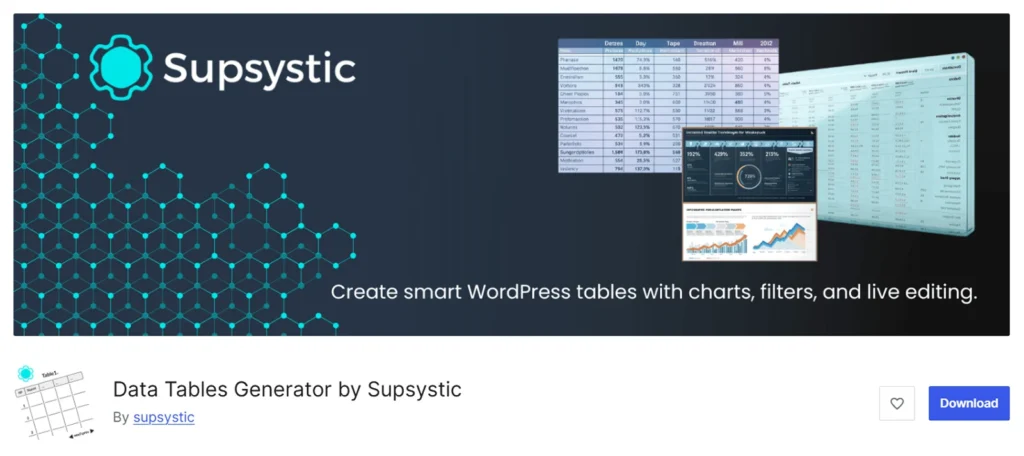
Data Tables Generator by Supsystic is a spreadsheet-style WordPress table plugin for creating Data Tables and charts.
You can enter data manually or import data from sources such as Microsoft Excel, CSV, SQL, Google Sheets, and Google Drive.
The plugin also supports formulas, sorting, search, pagination, conditional formatting, and responsive table layouts.
Its chart integration is another major advantage. You can turn table data into various chart formats without using a separate chart plugin.
The Pro version adds more advanced features such as editable fields, front-end editing, table history, extended imports and exports, and additional data-management controls.
However, Data Tables Generator by Supsystic may not be an ideal choice for creating other table layouts such as comparison tables and pricing tables.
Key Features
- Centralized dashboard for reusable tables
- Formula and conditional formatting support
- Automatic database backups and table version history
- Role-based permissions for controlling table access
- WooCommerce integration to display store data
- AI-assisted table management through MCP clients like Claude and Cursor
What We Liked Most
- Create both interactive tables and charts from the same data
- Familiar spreadsheet-like editing experience
- 10 types of built-in chart integration
What Could Be Better
- AI table creation require a separate paid add-on
- Not ideal for visual layouts like pricing or comparison tables
Pricing
Data Tables Generator offers a free base plugin available on WordPress.org. If you want to upgrade to premium, the price starts at $49/year for a single website and can increase up to $499/lifetime for unlimited websites.
6. FlexTable – Best for Google Sheets Live Sync

FlexTable is a WordPress table plugin designed for users who want a simple way to sync Google Sheets with WordPress. Instead of repeatedly importing spreadsheets, you can connect a Google Sheet once and display its data as a live table on your website.
After setup, you can manage data directly in Google Sheets while FlexTable automatically updates the connected WordPress table. This makes it useful for directories, reports, schedules, product lists, employee records, and other frequently updated data.
The plugin includes responsive layouts, search, sorting, filtering, pagination, caching, and performance optimization. You can display tables using a Gutenberg block, shortcodes, or the Elementor widget.
FlexTable also supports images, links, merged cells, hidden rows and columns, custom CSS, export options, multiple spreadsheet tabs, and AI-powered table summaries.
However, FlexTable is primarily built for Google Sheets. If your data comes from APIs, databases, GitHub repositories, or other external sources, a more versatile Data Table plugin may be a better choice.
Key Features
- Live Google Sheets synchronization
- Dedicated Gutenberg block and Elementor widget
- Search, sorting, filtering, and pagination
- Import images and links directly from Google Sheets
- Multiple spreadsheet tabs and unlimited row sync
- CSV, Excel, PDF, JSON, Print, and Copy export options
What We Liked Most
- Simple Google Sheets-to-WordPress workflow
- Manage data directly from Google Sheets
- Responsive tables that work across devices
- Supports merged cells, hidden rows, and custom styling
- Built-in caching improves performance for large datasets
- AI-powered summaries and table insights
What Could Be Better
- Limited to Google Sheets as the primary data source
- Not ideal for other table layouts like pricing or comparison tables
- No lifetime plan is available for long-term savings
Pricing
FlexTable offers a free base plugin available on WordPress.org. If you want to upgrade to premium, Plans start at $69/year for one website.
7. Posts Table Pro – Best for Dynamic WordPress Content Tables

Posts Table Pro is a WordPress table plugin designed for displaying content that already exists inside your WordPress website.
Instead of importing data from spreadsheets or external sources, you can create tables from posts, pages, custom post types, custom fields, and taxonomies. Any changes made to the original content are automatically reflected in the table.
It also supports instant search, sorting, filters, pagination, responsive layouts, sticky headers, multimedia content, lazy loading, AJAX, caching, and content indexing.
Posts Table Pro is especially useful for creating document libraries, staff directories, event listings, job boards, course directories, audio libraries, and other content-driven tables.
However, Posts Table Pro is not designed for general spreadsheet or external data. If your information comes from CSV, Excel, Google Sheets, JSON, or APIs, another Data Table plugin may be a better option.
Key Features
- ACF integration for displaying structured content
- Display posts, pages, and custom post types in tables
- Custom field and taxonomy column support
- Instant search, sorting, filters, and pagination
- Audio players, video embeds, and other media support
- Lazy loading, AJAX optimization, and caching
- Flexible column layouts with conditional display options
What We Liked Most
- Automatically creates tables from existing WordPress content
- No need to maintain duplicate table data
- Suitable for directories, document libraries, and content archives
- Pre-designed table layouts with styling controls
- Compatible with different themes and page builders
What Could Be Better
- It does not support CSV, Excel, JSON, Google Sheets, or external API data.
- The free version is limited to displaying standard WordPress posts.
Pricing
Posts Table Pro offers a limited free version on WordPress.org called Posts Table with Search & Sort. If you want to upgrade to premium, the price starts at $69/year for a single website and can increase up to $999/lifetime for 50 websites.
8. Visualizer – Best for Chart-Focused Data Presentation

Visualizer is primarily a WordPress chart plugin, but it also includes Data Table functionality for displaying and visualizing data from the same source.
You can create tables manually or import data from CSV, XLSX, JSON, Google Sheets, WordPress content, WooCommerce, databases, external URLs, and other connected sources.
The plugin supports responsive tables, sorting, pagination, search, front-end filtering, and automatic data synchronization on higher-tier plans. Tables and charts can be embedded anywhere using blocks or shortcodes.
Its biggest advantage is chart creation. Visualizer can turn table data into 15 interactive chart types, including line, bar, pie, area, geo, gauge, and combo charts. It also includes an AI-powered chart builder that generates charts from text prompts.
However, Visualizer remains focused on charts and data visualization. If you need advanced table management with spreadsheet-style editing, formulas, row grouping, or extensive column customization, a dedicated Data Table plugin may be a better choice.
Key Features
- Classic and AI Chart Builder for creating data tables and charts
- More than 15 chart types, including geo maps and gauge charts
- Automatic synchronization and scheduled data updates
- AI-powered chart generation using natural language prompts
- Select who can view or edit charts with a flexible permissions system
- Front-end data editing in higher-tier plans
- Flexible embedding through Gutenberg blocks and shortcodes
What We Liked Most
- The AI chart builder speeds up visualization creation
- Interactive charts make large datasets easier to explore
- Compatible with different page builders
What Could Be Better
- Advanced table features are more limited than dedicated table plugins
- Many import and sync features require a premium plan
- No lifetime plan is available for long-term savings
Pricing
Visualizer offers a free version on WordPress.org. Premium plans start at $99/year for one website and go up to $399/year for unlimited websites.
9. Dynamic Tables Builder by JetEngine – Best for Query-Based Dynamic Tables

Dynamic Tables Builder is a JetEngine feature for creating dynamic tables from WordPress content and external data sources.
Instead of manually adding data, you create a query with JetEngine Query Builder and display the results in a table with custom columns, labels, templates, and responsive settings.
It supports posts, custom post types, custom content types, taxonomy terms, users, comments, WooCommerce products, SQL databases, and REST API endpoints.
The feature works with Elementor, Gutenberg, and Bricks, and can be paired with JetSmartFilters for search, pagination, and filtering.
However, it requires some understanding of WordPress queries and dynamic content, making it less suitable for users who simply want to import a CSV file or connect a spreadsheet.
Key Features
- Supports custom fields and dynamic cell templates
- Works with WooCommerce products and custom post type directories
- Integrates with JetSmartFilters for advanced filtering
- Suitable for directories, listings, and marketplace websites
What We Liked Most
- Combines WordPress and external data sources in one table workflow
- Ideal for websites using custom post types and structured content
- Automatically updates table data when content changes
- Simplifies creating custom table layouts across datasets
- Suitable for directories, listings, marketplaces sites
What Could Be Better
- The query-based setup creates a steeper learning curve for beginners.
- Advanced filters require the separate JetSmartFilters plugin.
- Not designed for manual spreadsheet-style table editing.
Pricing
Dynamic Tables Builder is included with JetEngine, which does not offer a free version. JetEngine pricing starts at $75/year for one website and can increase to $169/year for unlimited projects. You will also get other JetEngine features within this subscription.
10. WP Table Manager by Joom United – Best for Spreadsheet Editing and Data Synchronization
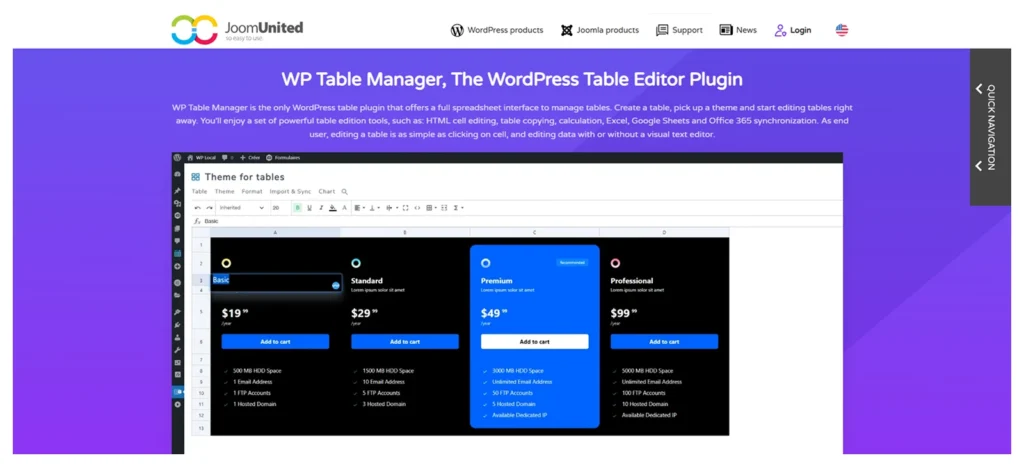
WP Table Manager is a WordPress table plugin designed for users who prefer a spreadsheet-style interface for creating and managing tables.
You can add data manually or sync tables with external spreadsheets.
The plugin can also generate tables from WordPress database content, making it useful for reports, form entries, product data, and other frequently updated information.
A standout feature is its built-in chart creation tool, which lets you turn table data into charts without needing a separate visualization plugin.
However, WP Table Manager is a premium-only plugin, and its advanced features may be unnecessary for simple static tables.
WP Table Manager is best for users who need spreadsheet editing, synced data, database tables, and charts in one system.
Key Features
- Front-end row creation and editing with user-role permissions
- Table and chart blocks for the Gutenberg editor
- Table and chart widgets for the Elementor page builder
- Creates tables from Gravity Forms and Ninja Forms entries
What We Liked Most
- Imported spreadsheet styles reduce table redesign work
- Role-based front-end editing without full dashboard access
- Combined table and chart management for reusable tables
What Could Be Better
- No free version is available to test the workflow before purchase
- Its extensive features may be unnecessary for basic tables
- No lifetime plan is available for long-term savings
Pricing
WP Table Manager does not offer a free version. The plugin costs $49 per year and can be used on unlimited websites. The licence includes one year of updates and support, and renewals are optional rather than automatically recurring.
11. Advanced Data Table Widget by Essential Addons – Best for Elementor Data Tables

Essential Addons provides separate Data Table and Advanced Data Table widgets for creating tables inside Elementor.
The regular Data Table widget is designed for manually created comparison and statistical tables. The Advanced Data Table widget is better suited to larger datasets from manual input, CSV files, Google Sheets, TablePress, or Ninja Tables.
Because the tables are created inside Elementor, you can manage the content and design from the same visual interface used for the rest of the page.
The Advanced Data Table widget includes the main visitor controls needed to organize longer datasets. This makes it suitable for directories, reports, schedules, comparison data, and other tables built on Elementor websites.
However, it is a page-builder widget rather than a standalone table-management system. Tables remain connected to Elementor page layouts instead of being managed through an independent reusable table dashboard.
Essential Addons is a better fit for Elementor users who want Data Table functionality as part of a broader widget collection.
Key Features
- Inline cell editing with row and column insertion or removal
- Copy, paste, and undo controls for manually entered data
- Adjustable widths for individual rows and columns
- CSV export for downloading table data
- Default sorting column control for the initial table view
- Row and column highlighting with separate styling options
What We Liked Most
- Keeps table creation and styling inside Elementor’s visual workflow
- Separate basic and advanced widgets suit both simple and large datasets
- Supports existing TablePress and Ninja Tables data without rebuilding tables
- Flexible styling controls help tables match the rest of the page
- Adds value for sites already using other Essential Addons widgets
What Could Be Better
- Requires Elementor and cannot work as a standalone table plugin
- Lacks a centralized dashboard for managing tables across builders
- The full add-on pack may be excessive if you only need the Data Table
Pricing
Essential Addons offers a free version containing the regular Data Table widget. The Advanced Data Table widget requires Essential Addons Pro. Premium pricing starts at $4.99/month billed annually for one website, which equals $59.88/year. An unlimited-site lifetime plan is listed at $299.99.
12. Data Table Module by DiviFlash – Best for Importing External Data in Divi
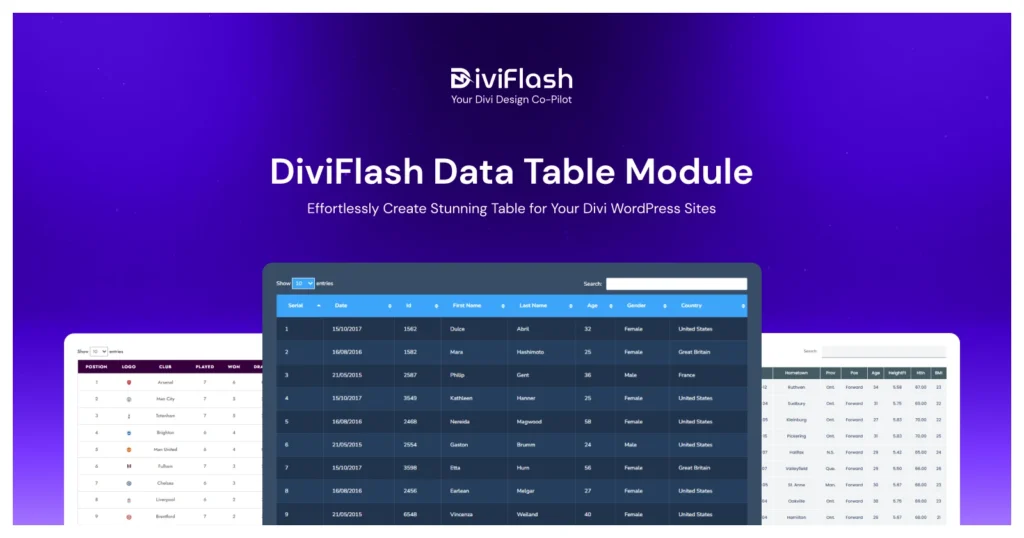
DiviFlash Data Table is a native Divi module for displaying searchable and sortable data from manual and connected sources.
You can upload a CSV file, paste CSV content directly into the module, connect a Google Sheet, use an existing WordPress database table, or display a table created with TablePress.
DiviFlash also includes a regular Table module and an Advanced Pricing Table module. This gives Divi websites separate options for traditional tables, interactive Data Tables, and pricing layouts.
However, the Data Table module only works when Divi is active. Its current workflow focuses on importing, search, sorting, pagination, and styling rather than spreadsheet formulas or front-end data editing.
DiviFlash is best suited to Divi users who need external data support and want to keep the complete table workflow inside the Divi Builder.
Key Features
- Google Sheets range selection and cache controls
- Separate background controls for even and odd table rows
- Table information display with dedicated styling settings
- Individual design controls for images, icons, and links inside table cells
- Custom styling for active, inactive, and disabled pagination states
- Multilingual support through WPML compatibility
- Divi 5 compatibility with backward support for Divi 4
What We Liked Most
- TablePress integration avoids rebuilding existing data
- Supports CSV, Google Sheets, and database sources
- Native Divi controls keep styling consistent
- Google Sheets caching controls let you refresh frequency
- Includes additional DiviFlash modules for added value
What Could Be Better
- Requires Divi and cannot be used independently or across other builders
- Does not include formula or computed-column controls.
- Access to the Data Table module requires purchasing the complete DiviFlash
Pricing
DiviFlash does not offer a free version. Pricing starts at $49/year for one site and $89/year for unlimited sites. Lifetime plans cost $149 for one site or $299 for unlimited sites.
13. Data Table Modules by DiviGear – Best for Manual and Imported Divi Tables

DiviGear Data Table Module is a Divi-specific plugin for creating and displaying structured data tables within the Divi Visual Builder.
You can connect external data from CSV files, Google Sheets, the WordPress database, and TablePress tables, making it a practical choice for directories, schedules, catalogs, reports, and other data-driven layouts.
Instead of trying to handle every aspect of table management, DiviGear focuses on clean data display with built-in search, sorting, and pagination, so you can present large datasets without adding unnecessary complexity.
All styling and configuration happen inside Divi’s visual editor, allowing you to control headers, rows, columns, pagination, and search elements without switching tools.
The limitation is that it only works with Divi and focuses primarily on data table creation, making it less suitable for building other table layouts such as pricing tables or comparison tables.
Key Features
- Row and column merging for more complex table layouts
- AJAX-powered table search with configurable column sorting
- Independent styling for headers, footers, rows, and columns
- Responsive mode for adapting wider tables to smaller devices
What We Liked Most
- Independent header, body, and footer styling improves readability
- TablePress import simplifies TablePress table migrations into Divi
- Lifetime pricing eliminates recurring renewals
- The manual module offers greater layout flexibility than data-only tools
What Could Be Better
- Works only on Divi websites.
- Rich content like icons, ratings, and custom elements may require HTML.
- Focused on displaying imported data, not advanced calculations or reporting.
Pricing
DiviGear Data Table Module does not offer a free version. Lifetime pricing starts at $39 for three websites and increases to $69 for unlimited websites. Both plans include lifetime updates.
14. League Table – Best for Rankings and Sortable Tables

League Table is a WordPress plugin for creating rankings, standings, leaderboards, and other tables where sorting and row order matter.
It includes a spreadsheet-style editor for manual entry or quick copy-paste from Excel, Google Sheets, and similar tools, making it easy to reuse existing data.
You can sort rows automatically by one or more columns or let visitors sort tables interactively. It also supports rank columns, making it useful for sports, finance, product comparisons, and academic data.
It includes responsive controls, with options to adjust fonts, control column visibility on mobile, and enable scrolling for better usability.
However, it is designed for manually managed data and does not support automatic syncing with external sources.
League Table is best for users who need strong sorting, ranking, and styling features without a complex data system.
Key Features
- Conditional cell styling based on table values
- Support mathematical formula for calculated output
- Centralized management for reusable tables
- Responsive settings with adjustable column visibility
- Support for HTML, JavaScript, images, and links inside cells
- XML import and export for backups and migration
What We Liked Most
- Easy-to-use spreadsheet-like workflow
- Works across Different WordPress setups
- Export functionality for backup and migration
What Could Be Better
- No pre-designed templates for faster setup
- Limited to data table layouts only
Pricing
A free version of League Table is available for basic use.
The premium plan starts at $29 per year for a single website, $59 per year for 5 websites, and $109 per year for unlimited websites.
15. Tablesome – Best for Turning Form Submissions into Tables
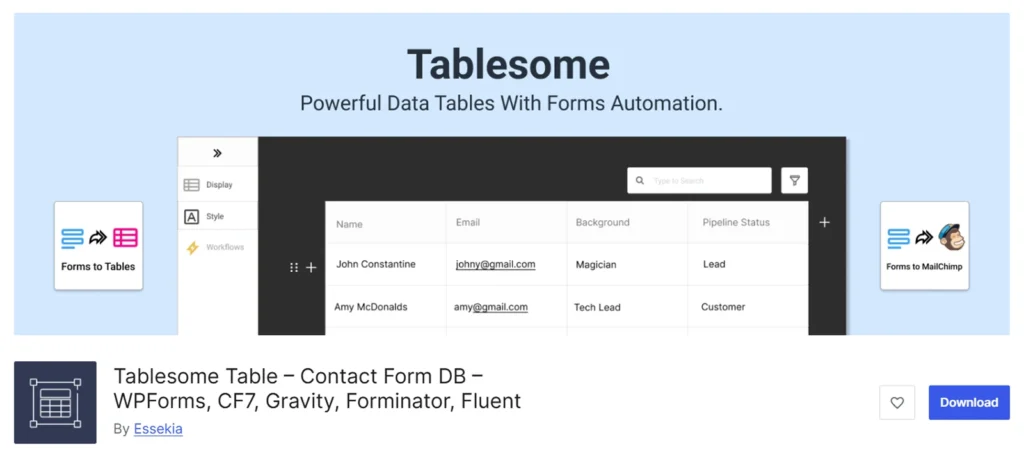
Tablesome is a WordPress plugin that turns form submissions into dynamic data tables, focusing on collecting and displaying user-generated data rather than managing traditional datasets.
It can automatically save submissions from Contact Form 7, WPForms, Elementor Forms, Gravity Forms, Fluent Forms, and Forminator into tables. You can also create tables manually or import data from CSV and XLSX files.
The stored data can be displayed as responsive, searchable, sortable, and filterable tables on the front end.
Tablesome also supports automation workflows triggered by form submissions or events, allowing you to send data to tools like Mailchimp, Notion, HubSpot, Slack, or create WordPress posts and users.
However, its primary focus is on form-driven data collection and automation, rather than integrating with a wide range of external datasets.
Tablesome is best suited for directories, registrations, applications, user submissions, and workflows that start with WordPress forms.
Key Features
- Turn form submissions into tables from major WordPress form plugins
- Import and export tables and entries in CSV and XLSX formats
- Responsive tables with search, sorting, filtering, and pagination
- Supports text, numbers, images, dates, URLs, and rich text
- Workflow automation with triggers and actions
- Integrations with Mailchimp, Notion, HubSpot, Slack, and more
- Front-end editing, access control, and user-specific data views
- Create tables from WordPress posts, pages, custom post types, and WooCommerce products
What We Liked Most
- Combines form storage, table display, and automation in a single workflow
- Works with major form builders without requiring additional connectors
- Automation workflows reduce repetitive data handling across tools
- Import and export options simplify data management and migration
What Could Be Better
- Multi-step workflows can take time to configure
- No formula, chart, SQL query support
Pricing
Tablesome offers a free version on WordPress.org. Tablesome Pro costs $49/year for one website, $99/year for five websites, and $199/year for 25 websites.
Closing Thought
Choosing the best Data Table plugin for your WordPress site depends on where your data comes from, how you want to display it, and how users will interact with it.
From this roundup, RioVizual stands out as a strong first choice, combining all the advanced data table features, including other table layouts.
wpDataTables and Ninja Tables are also strong choices for broad data integration and advanced table features.
Builder-specific options such as Essential Addons, DiviFlash, and DiviGear are more suitable when you want to create and style tables directly inside Elementor or Divi.
Before choosing a plugin, confirm that your required data sources, filters, responsive layouts, and advanced features are included in the plan you intend to purchase.

Leave a comment