

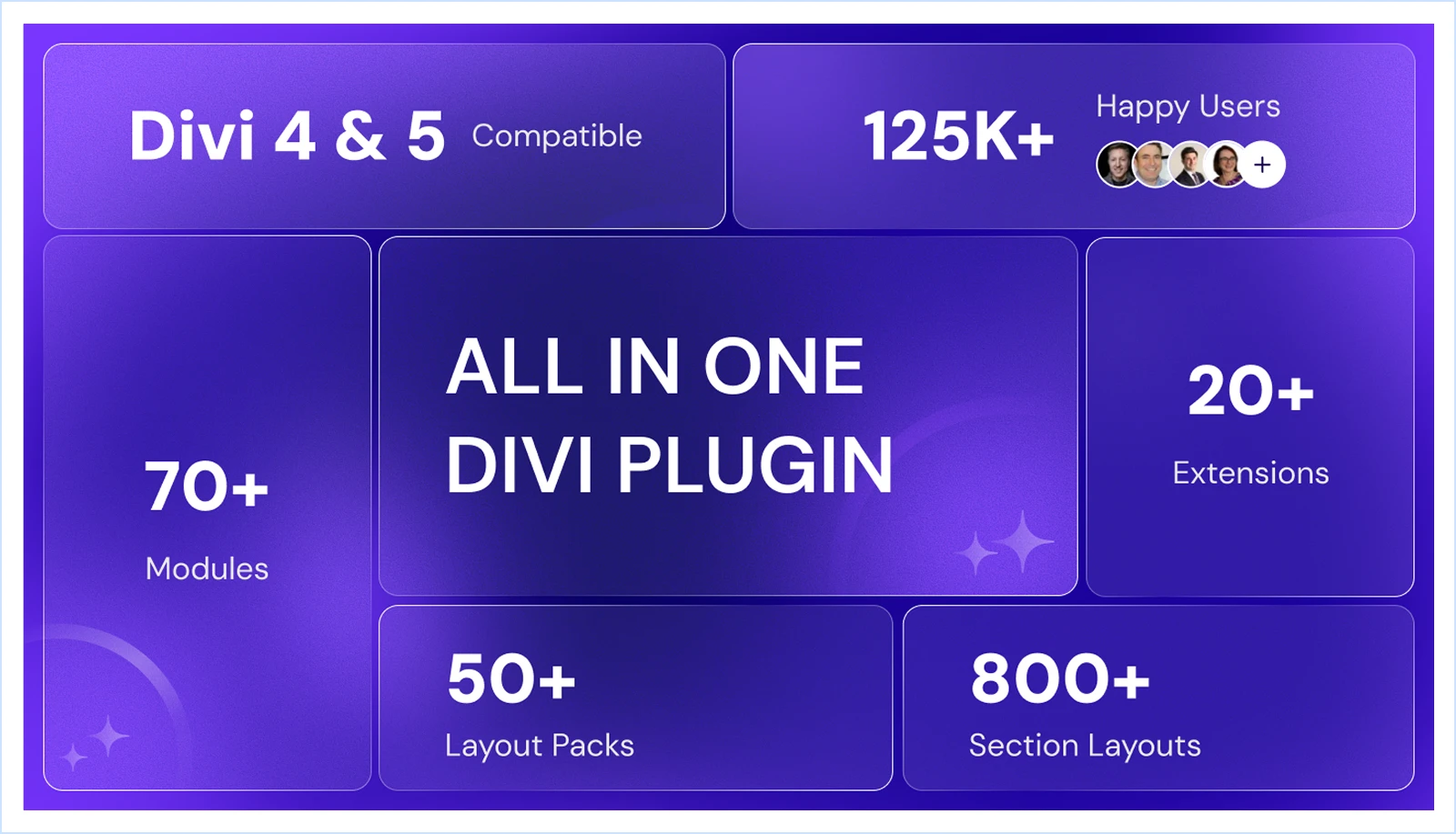
Have you ever been halfway through building a pop-up or a multi-step form in Divi? It’s not only you; many Divi users are dealing with the same problem because Divi lacks these features in its default page builder.
Thanks to those plugins addressing this issue and adding the missing pieces of Divi, enabling the Divi page builder to be powerful enough to create and customize anything a website might need.
In this article, we have gathered a list of the best Divi Plugins with hard-tested insights and firsthand experience that would help you choose the best one for your needs.
These plugins integrate seamlessly with your Divi theme and page builder, and allow you to achieve any design or add any features to your website with Divi.
So, let’s dive in.
TL;DR: Best Divi Plugins & Extensions (Quick Overview)
| Plugin | Best For | Key Features | Pricing |
|---|---|---|---|
| DiviFlash | Creating advanced Divi websites with an all-in-one Divi plugin | 75+ Modules, 20+ Extensions, 800+ Section Layouts, 50+ Website Layouts | Yearly: $49 (for 1 site) $89 (for unlimited sites) Lifetime: $149 (for 1 site) $299 (for unlimited sites) |
| DiviMerc | Creating and customizing WooCommerce stores with Divi | 11 Divi Modules, 16 Child Modules, 5 Extensions, 12 Templates | Yearly: $49 (for 1 site) $79 (for unlimited sites) Lifetime: $149 (for 1 site) $249 (for unlimited sites) |
| DiviMotion | Creating animated and interactive website using Divi visual builder. | GSAP-powered animations, 4 triggers (scroll, click, hover, page load), timeline control, visual animation builder, responsive animation settings | Yearly: $49 (for 1 site) $79 (for unlimited sites) Lifetime: $149 (for 1 site) $249 (for unlimited sites) |
| DiviGear Carousel | Creating beautiful carousels and sliders | Regular & 3D Coverflow effects, image/video lightbox, multi-row and multi-slide layouts, autoplay, responsive control, lazy loading, 50+ templates | Lifetime:$15 (for single site)$29 (for unlimited site) |
| RioVizual | Creating data, pricing, comparison, and pros & cons tables in Divi | Drag-and-drop editor, 20+ table elements, 70+ pre-made templates, built-in schema, Divi Module integration. | Yearly: $49 (for 1 site) $99 (for 10 sites) $149 (for unlimited sites) Lifetime: $149 (for 1 site) $199 (for 10 sites) $299 (for unlimited sites) |
| DiviGear Popup | High-converting popups with smart triggers | 6 triggers, 9 placements, conditional triggers, cookie control, user role targeting, pre-made templates | Lifetime:$39 (for 3 sites)$69 (for unlimited sites) |
| DiviGear Gallery | Media-rich and visually-focused websites | 3 gallery modules (Grid, Masonry, Justified), filterable gallery, lightbox, Ajax load more, Packery layouts, hover effects, border animations | Lifetime:$39 (for 3 sites) $69 (for unlimited sites) |
| DiviGear CPT | Creating directories, listings, and portfolios using custom post types | 3 modules (CPT Grid, Filterable CPT, CPT Carousel), taxonomy filters, ACF support, 3D carousel effect, animations, Ajax load more | Lifetime:$49 (for 3 sites) $99 (for unlimited sites) |
| DiviGear Tabs | Creating an interactive tabbed content layout | Horizontal & vertical tabs, 8 reveal animations, icons/images in tabs, sticky navigation, 100+ customization options, 20+ pre-made templates | Lifetime:$25 (for 3 sites)$39 (for unlimited sites) |
| DiviGear Heading | Creating animated and creative headings | 2 modules (Advanced & Animated Heading), gradient, text mask, overlay, text stacking, multi-line divider, word & letter animation, pre-made templates | Lifetime:$29 (for unlimited sites) |
| DiviGear Product Carousel | Showcasing WooCommerce products with stunning carousels | Regular & 3D Coverflow sliders, hover effects, autoplay, sale badge, top-rated/best-selling highlights, add-to-cart button, pre-made layouts | Lifetime: $19 (for 1 site) $39 (for unlimited sites) |
| DiviGear Blog Module | Creating custom blog layouts for Divi | Grid, Masonry, and List layouts, 9 post elements, 50+ pre-made layouts, advanced sorting, device-specific column and spacing controls | Lifetime:$25 (for 3 sites)$39 (for unlimited sites) |
| DiviGear Blog Carousel | Displaying blog posts in an interactive slider | Regular & 3D Coverflow sliders, autoplay with duration control, equal heights, hover, overlay, icon on hover effect, meta control, Hide/Show post elements | Lifetime:$19 (for 1 site)$39 (for unlimited sites) |
1. DiviFlash – All-in-One Divi Plugin
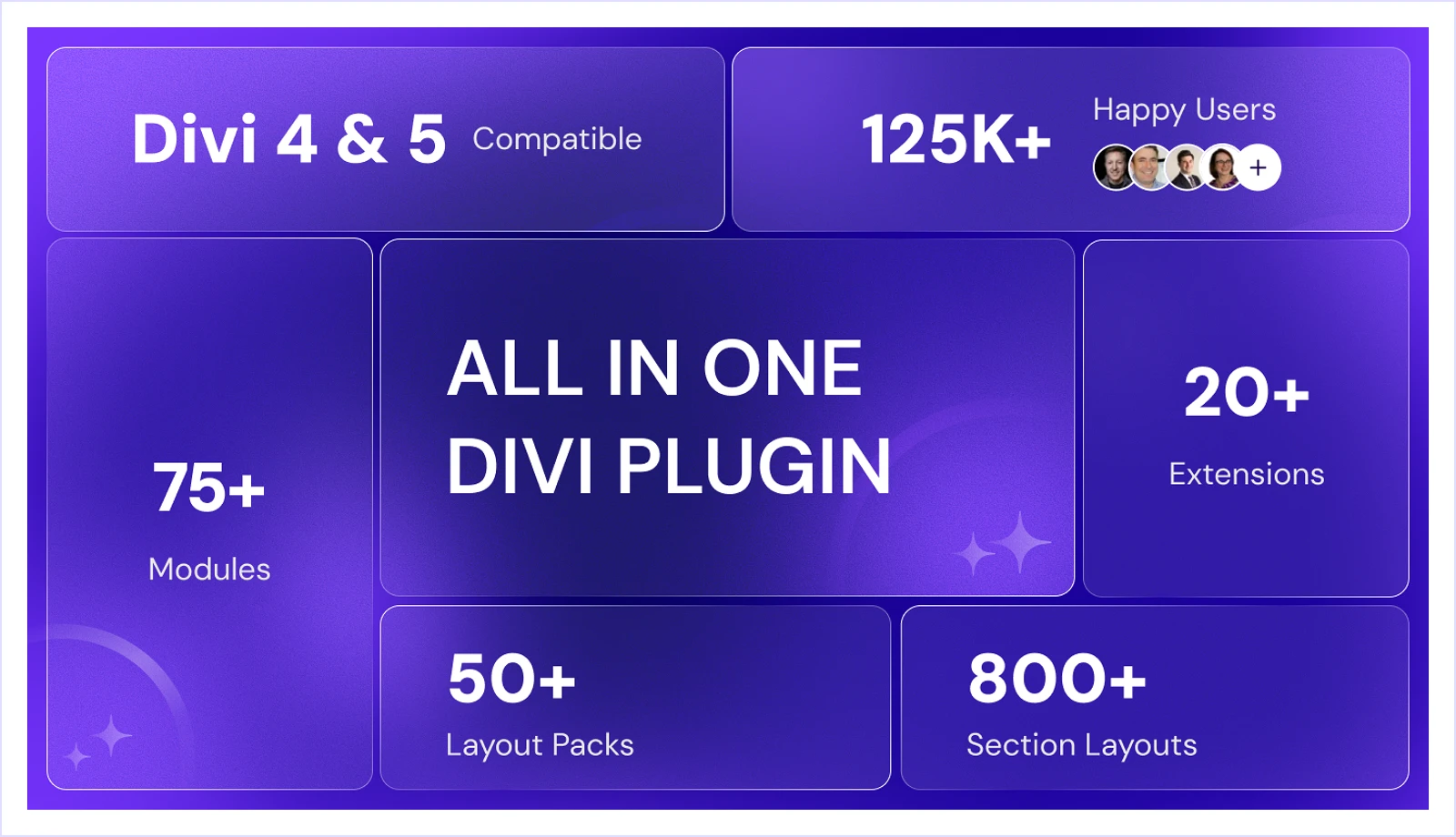
DiviFlash is an all-in-one plugin designed to extend the default Divi Builder with more flexibility and control. It adds 75+ modules, allowing you to build advanced layouts directly inside the builder without relying on multiple plugins.
It also includes 50+ complete website layouts and 800+ section layouts to help you design faster and reuse ready-made structures across your site. This makes it easier to create pages without starting from scratch.
DiviFlash supports custom post types and dynamic content, making it suitable for blogs, portfolios, and directory-style websites. It also integrates with WooCommerce, offering dedicated modules to display and customize product layouts.
In addition, it comes with 20+ extensions for features like popups, mega menus, preloaders, and login customization. This allows you to add essential functionality while keeping the same workflow inside Divi.
What We Like Most
- 75+ custom modules covering every design aspect
- 50+ ready-to-use full website templates
- 800+ section layouts for every purpose (Hero, Header, Contact, and more)
- Advanced mega menu and vertical menu builder with animation effects
- Custom Post Type (CPT) Grid, Carousel, and Filterable CPT for dynamic layouts
- 20+ extensions for popups, preloaders, login customizer, and more
- WooCommerce modules with 11+ elements for product display and filtering
- Animated Heading, Typing Text, SVG Animator, and other creative modules
- Modular architecture to enable or disable features for better performance
Pricing
- Yearly: $49 (for a single website) / $89 (for unlimited websites)
- Lifetime: $149 (for a single website) / $299 (for unlimited websites)
Alternatives
DiviMerc – Best WooCommerce Plugin for Divi
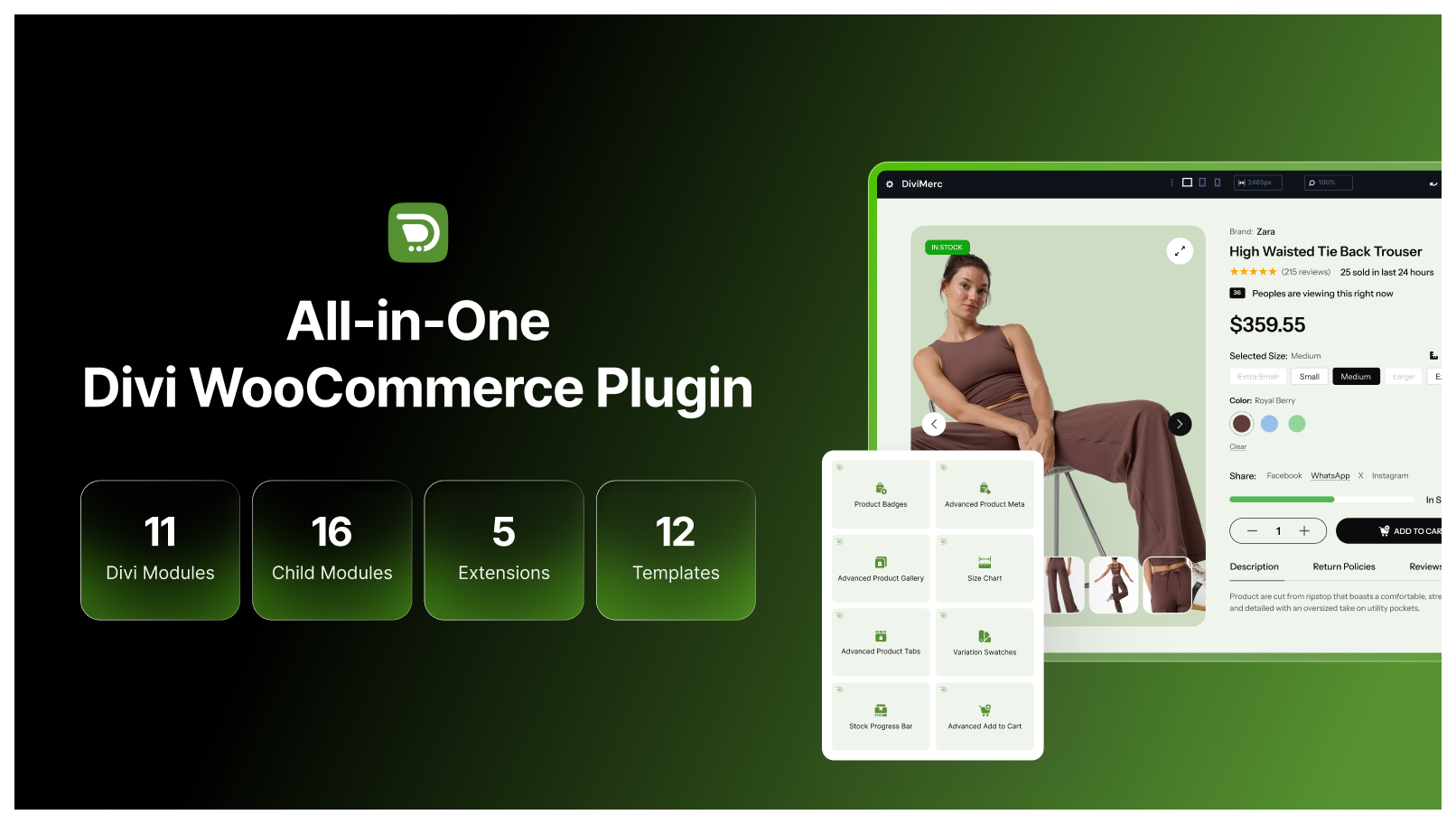
DiviMerc is a WooCommerce-focused Divi plugin that gives you control over your product pages. It adds specialized Divi modules and extensions for building and customizing richer shopping experiences.
Its Advanced Product Gallery includes seven gallery layouts, four zoom modes, a fullscreen lightbox, and support for product videos and GLB/glTF 3D models through the Video & 3D Media extension.
For variable products, Variation Swatches replaces standard WooCommerce dropdowns with color, dual-color, image, button, radio, dot, product-card, and dropdown styles. Advanced Add to Cart also gives you more control over the quantity field, cart button, stock display, and different WooCommerce product types.
Additional tools include Product Badges, Advanced Product Meta, Size Charts, Stock Progress Bars, Product Share, and custom product tabs.
What We Like Most
- Seven Advanced Product Gallery layouts with zoom and lightbox options
- Color, image, button, radio, product-card, and other variation swatches
- Custom Add to Cart controls for different WooCommerce product types
- Product badges for Sale, New, Best Seller, and Low Stock
- Flexible product meta with individually customizable fields
- Size charts with inline, popup, drawer, and accordion layouts
- Stock progress bars based on WooCommerce stock data
- Unlimited custom WooCommerce product tabs
- Product sharing across popular social platforms
- Support for product videos and 3D models
Pricing
- Yearly: $49 (for 1 website) / $79 (for unlimited websites)
- Lifetime: $149 (for 1 website) / $249 (for unlimited websites)
Alternatives
2. DiviMotion – Best Animation Plugin for Divi
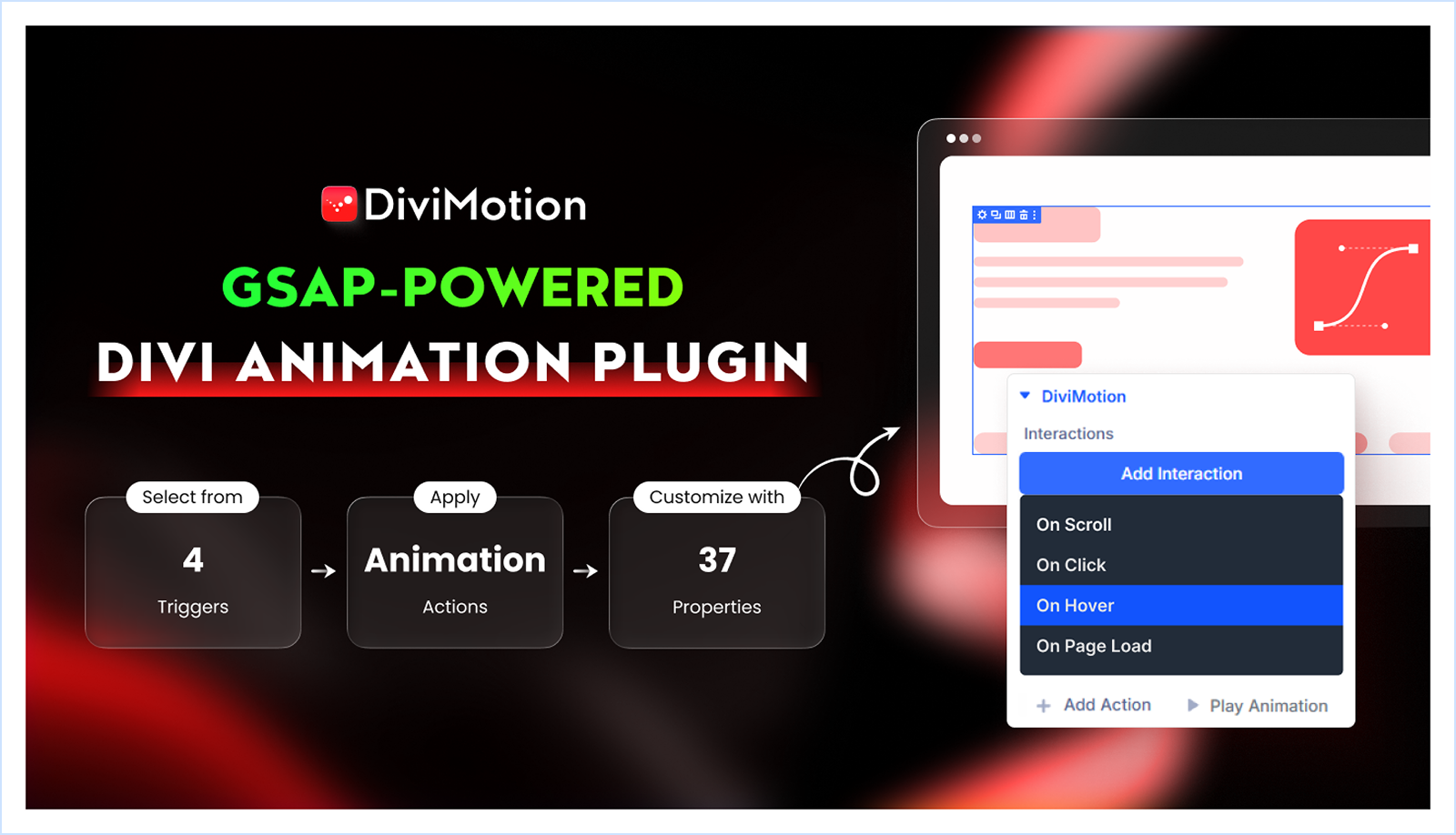
DiviMotion is a GSAP-powered animation plugin built for Divi. It lets you create advanced motion effects directly inside the Divi Visual Builder.
You can control how elements appear, move, and react to user actions such as scroll, hover, click, and page load. It also includes timeline-based controls, which help you combine multiple animations in a structured way.
DiviMotion works across your entire layout. You can apply animations to sections, rows, columns, modules, and even nested elements. This gives you full flexibility to animate any part of your design without leaving the builder.
To speed up the workflow, it provides 20+ ready-made animation presets. You can use them as a starting point and adjust them based on your design needs.
What We Like Most
- Supports sections, rows, columns, modules, and nested elements
- Multiple triggers: scroll, click, hover, and page load
- Timeline-based control for sequencing animations
- Split text animations for characters, words, and lines
- Device-specific settings for responsive animation control
- 20+ pre-designed presets for faster setup
- Compatible with existing Divi layouts and templates
- Extensions like timeline, horizontal scroll and more
- Module like Draw SVG, Morph SVG and more
Pricing
- Yearly: $49 (for 1 website) / $79 (for unlimited websites)
- Lifetime: $149 (for 1 website) / $249 (for unlimited websites)
3. DiviGear Carousel – Best for Stunning Sliders & Carousels
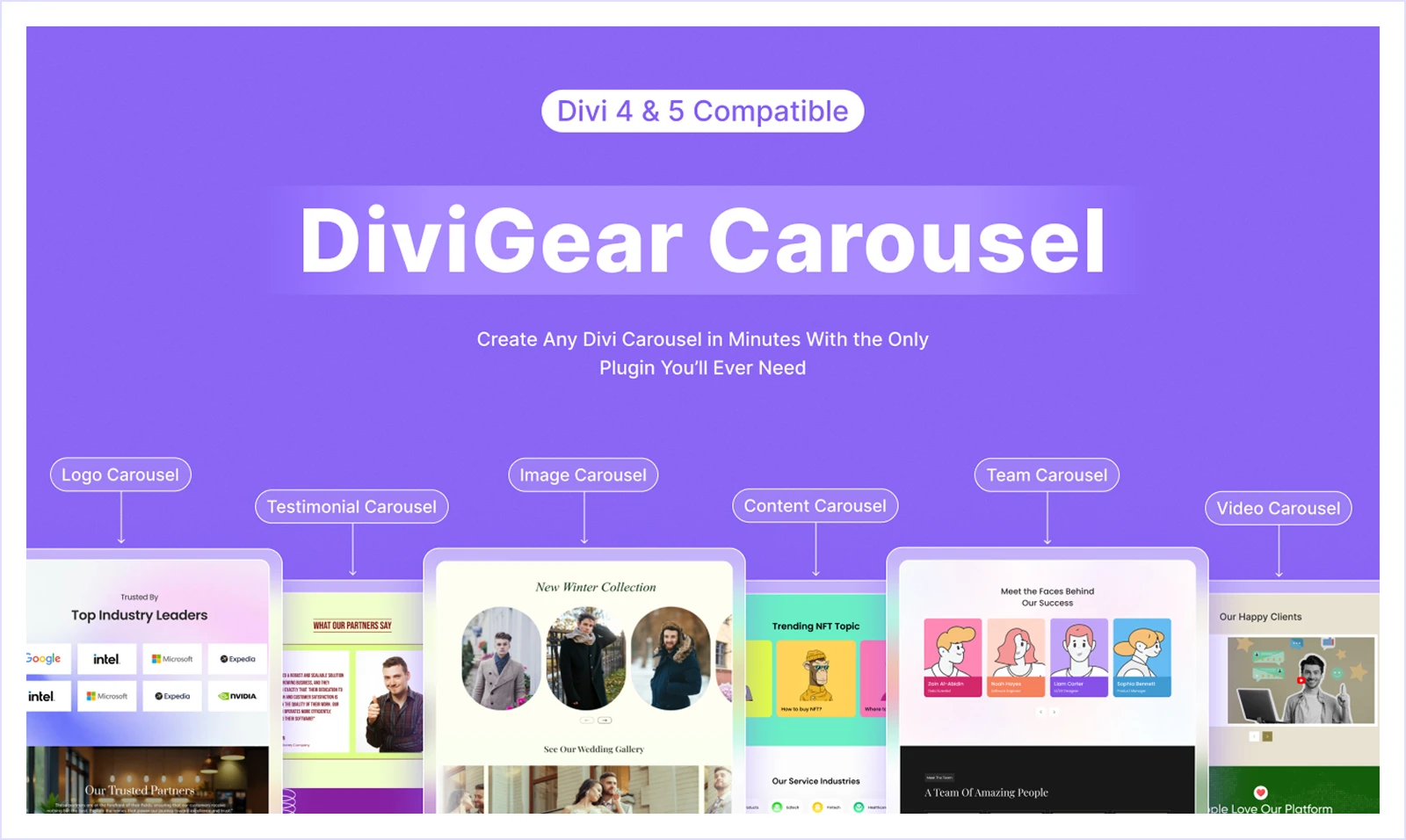
DiviGear Carousel is one of the top-selling Divi plugins on the Elegant Themes marketplace, powering over 10K+ websites. Whether you want to showcase testimonials, images, team members, videos, or content, this plugin helps you create beautiful and interactive carousels with its advanced built-in features.
DiviGear Carousel seamlessly integrates with your Divi page builder and lets you create and customize these carousels visually with animations, navigation styles, and responsive behaviour.
With advanced features like multiple carousel layouts, autoplay controls, hover effects, and variable column support, the Divi Carousel module helps you turn your static website into an eye-catching scrollable slider that improves engagement and design workflow.
DiviGear Carousel is compatible with Divi 5, making it a reliable solution for Divi websites that want to add visually appealing sliders and carousels to their websites.
What We Like Most
- Multiple carousel types to showcase: images, testimonials, team members and more
- Regular and 3D Coverflow effects for visually appealing designs.
- 50+ pre-designed templates with one-click import to speed up your workflow.
- Built-in image and video lightbox for engaging galleries and product showcases.
- Multi-rows and multi-slide layout for a dynamic presentation.
- Responsive design settings with device-specific item control.
- Loop autoplay control with keyboard/mouse for better navigation.
- Smooth scroller and fadeout transitions for a natural feel.
- Smart lazy loading for faster page speed and better performance.
- Overlay, filters, and flexible content positioning for creative freedom.
Pricing
- Lifetime: $15 (for a single website) / $29 (for unlimited websites)
Alternatives
4. RioVizual – All-in-One Table Builder with Divi Module
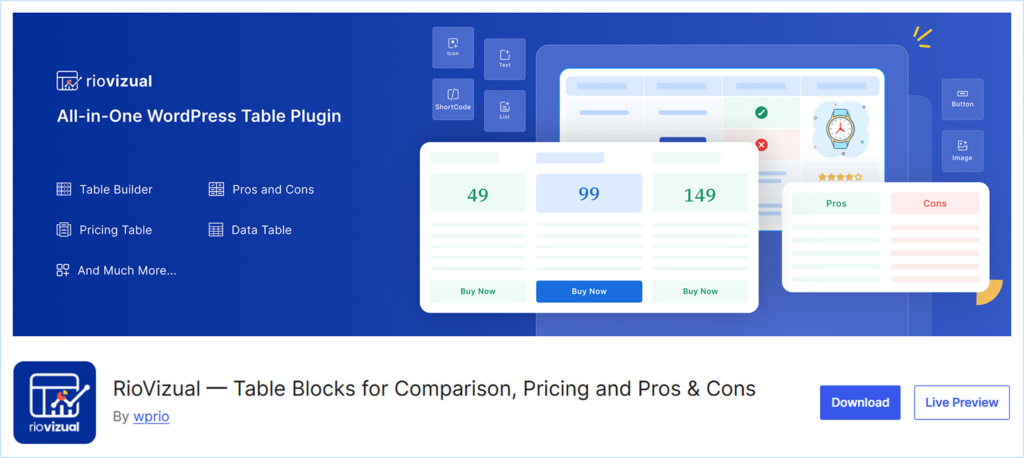
RioVizual is an all-in-one table Builder plugin for WordPress with a dedicated module for Divi. Whether you want to create a conversion-optimized data table, pricing table, product comparison, schedule table, or a schema-ready Pros and Cons RioVizual meets you every table creation need with its versatile features.
RioVizual offers the largest library of 70+ pre-designed templates with one-click import, saving you hours of manual work for creating a visually appealing table. Its drag-and-drop interface and 20+ elements help you create and customize any table within a front-end editing experience.
RioVizual uses the default WordPress editor for creating tables, making it a lightweight and render-fast solution to display your data visually. Additionally, its built-in schema support for Pros and Cons increases the chance of getting featured in the Rich snippet of major search engines, including Google.
What We Like Most
- Drag-and-drop interface for creating and customizing any table easily.
- Supports 20+ elements, including text, images, buttons, ribbons, and more
- A central table management system to create and manage tables effectively.
- A Dedicated Divi module to insert any table directly inside the Divi Page Builder.
- Largest library of 70+ pre-designed templates with one-click import.
- Built-in schema markup support to improve the visibility in search results.
- A powerful free version to create any functional tables
Pricing
- Yearly: $49 (for a single website) / $99 (for 10 websites) / $149 (for unlimited websites)
- Lifetime: $149 (for a single website) / $199 (for 10 websites) / $299 (for unlimited websites)
Alternatives:
5. DiviGear Popup – Best for Creating High-Converting Popups in Divi
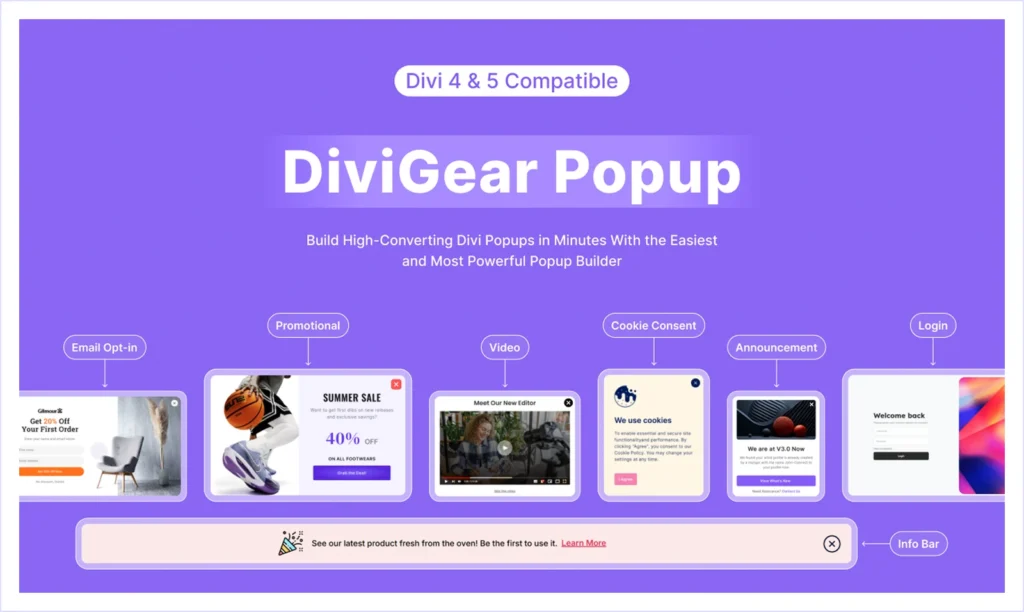
An engaging Popup with the right placement and trigger can boost conversion rates from around 4% to over 11%. Yet Divi doesn’t include any built-in Popup feature. That’s where the DiviGear Popup plugin comes in, giving your Divi website a powerful popup module to create high-converting popups with ease.
Whether you want to collect emails, promote offers, display videos, or show announcements, this plugin helps you do it all by designing and customizing engaging Popups with custom triggers and conditions.
With 9 popup positions for placement and 6 actionable triggers based on user activity, DiviGear Popup allows you to decide exactly when and where your popup will appear.
You can also target specific user roles, devices, and pages, or schedule pop-ups with countdown timers and floating bars, all designed to improve user experience and conversions. You can build popups from scratch or use one of the pre-designed templates with one-click import.
DiviGear Popup is compatible with the upcoming Divi 5 update, making it a reliable and feature-rich solution for Divi users.
What We Like Most
- Create any Popup for promotions, lead generation, announcements, and more.
- 9 placement options to ensure maximum visibility and better user experience.
- 6 triggers (click, page load, scroll, exit intent, inactivity) to display pop-ups.
- Conditional popup display based on user roles, pages, posts, and device type
- Built-in cookie settings to manage Popup frequency and user preferences.
Pricing
Lifetime: $39 for 3 websites / $69 for unlimited websites
Alternatives
6. DiviGear Gallery – Best for Media-Rich Websites
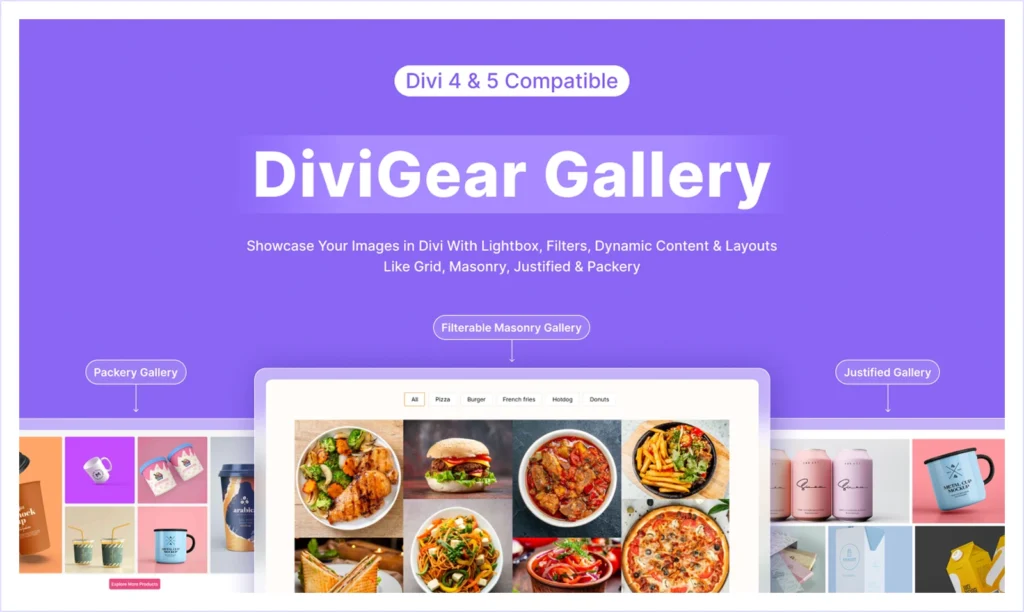
If you run a design-focused or image-centric Divi website like a photography portfolio, creative agency, or online store, the DiviGear Gallery plugin gives you everything you need to showcase visuals beautifully and responsively.
It includes three dedicated modules: Advanced Gallery, Justified Gallery, and Packery Gallery, each designed to give you creative flexibility. You can create grid, masonry, justified, or packery layouts that fit your design perfectly, all while maintaining top performance across every device.
The plugin also features filterable gallery options so users can sort images easily through customizable filters. You can display photos in their original dimensions, adjust row heights, define the number of items per row, or even load more images dynamically with Ajax for a seamless browsing experience.
For presentation, DiviGear Gallery offers extensive customization options, including hover effects, lightbox popups, image overlays, borders, captions, and typography controls. Whether you want to build a product showcase or a creative gallery, this module ensures every image loads fast and looks flawless.
DiviGear Gallery is fully compatible with Divi 5, making it a reliable solution for any media-rich Divi website.
What We Like Most
- 4 gallery layouts: Grid, Masonry, Justified, and Packery for total design freedom
- Filterable galleries with customizable filter buttons for a better user experience.
- Lightbox option to display high-resolution images beautifully in Popups.
- Support 8 columns with custom space between images for an organized layout.
- Load more (Ajax) to showcase unlimited images smoothly.
- 20+ borders reveal animations on hover for better user experience.
- Caption and description animations for engaging storytelling.
Pricing
- 3 Websites: $39 (Lifetime)
- Unlimited Websites: $69 (Lifetime)
Alternatives
7. DiviGear CPT – Best for Custom Post Type Layouts
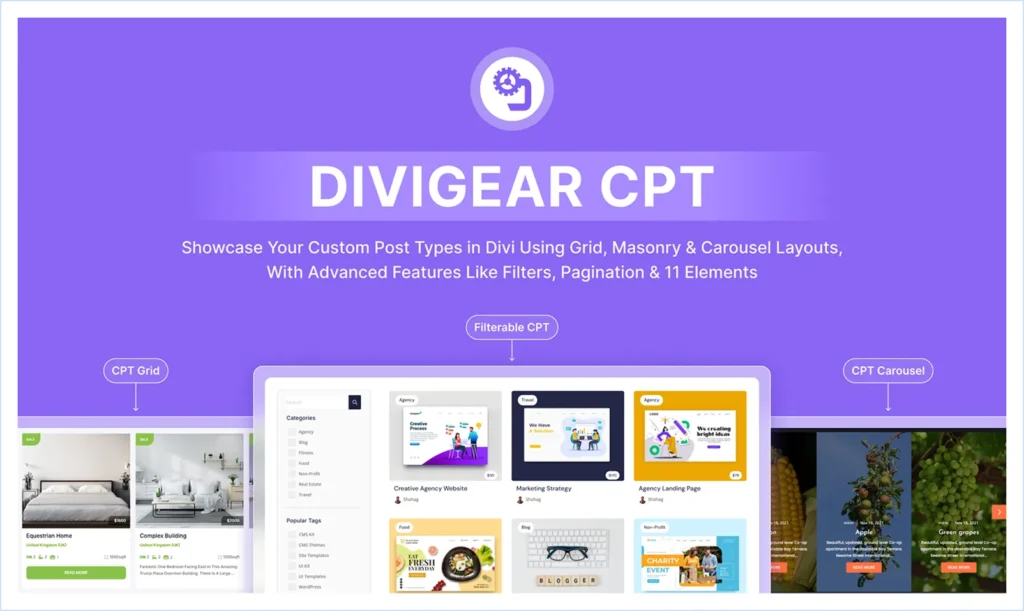
If you want to design custom post type layouts inside your Divi website, the DiviGear CPT Module helps you do it with ease. Whether you’re building portfolios, directories, product listings, or dynamic blog layouts, this plugin lets you display any custom content in Grid, Masonry, or Carousel formats within the Divi Builder.
DiviGear CPT offers interactive taxonomy filters for seamless navigation. You can use single or multiple filters with search options and “and/or” conditions to help visitors find exactly what they need. For presentation, it includes 11 customizable post elements such as titles, images, taxonomy, and content, all with styling controls, animations, and pagination options.
It also comes packed with 3D carousel effects, Ajax Load More, image-as-background layouts, and custom element positioning for advanced design enhancement. These features make it easy to create content sections that look professional and perform beautifully across all devices.
DiviGear CPT is fully compatible with the upcoming Divi 5 update, making it a reliable solution for any Divi-powered website.
What We Like Most
- Offers 3 Modules: CPT Grid, Filterable CPT, and CPT Carousel in one plugin
- Support Grid, Masonry, and Carousel layouts for flexible content presentation.
- Interactive taxonomy filters with search, multi-filter conditions, and styling options.
- 11 post elements with animations, overlays, and full customization controls.
- Ajax Load More button to display endless posts smoothly.
- Custom element repositioning to match any layout design.
- 20+ ready-to-use section layouts to get started quickly.
- Smooth overlay and scale animations for enhanced visuals.
Pricing
- Lifetime: $49 (for 3 websites) / $99 (for unlimited websites)
Alternatives
There is no direct alternative to this plugin available. You would require multiple plugins to match its features.
8. DiviGear Tabs – Best for Interactive Tabbed Content
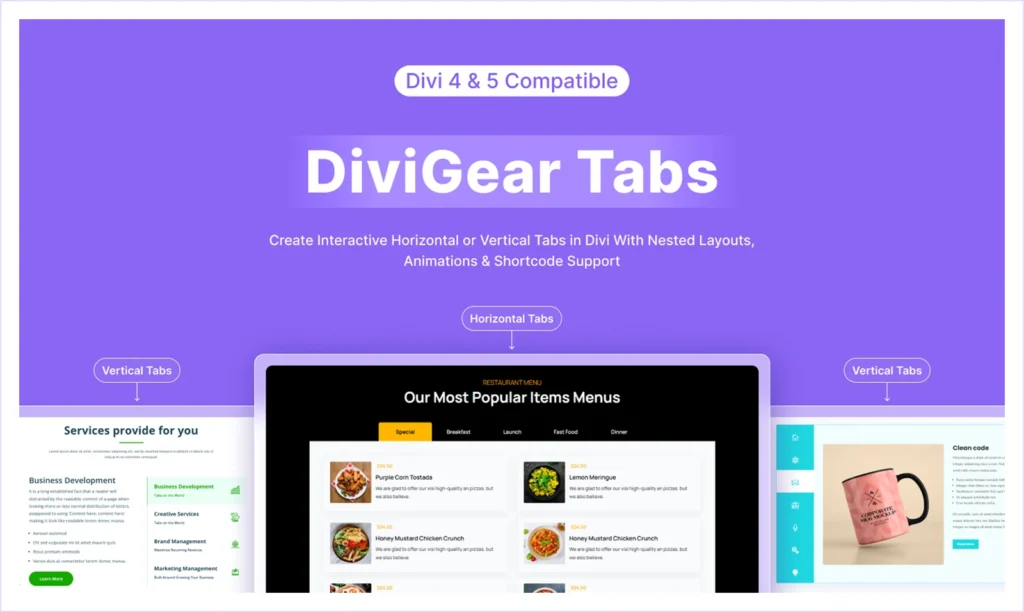
If you want to organize a lot of information, such as product features, FAQs, service comparisons, or pricing details, in a clean, interactive, and user-friendly format, the Advanced Divi Tabs from DiviGear is the perfect solution. It helps you create visually engaging tabbed sections that save space, improve navigation, and keep visitors focused on the content that matters most.
Unlike Divi’s default tab module, which is limited to basic horizontal tabs, DiviGear Tabs offers advanced flexibility. You can design both horizontal and vertical tabs, position them in four different ways, and add icons or images to tab titles for a more creative presentation. Tabs can be revealed on click or hover, supported by 8 animation effects, giving your content a modern and dynamic feel.
With 100+ customization options, you can style everything from backgrounds, spacing, and tab states to icons, images, and navigation bar width. The module also supports sticky navigation bars, active tab arrows, and custom spacing, ensuring your design looks pixel-perfect across all devices.
DiviGear Tabs provides 20+ pre-made tab layouts to import and customize instantly. Advanced Divi Tabs from DiviGear is fully compatible with the upcoming Divi 5 updates, making it a reliable choice for Divi users.
What We Like Most
- Create horizontal or vertical tabs with 4 flexible positioning options.
- 8 reveal animations with click or hover triggers for smooth transitions.
- Support icons or images inside tab titles for more visual engagement.
- Sticky navigation bar and active tab arrow for improved usability.
- Active tab customization with unique styling for active/inactive states.
- 100+ design controls for colours, typography, spacing, and effects.
- 20+ pre-made layouts for faster setup.
Pricing
- Lifetime: $25 (for 3 websites) / $39 (for unlimited websites)
Alternatives
9. DiviGear Heading – Best for Creative and Animated Headings
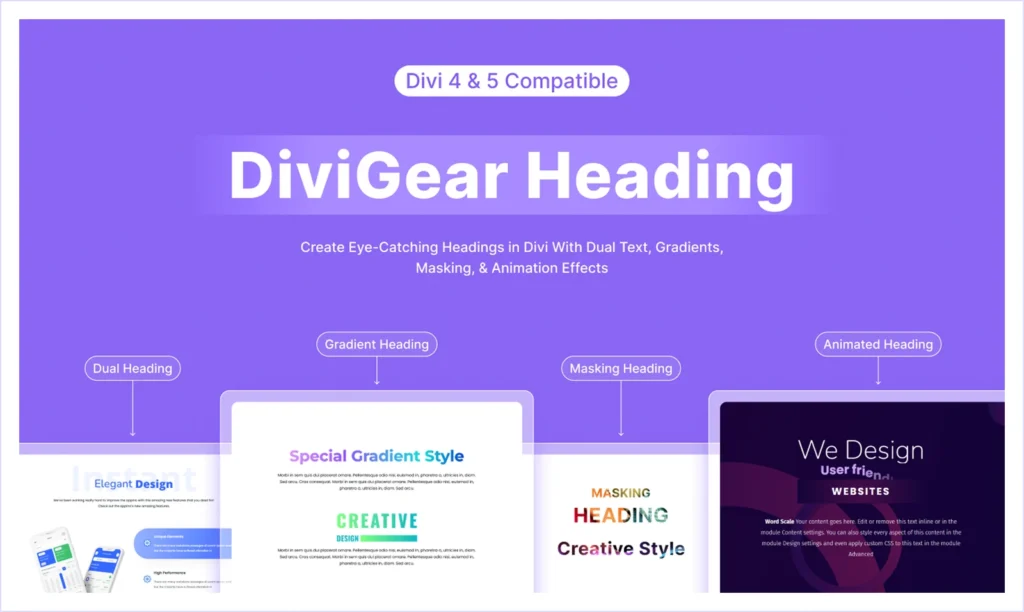
If you want your Divi website headlines to stand out instead of looking plain and repetitive, the DiviGear Heading Module is exactly what you need. It allows you to create visually stunning, animated, and multi-layered headings that grab attention and boost engagement.
Packed with two powerful modules: Advanced Heading and Animated Heading, this plugin lets you design both static and dynamic text styles with complete flexibility. You can create gradient text, overlay effects, text masks, dividers, stacked text, multi-text headings, and animated headings that capture the viewer’s attention instantly.With 9 unique text animations and 3 customizable content areas, DiviGear Heading gives you full control over letter and word animations, turning static titles into motion-rich visuals. You can combine dual text stacking, text masks, and gradient typography to create an engaging, branded design that reflects your style.
DiviGear Heading also includes free pre-made heading layouts for quick implementation. Whether you’re designing a creative portfolio, agency homepage, or promotional section, this module helps you transform your message into a stunning visual statement. It’s also fully compatible with the upcoming Divi 5 upgrade, ensuring stability and long-term reliability.
What We Like Most
- Includes 2 Modules: Advanced Heading & Animated Heading in one plugin.
- Gradient, overlay, and text mask effects to design visually dynamic headings.
- 9 fancy text animations with full control over timing and easing.
- 3 customizable content areas for multi-line heading design.
- Dual text stacking for layered typographical effects.
- Letter and word animations to design interactive headings.
- Divider options to highlight the heading sections.
- Pre-made heading layouts for faster setup.
- Complete design control over colors, spacing, borders, and fonts.
Pricing
- Lifetime: $29 (for unlimited websites)
Alternatives
10. DiviGear Product Carousel – Best for WooCommerce Product Slider
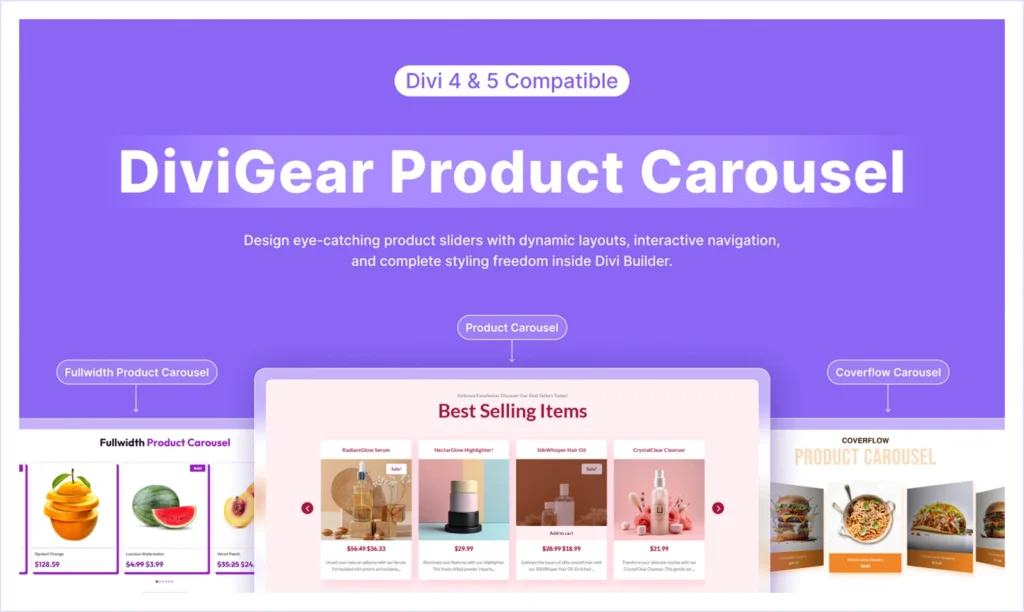
If you want to showcase your WooCommerce products in a more engaging way than a standard grid, the DiviGear Product Carousel module is the perfect solution. It helps you create interactive product sliders that not only look great but also enhance user experience and boost conversions.
With this plugin, you can display your products anywhere on your Divi-powered website within essential WooCommerce elements like product image, title, description, price, rating, sale badge, add to cart button, and more. Each element is fully customizable inside the Divi Builder to match your brand style.
You can easily showcase featured, best-selling, on-sale, or top-rated products using its built-in layout and filtering options. Also, you will get the complete design flexibility from styling typography, hover effects, alignments, and responsiveness.
DiviGear Product Carousel also offers a pre-made carousel layout for faster setup. It’s fully compatible with the upcoming Divi 5 update, making it a reliable and future-proof plugin for any WooCommerce website built with Divi.
What We Like Most
- WooCommerce elements: product title, image, price, descriptions, ratings, reviews, and more.
- Display featured, on sale, top-rated, or best-selling products in carousel layout.
- Regular slider and 3D Coverflow effect for flexible design styles.
- Autoplay and looping for continuous product rotation.
- Hover effect, overlays, and border to highlight product images.
- Vertical alignment and equal height for consistent design balance.
- Pre-made carousel layouts for quick and easy import.
Pricing
Lifetime: $19 (for single website) / $39 (for unlimited websites)
Alternative
11. DiviGear Blog – Best for Creating Customizable Blog Layouts
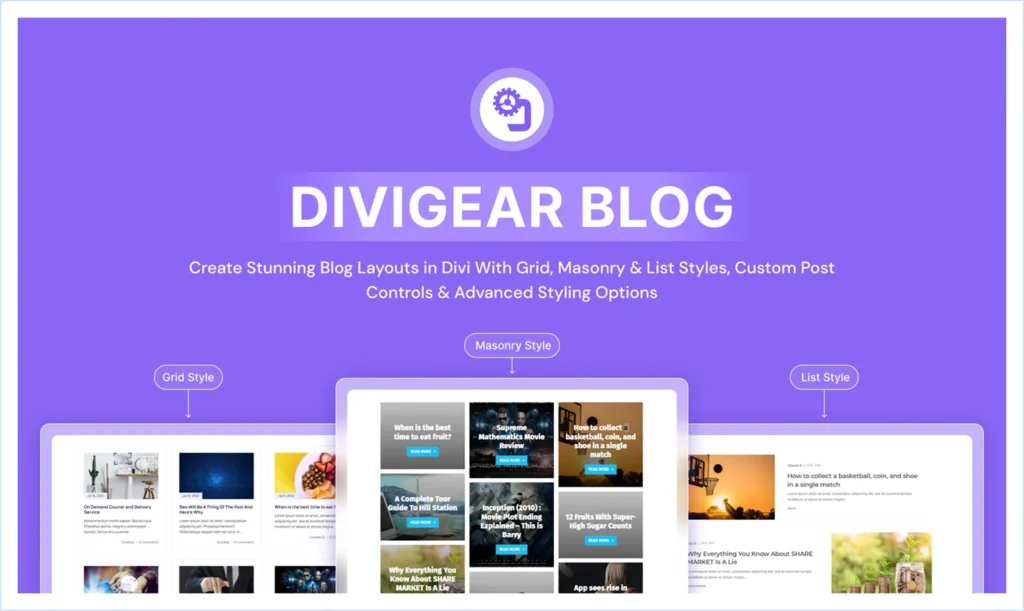
If you want to design a beautiful, flexible, and SEO friendly blog section for your Divi Website, the DiviGear Blog Module is one of the best plugins to do this. It helps you display your blog posts, projects, and portfolios in a stylish grid, masonry, and list layout with complete design freedom inside your Divi builder.
Unlike the limited features and customization options from Divi’s default blog module, DiviGear Blog Module offers you the complete flexibility to create blog pages, archive layouts, news sections, or even a magazine-style design using the same module.With three unique layouts, Grid, Masonry, and List, this plugin also provides you customization options for the elements like title, meta info, image, post excerpts, read more buttons, and post category. Using this plugin, you can also display popular, related, and random posts as well as posts from particular categories.
DiviGear blog module offers 50+ pre-made templates that are easy to import to create and customize the design faster. It’s fully responsive and compatible with upcoming Divi 5 updates, ensuring smooth performance and feature stability.
What We Like Most
- 3 unique blog layouts: Grid, Masonry, and List.
- Display articles, projects, or custom post types anywhere on your website.
- Supports popular, related post categories or random posts for higher engagement.
- 9 post elements, including title, meta info, image, and read more
- Column control and spacing with device-specific settings.
- Advanced sorting to sort posts by popularity, date, and category.
- 50+ pre-made blog layouts (easy to import).
Pricing
- Lifetime: $25 (for 3 websites) / $39 (for unlimited websites)
Alternatives
12. DiviGear Blog Carousel – Best for Showcasing Blog Posts in Sliders
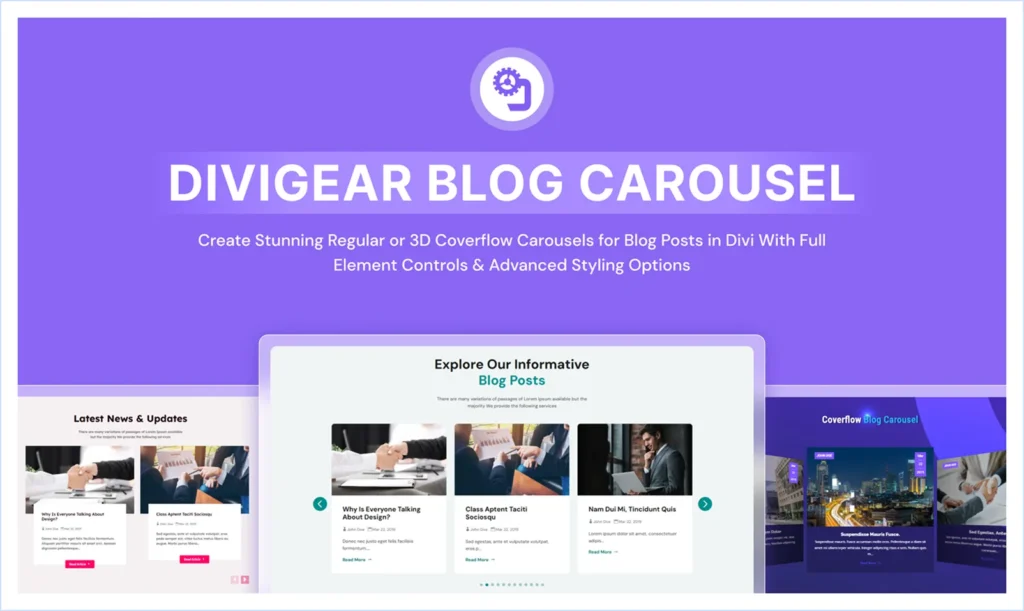
If you want to display your blog posts more dynamically and interactively, the DiviGear Blog Carousel plugin is an excellent choice to do this. It allows you to transform your regular blog section into a visually engaging carousel slider and enhance the user experience that keeps readers exploring your content longer.
This plugin allows you to display posts from categories and even various post groups, such as popular and recent posts, with advanced customization options on the Divi Visual Builder. Using this plugin, you will get the complete design freedom to show or hide the featured image, title, excerpt, metadata (author, date, category), or even the read more buttons.
With two slider types: Regular and 3D Coverflow, DiviGear Blog Carousel will allow you to create sliders with shadow and animated effects. You can control the post counts, autoplay duration, alignment, spacing, and equal height for the carousel for a polished and professional-looking design for any screen size.
This plugin also includes powerful styling features like hover overlays, meta icons, positioning, custom buttons, arrows, and dot navigation with positioning control.
DiviGear blog carousel comes with pre-made layouts with an easy-to-import feature to speed up the design workflow. The DiviGear Blog Carousel plugin is compatible with the upcoming Divi 5 update, making it a reliable solution for Divi-powered websites.
What We Like Most
- Display various post groups: recent, popular, category-based posts, in carousel
- Support 3D Coverflow and Regular slider effect with smoother transitions.
- Hide/show post elements like (featured image, post title, excerpt, meta info).
- Autoplay with duration control for automatic post rotation.
- Equal height and vertical alignment for balanced layouts.
- Hover effects, overlay, icon on hover, border, and shadow effects for visual transitions.
- Device-specific control to set the number of posts in every slide.
- Customizable navigation with styled arrows and dot controls.
- Full-featured custom button element to design the read more buttons.
- Pre-made section layouts for faster design workflow.
Pricing
- Lifetime: $19 (for single website) / $39 (for unlimited websites)
Alternatives
FAQ
Final Verdict: Which Divi Plugin Should You Choose?
Every website has its own unique structure and requirements. Some may need an advanced mega menu, while others might benefit from high-converting popups or a plugin that transforms their site into a listing platform. We have reviewed the best plugins to meet these various needs. However, if you are looking for a single solution, the “DiviFlash” plugin can address all of these functionalities without the need to install multiple plugins.
With this all-in-one Divi plugin, you can customize your site as you wish. The best part is that its modular architecture allows you to maintain your site’s performance without causing slowdowns. Using DiviFlash can save you money in the long run and is a smart step towards enhancing your Divi website.

Leave a comment