

Elementor is one of the most popular page builders for creating websites. However, many of you may feel stuck after using it for a while. You can’t do everything a website might need with its free version, even with the Pro Version.
Thanks to those Addons for addressing these issues and offering essential widgets, templates, and extensions that bring unlimited possibilities for your Elementor website.

When you start noticing the limitations of Elementor
After sipping nearly 40 cups of coffee, we handpick the 12 Best Elementor Addons Plugins. Taste them at our staging site and experience them firsthand so that you can choose the best one for your website.
TL;DR:
Best free Elementor addons
- Essential Addons for Elementor: The most popular addon covers almost everything, trusted by 2M+ users.
- ElementKit: Offers advanced widgets like mega menu, header, footer builder, popup, and more. Trusted by 1M+ users.
- RioVizual: Advanced table creation solutions to create data tables, pricing tables, pros and cons, and more. Having a dedicated Elementor widget.
Best Elementor Addons for WooCommerce
- ShopLentor (WooLentor): Dedicated WooCommerce widgets to power any e-commerce site. Covers almost everything a WooCommerce site may need.
Quick Takeaway: Top Elementor Addons
| Plugin | Key Features | Free Version | Pricing |
| Essential Addons for Elementor | 95+ widgets, 110+ elements, 3000+ pre-built templates from Templately, Woo product widgets. | ✅ | $49/ year |
| ElementsKit | 90+ widgets, header, footer builder, mega menu, popup, widget builder, Social feed, Woo product widgets. | ✅ | $49/ year |
| Jet Elements | 45+ widgets, audio/video Player, Woo product widgets, mega menu, templates. | ❌ | $43/ year |
| Ultimate Addons for Elementor | 50+ Widgets, How to and FAQ Schema, pop-up, Woo product widgets, 300+ templates from Spectra. | ✅ | $59/ year |
| Happy Addons | 145+ widgets, custom mouse cursor, Woo products widgets, header, footer, theme builder, and form styler. | ✅ | $39/ year |
| RioVizual | Table builder focused, 19+ elements, 57+ table templates, lightweight, Pros and Cons schema, Elementor widget. | ✅ | $49/ year |
| Premium Addons for Elementor | 90+ widgets, 580+ templates, Woo product widgets, news and magazine widgets, mega menu, social feed. | ✅ | $49/ year |
| Element Pack | 295+ widgets, 2600+ templates, an advanced crypto table, Woo Product widgets, and Advanced Menu. | ✅ | $49/ year |
| The Plus Addons | 120+ widgets, 1000+ templates from WPDesignKit, mega menu, theme builder, Woo Product widgets, and Advanced menu. | ✅ | $49/ year |
| PowerPack | 70+ widgets, 150+ templates, Woo Product widgets, Form Styler, How-to schema, Cross-domain copy-paste. | ✅ | $49/ year |
| Qi Addons | 100+ widgets, Qi theme in pro, Woo Product widgets, schema, header, and footer customization from the theme builder. | ✅ | $49/ year |
| ShopLentor | 125+ advanced widgets for WooCommerce, deep cart/checkout/product controls, marketing widgets. | ✅ | $59/ year |
1. Essential Addons for Elementor
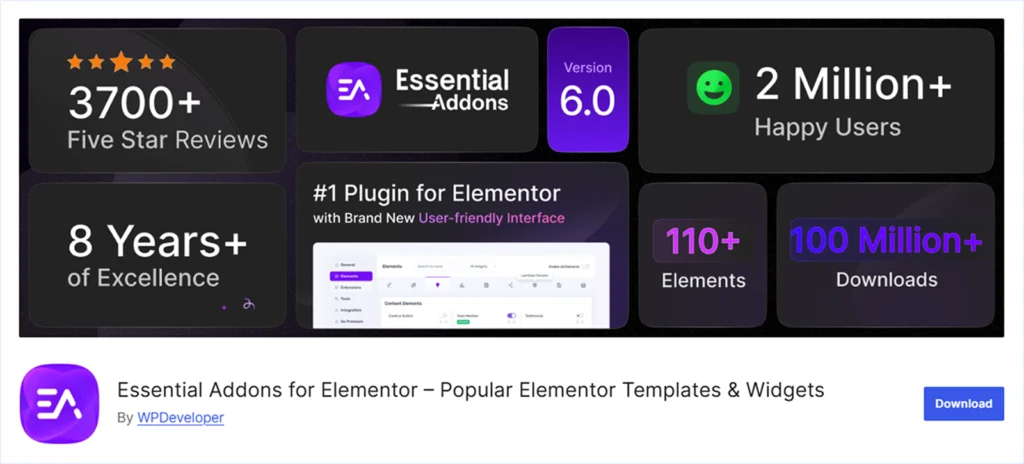
Essential Addons for Elementor is the most popular Elementor addon plugin with over 2 million users worldwide, developed by WPDeveloper. With 95+ Widgets, this plugin enables you to create and customize any elements using your native Elementor page builder.
For e-commerce websites, Essential Addons offers 15+ widgets such as Product Price, Carousel, Comparison, and more. It also provides 3000+ pre-built templates while integrated with Template for easy import and customization.
Besides all the positive aspects, Essential Addons has some drawbacks to consider before installing. We have tested Essential Addons on several of our Elementor websites and staging environments and have come up with the following insights.
Key Feature:
- Offers 110+ Elements and 95+ Widgets for Elementor website.
- 45+ Creative content elements – Team Member, Data Table, Fancy Chart, Content Timeline, and more.
- 15+ Elements for WooCommerce store – Product Price, Carousel, Product Compare, and more.
- Social Media integration and ability to display post feeds from Facebook, Instagram, and Twitter (X)
- Ability to style forms created with Typeform, Mailchimp, Weform, Contact from 7, and more.
- Integration with Templately, offering 3,000+ Elementor templates.
- Option to turn widgets on or off to optimize performance.
What We Like the Most:
- Easy-to-use UI to create and customize content using Native Elementor.
- Designed to be lightweight and allow users to turn widgets on and off based on their needs.
What Could be Better:
- Not having Header-Footer customization widgets.
- Not having a Pop-up creation widget.
- The lack of Mega Menu and Vertical Menu creation features.
- Only 6 months of access to Tamplately Pro on a Lifetime purchase.
- Some widgets overlap with Elementor’s Free and Pro features.
Pricing: A free version of Essential Addons for Elementor is available for initial use. And the premium plans start at $49 for a single website and go up to $249 for unlimited websites with a lifetime purchase.
2. ElementsKit
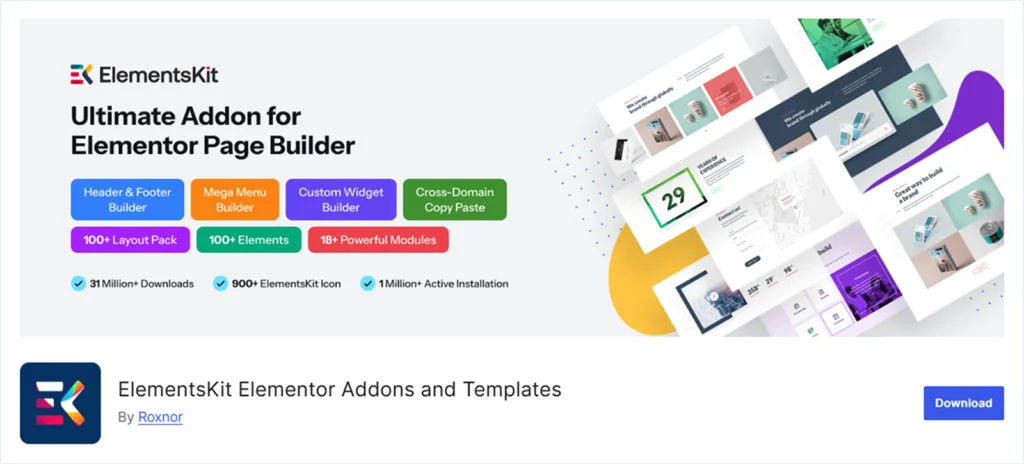
Elementskit from WPmet is an all-in-one addon for Elementor, loved by over 1 Million Users. With 90+ widgets, ElementsKit can fuel any element or website to create and customize features using the native Elementor.
These addons are lightweight, so you don’t have to worry about the site’s performance. You will have the control to turn on and off any modules from ElementsKit to avoid extra JavaScript load for the widgets you never use.
A free version of ElementsKit Lite is available to use some initial features before making any purchase decision.
Key Feature:
- Offers 90+ Widgets to power any Elementor website.
- Offers general widgets like Dual Button, FAQ Gallery, Charts, Table, Zoom, WhatsApp, and more.
- Pro features provide advanced widgets like Image Masking, Mega Menu, Comparison table, Client Logo, and more.
- Features to style different forms created with Contact from 7, Fluent Form, Ninja Form, and WP Forms.
- Advanced features like Woo Category List, Product List, Mini Cart, and Product Carousel to facilitate WooCommerce websites.
- Packed with 98+ Pre-designed templates to easily import and customize.
- Display post feed from Facebook, Instagram, Dribble, Behance, Twitter(x), and Pinterest.
What We Like the Most:
- Advanced Header and footer customization features.
- Mega Menu, Vertical Menu, and Circle Menu Creation features.
- Automated Testimonial showing features from Facebook and Yelp reviews.
- Cross-domain copy-paste functionality supports scalability.
- Widgets turn on and off features to facilitate website performance.
- Popup feature to display offers and announcements.
- Provides Widget Builder for power users to create their custom widgets.
What Could be Better:
- Some widgets overlap with Elementor’s Free and Pro features.
- No in-built SEO focused widgets like How to Schema and FAQ Schema.
Pricing: A free version of ElementsKit is available for initial use. And the premium plan starts at $49 per year and goes up to $747 for a lifetime purchase.
3. Jet Elements

Jet Elements is a powerful Addon pack for Elementor websites from Crocoblock. It offers 45+ modules to power Elementor-fueled websites. The clean code and advanced customization features established Jet Elements as an ultimate choice for almost 289K Elementor users worldwide.
Jet Elements is also popular among general and WooCommerce websites. Its limited widgets are not sufficient to meet all the needs.
We have tested Jet Elements on our Elementor website and staging environment, and we have come to the following verdict.
Key Feature:
- Offering 45+ Widgets to power any Elementor website.
- 6 Dedicated Widgets for WooCommerce stores – Top-rated products, best sellers, recent products, featured products, and more.
- Audio & Video Player Widgets from self-hosted video, YouTube, and Vimeo.
What We Like the Most:
- Data visualization features include a table, pricing table, pie chart, bar chart, progress bar, and circle progress.
- Features to create Advanced Subscribe from and style forms created with Contact from 7.
- Advanced Mega Menu creation features.
- 47 customizable pre-designed templates for easy importation.
What Could be Better:
- A very minimal widget quantity compared to others.
- There are limited form styling options except for Contact Form 7.
- Not having cross-domain copy-paste functionalities.
- Absence of the Pop-up creation widget.
- There are no header or footer customization options.
- No free version is available.
Pricing: Jet Elements’ premium plans start at $43 per year for 45 widgets and increase to $88 per year for unlimited websites.
4. Ultimate Addons for Elementor
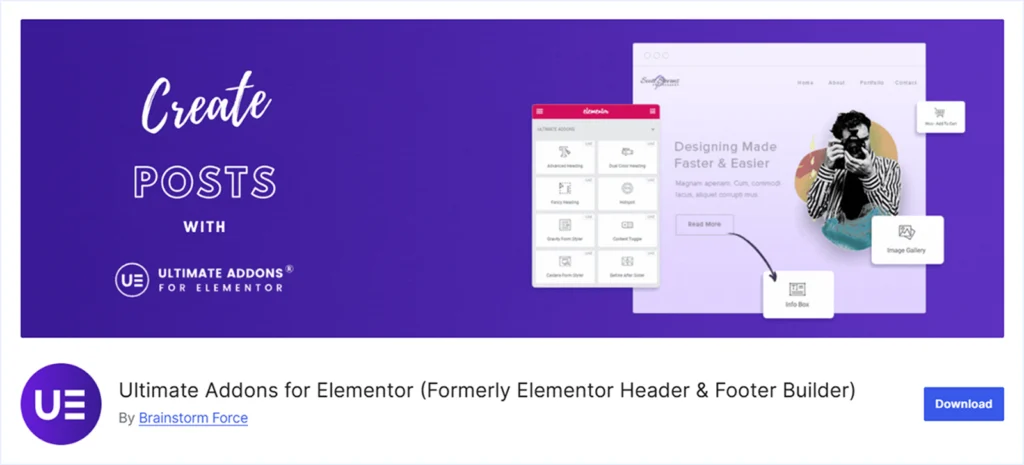
Ultimate Addons for Elementor is one of the most popular Addons plugins with over 2 million active installations among Elementor users. It’s a creation of the Brain Storm Force, the same company that built Astra.
With 50+ powerful Elementor widgets and 300+ website templates from Spectra Ultimate, Addos has established itself as a reliable Addon plugin for Elementor websites.
With lots of good features, Ultimate Additions also delivers some drawbacks. We have used Ultimate Addons for Elementor in several Elementor sites and staging environments and reached the following insights.
Key Feature:
- Offers 50+ widgets to power any Elementor website.
- Advanced Navigation menu widgets can create multi-level mega menus.
- WooCommerce product display widgets.
- Automate the showcase of the reviews from Google Business Profile and Yelp.
- Provides 300+ starter templates from Spectra to import and customize easily.
What We Like the Most:
- Cross-domain copy-paste functionality supports scalability.
- Built-in schema support for How to and FAQ content.
- Widgets for creating pop-ups and showcasing business hours.
- Ability to style the forms like Contact from 7, Gravity Forms, Fluent Forms, and WP Forms.
- In-built functionality to enable or disable any widgets, supporting website performance.
- Features to display Instagram and Twitter (X) feeds.
What Could be Better:
- It would be better if the Ultimate Addons for Elementor had Header and Footer customization options.
- It would be better if they showed broader social media feeds.
- Lacks a dedicated Charts and Graph widget to display data.
Pricing: A free version of Ultimate Addons for Elementor is available for initial use. The premium plan starts at $59/Year for a Single Website and goes up to $1399 per year in the Business Toolkit plan for 1000 websites in a lifetime purchase.
5. Happy Addons
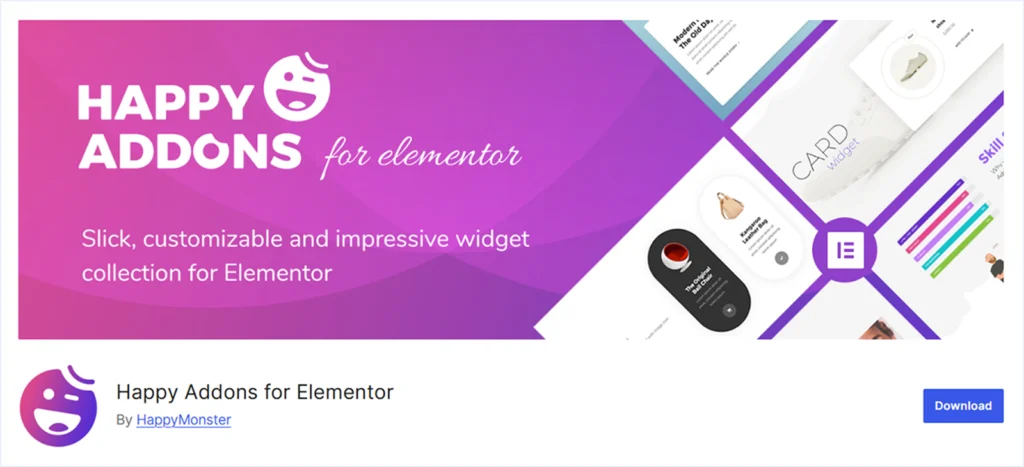
Happy Addons is one of the most popular Elementor Addon plugins, with 400k+ active installations, developed by Happy Mostar. Its vast library of 145 widgets is powerful enough to power any Elementor-fueled website.
Its theme-building features help to customize Headers, Footers, Single Page, Post Page archive, and more. On the other hand, Happy Addon provides multiple widgets to customize WooCommerce websites.
Besides many valuable features, Happy Addons has some drawbacks to consider. We have tested Happy Addons on several Elementor websites and staging environments and reached the following conclusions.
Key Feature:
- Provides the library with 145+ widgets and 30 unique features.
- Custom mouse cursor and Floating Effect.
- 70+ Page Templates and 400+ Ready sections to import easily.
- Having an Advanced Nav Menu and a Mega Menu builder.
What We Like the Most:
- Cross-domain copy-paste features that support scalability.
- Includes theme builder to customize Header, Footer, Single Page, Post Page, Archive Page, and more.
- Ability to style the forms created with Contact from 7, Ninja Forms, Caldera Forms, and more.
- Supports WooCommerce stores with Product Carousel, Category Grid, Category Carousel, Checkout, and Shipping Bar widgets.
- Ability to display data in various chart formats like Pie Chart, Bar Chart, Polar Area, Radar Charts, and More.
What Could be Better:
- Limited to integrating Facebook, Instagram, and Twitter (X) to display feeds, which could be broader.
- It would be better if they offered a WooCommerce product comparison table.
Pricing: A free version of Happy Addons is available for initial use. The premium plan starts at $39 per year for a single website and goes up to $549/ per year for 1000 websites within a lifetime purchase.
6. RioVizual
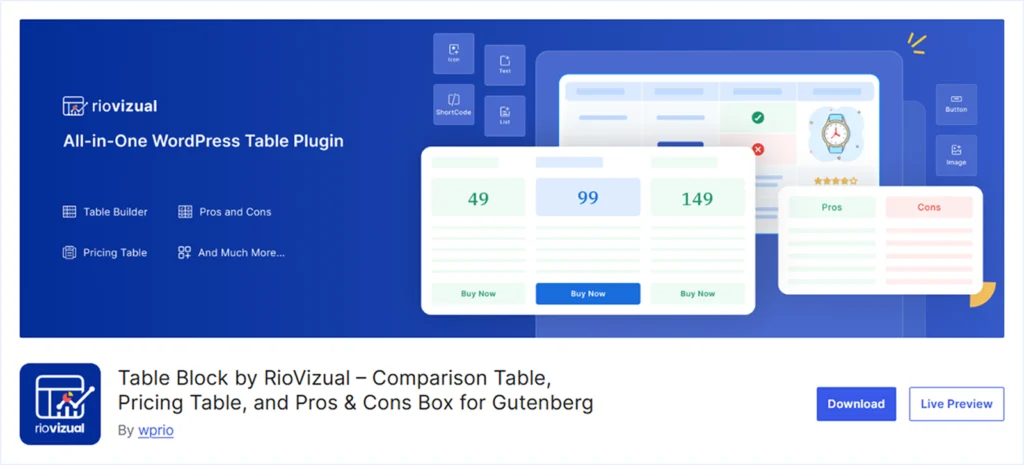
RioVizual is a dedicated Table Plugin for WordPress that offers a dedicated widget to insert any table to an Elementor website. It helps to unlock the Table creation feature on any Elementor website.
RioVizual enables any website to create a Data Table, Pricing Table, Pros and Cons, Comparison table, Schedule Table, Booking Table, and more. RioVizual uses the WordPress default editor to create tables, which makes it lightweight.
Also, RioVizual offers a central table creation and management system to create and manage tables from the plugins dashboard, which offers scalability. It provides all the necessary elements like text, media, shortcode, star ratings, icons, buttons, price, features, and more to present any data effectively.
We have used RioVizual in several Elementor websites and staging environments and have come up with the following conclusion.
Key Feature:
- Drag and Drop UI for easy customization. (Beginner-friendly and powerful)
- Supports 19+ elements to present any data effectively.
- A central table creation and management system supports scalability.
What We Like the Most:
- A large library of 57+ pre-designed templates. (One click Import)
- Widget support for Elementor to insert tables easily.
- Built-in schema markup facilities to increase search engine visibility.
- Use the default WordPress editor to create tables, which is lightweight.
- A powerful free version to create any functional table.
What Could be Better:
- Can’t serve all the needs for the website except for creating tables.
- Absence of export and import features to handle a large dataset.
- Not featuring WooCommerce product comparison facilities.
Pricing: A free version of RioVizual is available for initial use. The premium plan starts at $49 /per year for a single website and goes up to $149 /per year for unlimited websites within the early subscription.
7. Premium Addons for Elementor
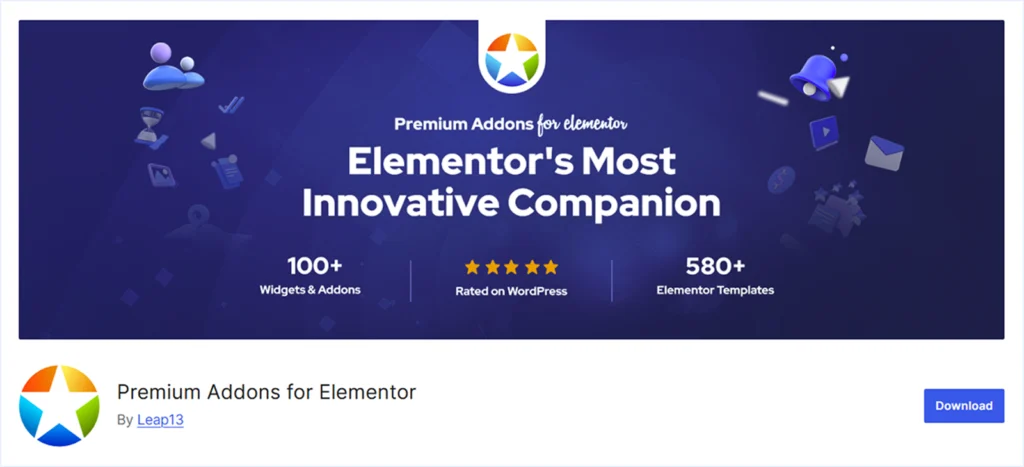
Premium Addons for Elementor is an advanced Elementor addon Plugin from Leap13. With a 700K+ active installation, WorldWide Premium Addon offers 90+ Widgets and 580+ Pre-Built page and container templates. Also, it provides several widgets for WooCommerce websites.
While offering so many features, it also lacks Header and footer customization and cross-domain copy and paste functionality. We have tested Premium Addons for Elementor on several of our Elementor websites and staging environments and have come up with the following verdict.
Key Feature:
- Provides 90+ Widgets to fuel any Elementor Website.
- Offering 580+ Pre-built page and container templates to speed up the website design.
- Having WooCommerce Product Listing, Carousel, and Categories widgets to facilitate WooCommerce stores.
- News and Magazine widgets, including Blog, Smart Post Listing, and News/ Content Ticker.
What We Like the Most:
- Offering a border social media integration to display feeds from Facebook, Instagram, Twitter (X), Behance, Pinterest, and TikTok.
- Includes the Mega Menu widgets to build complex and user-friendly navigation structures.
- Features to display data as Tables, Charts, and Graphs.
What Could be Better:
- It does not offer any Header or Footer customization features.
- Absence of cross-domain copy-paste functionality to support scalability.
- There is no product comparison table feature for WooCommerce products.
Pricing: A free version of Premium Addons for Elementor is available for initial use. The premium plan starts at $49/per year for a single website and can go up to $299 for unlimited websites in a Lifetime purchase to unlock the full potential.
8. Element Pack:
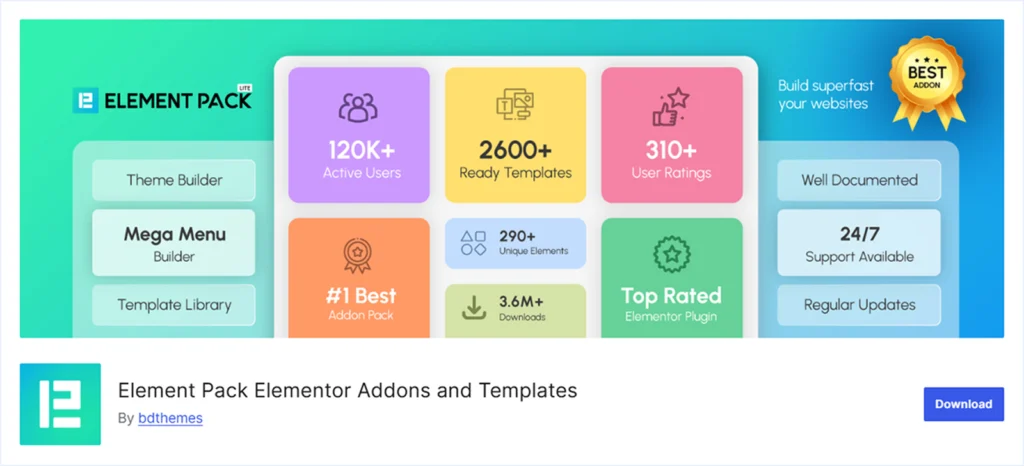
Element Pack from BD Themes is a popular Elementor Addon with 100K+ active installations. It offers a total of 295+ widgets to power any Elementor website. It also provides 2642+ pre-built templates for pages and container blocks for Elementor websites.
With a lot of customization features, Element Pack also has some drawbacks. We have discovered all its bright and dark sides while using Element Pack on our several Elementor websites and Staging environments, and have come up with the following insights.
Key Feature:
- Provides a Large Library of 290+ Widgets to power any Elementor Website.
- Offers 300+ Pre-built page and container templates to speed up the web design process.
- Features a full suite of WooCommerce widgets, including Carousel, Tracking Form, Slider, Mini Cart, Check Out page, and more.
- Supports Post Grid, Post List, Post Slider, Post / Blog Carousel, News/Post Ticker for content-driven sites.
What We Like the Most:
- Header and footer building capability from pre-designed templates.
- Dedicated widgets for creating Mega Menu, Vertical Menu, and Right Click Content Menu.
- Features to develop advanced Crypto Currency Tables, charts, and Chart Carousel.
- Post Grid, Post Card, Post Slider, News Ticker, and more for content-focused websites.
- Live Copy-Paste functionality for cross-domain support and scalability.
What Could be Better:
- Absence of a dedicated WooCommerce Product Comparison table.
- Custom Mouse cursor styling is unavailable.
Pricing: A free version of Element Pack is available for initial use. The premium plan starts at $49 per year for a single website and goes up to $699 for unlimited websites in a lifetime purchase.
9. The Plus Addons:

The Plus Addons for Elementor is developed by Posimyth and loved by 100K+ active Elementor users worldwide. It offers a vast library of 120+ widgets and 1000+ pre-designed templates from their other product, WP Design Kit.
It also offers several WooCommerce widgets to support WooCommerce stores and many advanced features to fuel any Elementor website. On the other hand, the Plus Addon for Elementor is the only plugin in the list offering a 60-day money-back guarantee.
Besides all the positive aspects, the Plus Addons for Elementor have also had some drawbacks to consider. We have tested the Plus Addon for Elementor on several of our Elementor websites and staging environments and came to the following conclusion.
Key Feature:
- Offers a vast library of 120+ widgets to supercharge any Elementor Website.
- Provides 1000+ Elementor templates from the external plugin WP Design Kit.
- Having Woo products widgets to display products.
- Featuring the Advanced Mega Menu and Circle Menu builder.
What We Like the Most:
- Theme builder feature for designing a single page, blog page, header, footer, and more.
- The Cross Domain Copy Paste feature supports scalability.
- Offering a 60-day money-back guarantee.
- Data visualisation features like Data Table, Pricing Table, and Chart.
- Social Widgets for showing Reviews from Facebook and Google Business Profile.
- Features to show Facebook, Instagram, Twitter (X), Vemio feed.
- Advanced styling features for forms created with Contact Form 7, Mailchimp, Meeting Scheduler, Ninja Form, Everest Form, Gravity Form, and WP Forms.
What Could be Better:
- Absence of Custom Widget Building features like ElementsKit.
Pricing: A free version of The Plus Addons for Elementor is available for initial use. The premium plan starts at $49 per year for a single website and goes up to $449/ year for unlimited websites for a lifetime purchase.
10. PowerPack:
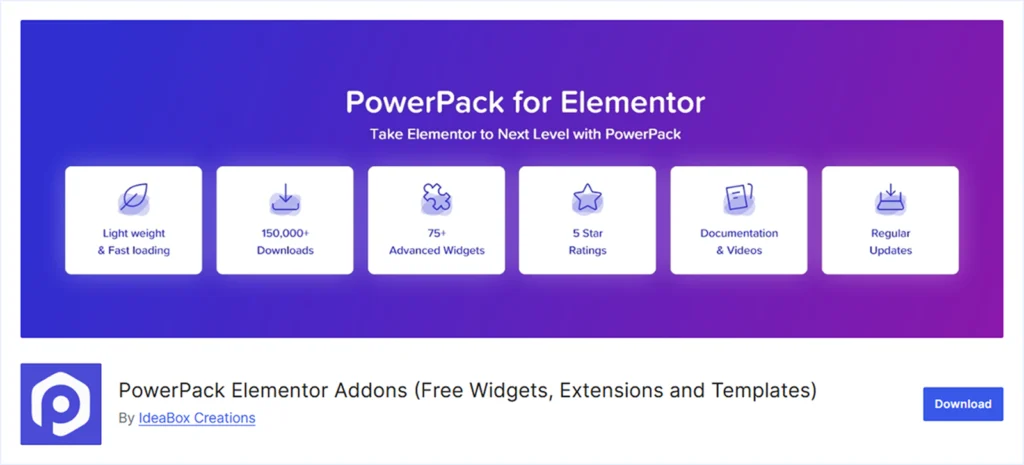
PowerPack Elementor Addons is developed by IdeaBox and loved by 90K+ active Elementor users Worldwide. It offers a wide range of 70+ widgets and 150 pre-built templates to power any Elementor website, as well as for those who use WooCommerce.
Besides all these positive aspects, the Power Pack also has some disadvantages. We have tested PowerPack on several of our Elementor websites and staging environments and reached the following conclusions.
Key Feature:
- Offers 70+ Creative Elementor Widgets and 150+ Elementor Templates.
- Performance originated design to turn on and off widgets based on needs.
- Dedicated WooCommerce widgets for the Add to Cart Button, Cart Page Styler, Checkout Page Styler, and more.
What We Like the Most:
- Extension like “Magic Wand” for Cross Domain Copy Paste supports scalability.
- Schema Markup support for How to content for better search engine visibility.
- Advanced styling options are available for forms created with Gravity Forms, Ninja Forms, Contact Form 7, WP Forms, and more.
What Could be Better:
- Lacking theme builder, Header, and Footer Building features.
- Absence of WooCommerce Product Comparison Table Features.
- Limited to showing the Instagram feed only.
- Lack of mega menu creation features.
Pricing: A free version of PowerPack is available for initial use. The premium plan starts at $49/ per year for a single website and goes up to $499 for unlimited websites in a lifetime purchase.
11. Qi Addons:
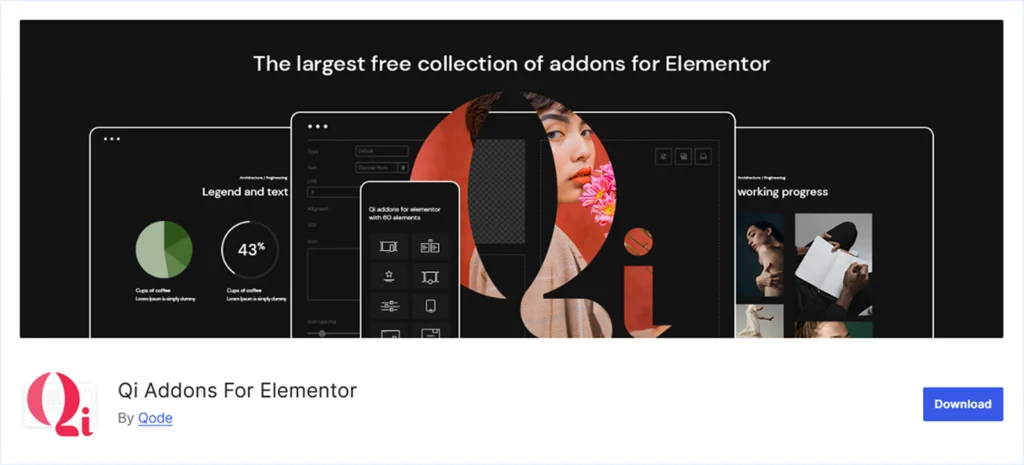
The Qi Addons from Qi Interactive are a powerful Addon pack to fuel any Elementor-powered website. It has become a trusted tool for 200K+ active Elementor users worldwide. Qi Addons offers 100+ flexible widgets and includes a modern Qi theme within its premium plan.
It provides WooCommerce widgets like Product List, Slider, Add to Cart, Product Comparison, and more to support e-commerce sites. The advanced Theme builder facilities to customize the header and footer impress us, and so many users.
Besides all these good sides of Qi Addons, it also has some drawbacks. We have tested Qi Addons on several Elementor websites and staging environments and have come up with the following conclusion.
Key Feature:
- Offers 100+ Flexible Widgets to fuel any Elementor website.
- The Pro Version of Qi Addons comes with a modern Qi theme for WordPress.
- Dedicated WooCommerce widgets like Product List, Product Slider, Add to Cart Button, and Product Comparison to support e-commerce websites.
- On-demand widgets on and off to facilitate performance.
What We Like the Most:
- Showing customer reviews features from Google Business Profile and Yelp reviews.
- Advance data visualization options with Data Table, Pricing Table, Chart, and Graph.
- SEO Schema Markup support for How-to content and FAQs.
- Advanced styling options for the forms created with Contact from 7, WP Forms, Gravity Forms, and more.
- Header, footer, and building features form the theme builder.
What Could be Better:
- Absence of the Advanced Mega Menu feature.
- Not having a Cross Domain Copy Paste feature to support scalability.
- No lifetime plan is available.
Pricing: A free version of Qi Addons for Elementor is available for initial use. The premium plan starts at $49 per year for a single website and goes up to $139 for unlimited websites with the Qi Theme in a yearly subscription.
12. Woolentor / ShopLentor:
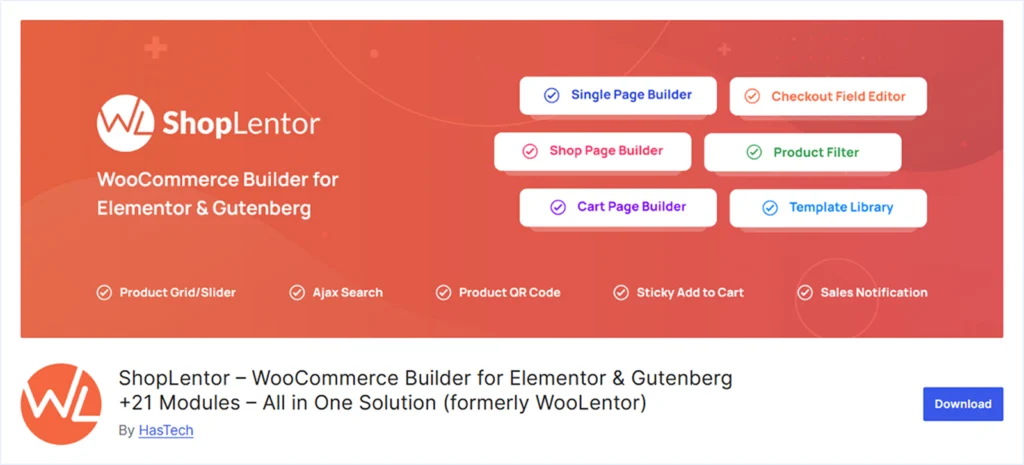
Woolentor, currently rebranded as Shoplentor, is developed by Has Themes. It’s a popular Addon among 100K+ WooCommerce store owners using Elementor Page Builder.
With 125+ WooCommerce widgets, Shoplentor is focusing on providing solutions for building better WooCommerce stores than a general website. Its advanced features will enable you to meet all the needs of a WooCommerce store.
Being a WooCommerce-focused addon, it has some drawbacks to consider while using it for general purposes. We have tested Shoplentor on several of our WooCommerce-powered Elementor websites and have come up with the following insights.
Key Feature:
- Offers 125+ widgets specially designed for WooCommerce stores.
- Conversion-focused features for e-commerce websites.
- Advanced features for displaying product title, description, price, related products, reviews, ratings, and more.
What We Like the Most:
- Deep WooCommerce customization for product pages, category pages, checkout pages, and more.
- Cart page widgets for designing cart table, cart total, empty cart message, redirect buttons, and more.
- Advanced product thumbnail with zoom and product video gallery features.
- FAQs, Stock Progress Bar, Shareable QR codes, Real-time product search, Category list, and more.
- Popup, Testimonials, Banner, Special Day offers for marketing.
What Could be Better:
- Lack of general-purpose widgets and focused more on e-commerce needs.
- There are no dedicated Mega menu widgets for creating advanced menus.
- Absence of header, footer, building, and customization options.
- The lack of cross-domain copy-paste functionality hinders scalability.
Pricing: Woolentor’s premium plan starts at $59 for a half-year, powering 5 websites, and increases to $399 for 100 websites in a lifetime purchase.
How to install Elementor Addons Plugins?
You can install Elementor Addons plugins in 2 different ways. Follow these few simple steps to do this.
Method 1: Install Plugins from WordPress Plugin Directory:
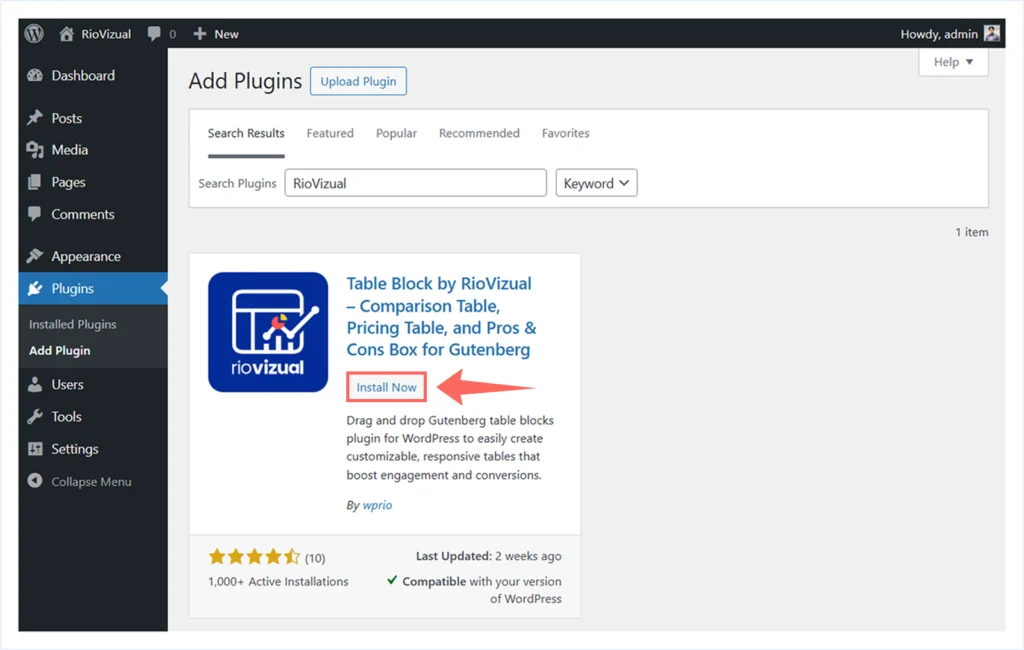
- Go to your WordPress Dashboard → Plugins → Add Plugins.
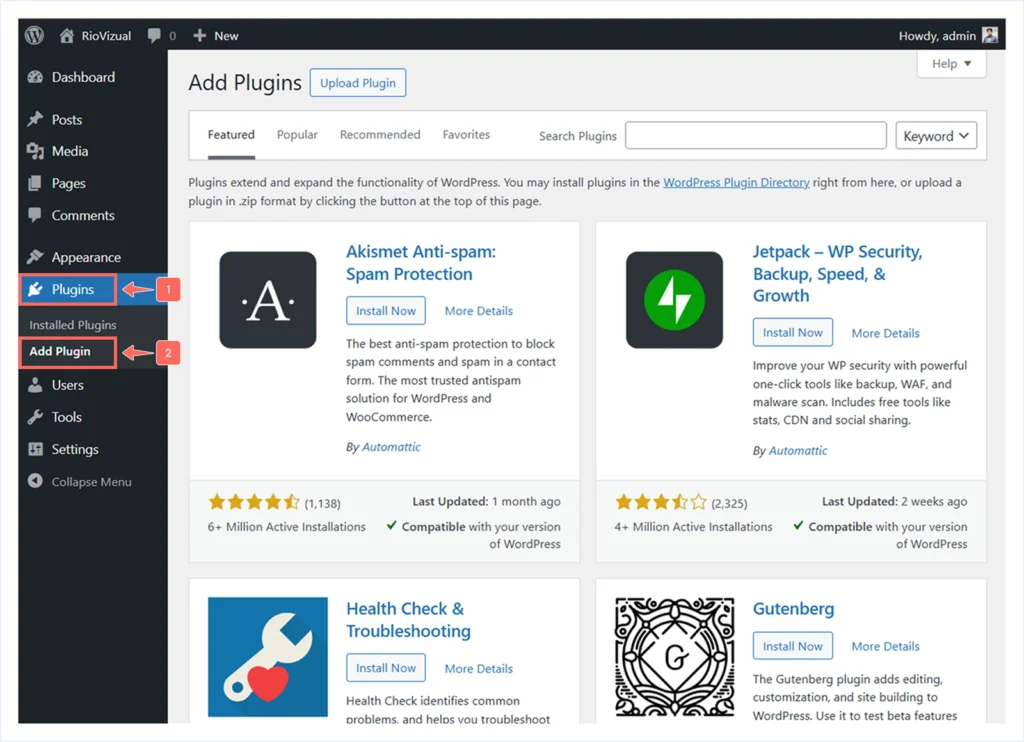
- Type the name of the plugin in the search box.

- Click Install Now to install the plugin.
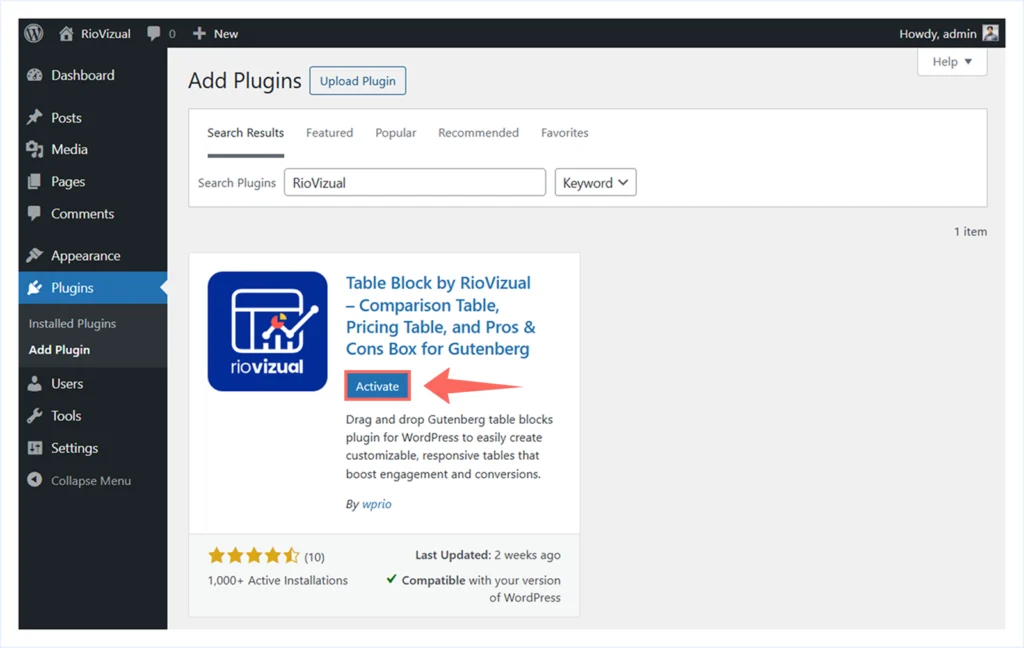
- After the plugin is installed, click Activate to launch the plugin.
Method 2: Upload plugins as a Zip file:
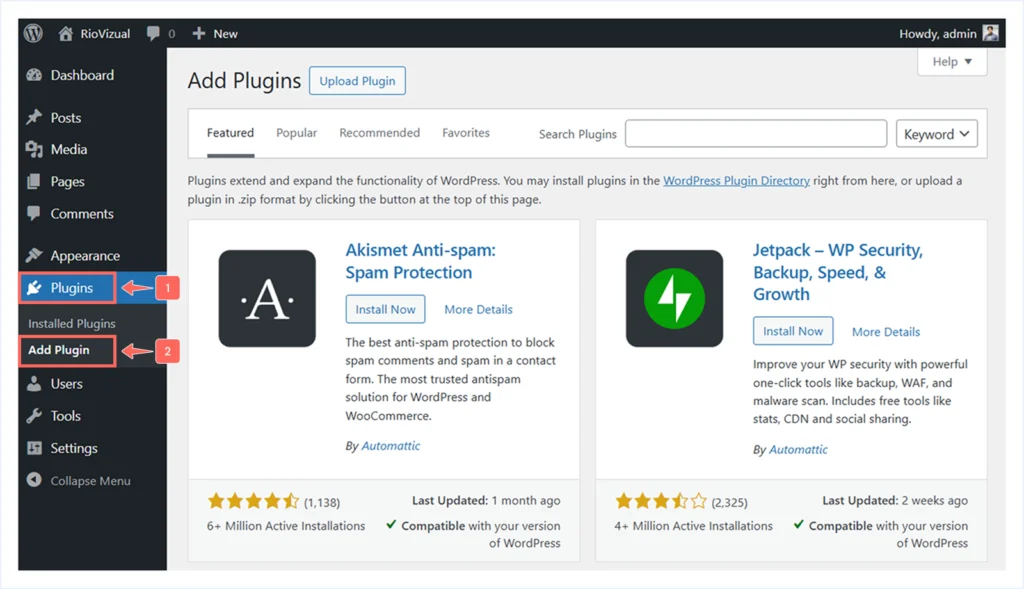
- Go to your WordPress Dashboard → Plugins → Add Plugins.
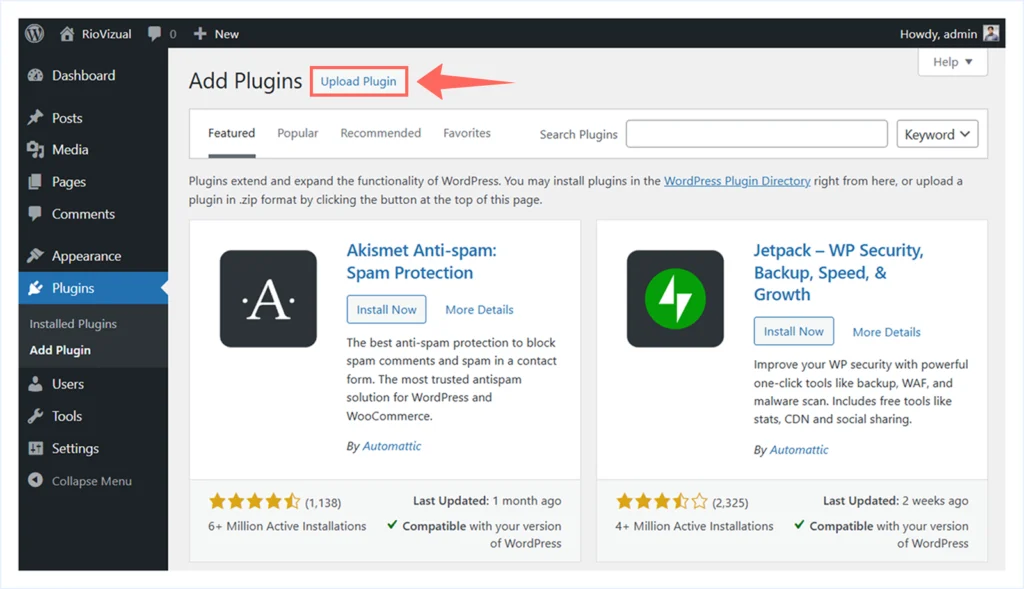
- Click to Upload Plugin.
- Choose the Zip file of the plugin you have downloaded and click Install Now.

- Then click to Activate to launch the plugin.
FAQ:
Final Thoughts: Choosing the Right Elementor Addon
Elementor addons are not one size fits all. Some focus on design flexibility, some on performance, and others on specific use cases like WooCommerce or data presentation.
If you want an all-rounder, plugins like Essential Addons or ElementsKit cover most needs. If you run a WooCommerce store, ShopLentor is built exactly for that. And if your website relies on comparison tables, pricing tables, or pros and cons layouts, RioVizual fills a gap that most Elementor addons do not.
So, pick the addon that matches your actual needs. Avoid feature overload. Use what helps you build faster, cleaner, and smarter.
Ready to enhance your Elementor site?
Try the plugins above, test them on a staging site, and choose the one that truly fits your workflow.

Leave a comment